About Filters
1. This is the use of Filter Motion Blur
I saved the final image as jpg, as also in gif format. I think jpg format is looking pretty good. Gif format is not looking as the one posted by our teacher. Although it is looking not as good as the one of the teacher in the tutorial it has more KBs than the other one lol. So for sure I would decide to take the jpg format.
2. Using Drop Shadow
applying text with drop shadow
applying drop shadow to a transparent gif
3. Using the Sunburst Filter
4. Look at the Filter Preview in PSP
example used with kaleidoscope
5. Installing Free Filters and using some Filters
From the site: http://perso.club-internet.fr/gpl/html/free_plugins.html we had to download the Almathera filter (puddle). Its great to create a water effect. So look here:
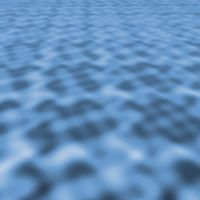
I didnt download, as I have so many different filters from earlier times and played a lot with them. There are three more pictures with the use of different filters.