| IRC Help For Jmeeting |
| Connect |
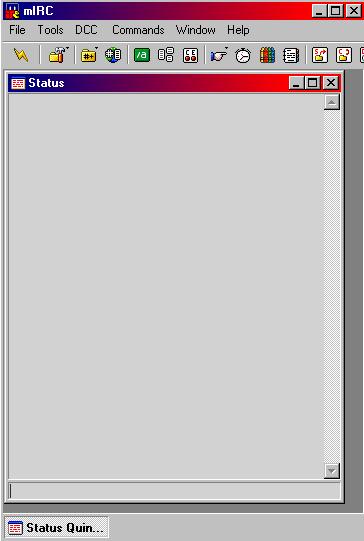 |
| Click on file then options or Alt+O then precide to the next graphic,newer versions,tools then options. |
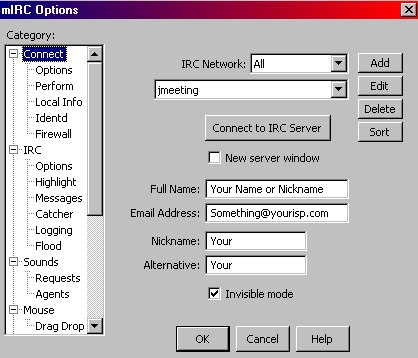 |
| I have opened all the check boxes so that we can go step by step, now click on the Connect tab. Next enter your Name or nickname then Address Nickname again then Alternative you do not have to click enter or ok.I would not enter your real name as people will be able to view it online. |
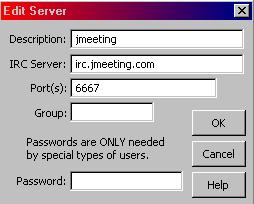 |
| Click on Add then this screen will pop up add the information as you see it then hit OK a Group or a Password are not needed. |
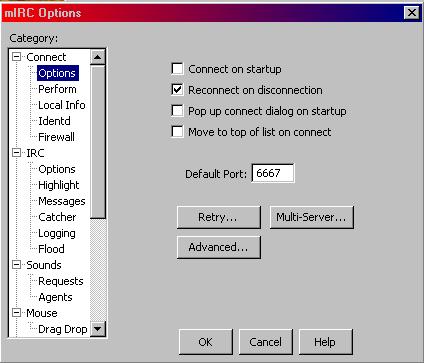 |
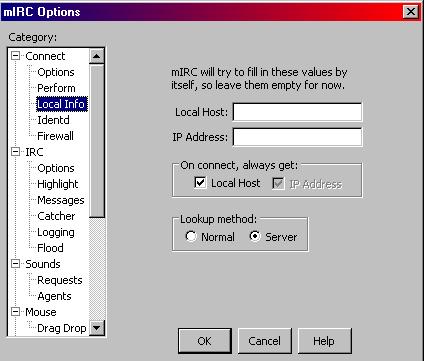
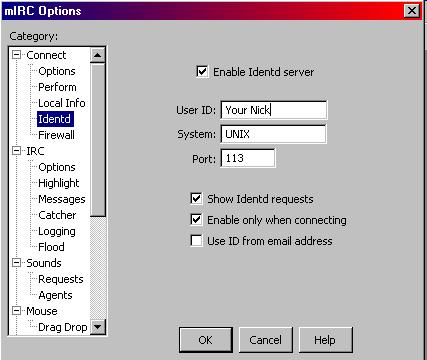
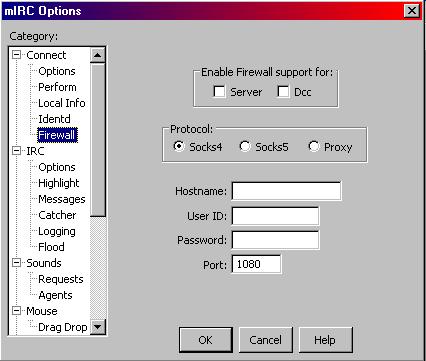
| Options this is up to you, as many of these will be. This is how i have mine set up you may chose to do it different. The 3 lower windows Retry Multi-Server and Advanced are configured but you may change them. Below is the new version of Options for 6.12. |
 |
| naehd |
 |
 |
 |
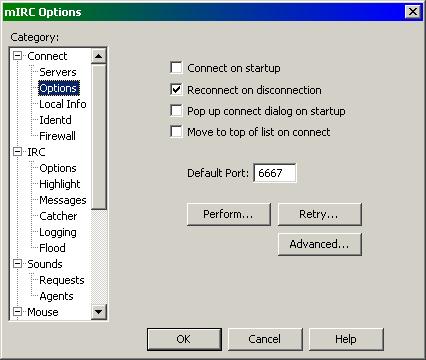 |
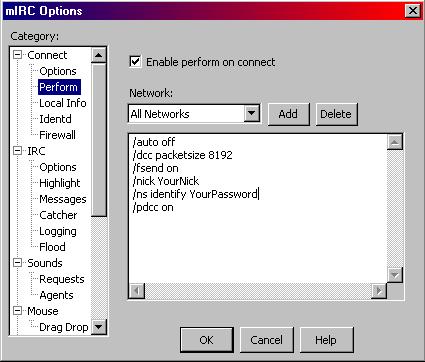
| This is for version 6.12 and they have added a Perform button rather than a tab on the left side. |
| INDEX Page 1 Connect Page 2 IRC Page 3 Sounds/Mouse Page 4 DCC Page 5 Display/General |
| Perform is where you can add commands that will save you time when logging into chat. Example /ns identify yourpassword, will automaticly send a message to nickserv for you if you have registered your nick name. Depending on what you need or want you can add whatever you need. |
| Newer versions you will find TOOLS under View |
| ashcast |
| ashcast |
| irc.ashcast.org |