
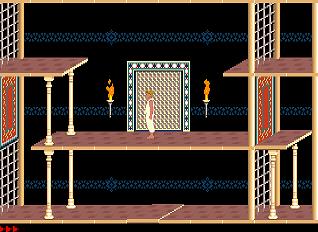
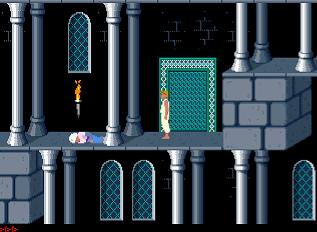
Published by: Broderbund Software (original Prince of Persia)
Modified by: Kirill Terebelov (Prince of Persia 4D)
Category: Swordfighting Platform
Type: Freeware
Language: English
System Requirements:
At least 512K of memory for EGA, CGA, Tandy or Hecules monochrome graphics, and at least 640K for VGA
Description:
Prince of Persia 4D is based on the orginal Prince of Persia game. However, some levels were modified by Kirill Terebelov and these levels much harder than the orginal using a level editor called Princedit. His modified creation was then released as freeware.
Known level editors are Roomshaker, PrincedV, Princedit & PopMap.
Under dos mode:
C:\>cd 4d_prin
C:\4d_prin>4d_prin kirill!
Under windows mode:
Use a text editor such as notepad. Type:
4d_prin kirill!
Then save as cheat.bat .After that double clicking on .bat file will run game in cheat mode.
Otherwise for convenience download this file already created for you and place it in your game folder.
Creating shortcut to dos with cheat mode:
Right click on 4dprince.exe and select "Properties". Then select "Program tab". Next under cmd line, replace the words 4d_prin.exe with the words 4d_kirill! and click ok. A shortcut will be created and double clicking on shortcut will run game in cheat mode.
Under the cheat mode, use one of the following cheats:
K - Kills all enemies on the screen
R - Resurrects you where you last died
+ - Increases time left
- (minus) - Decreases time left
Shift-L - Skips to next level (using this in cheat mode will let you skip beyond level 4 and you remaining time will not be reduce to 15 minutes)
Shift-T - Extra life given (Max is 10)
Shift-S - Heals a lost life
Shift-W - Floats down long drops
N - Looks at screen below the current one
U - Looks at screen above the current one
H - Looks at screen to the left of the current one
J - Looks at screen to the right of the current one
Shift-B - Blocks out non-animated objects
Shift-I - Inverts screen (upside down), press again to invert screen back
C - Views programming code