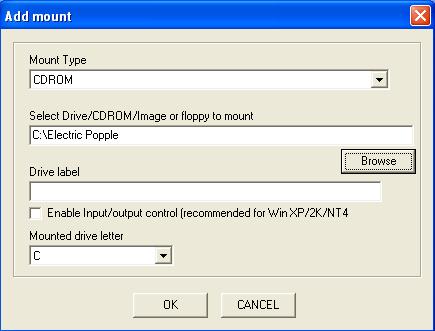
Assuming that you were facing the case where using an auto-created mount would result in a prompt cannot detect CD-ROM when you are running the game. To solve that do a manual mount:
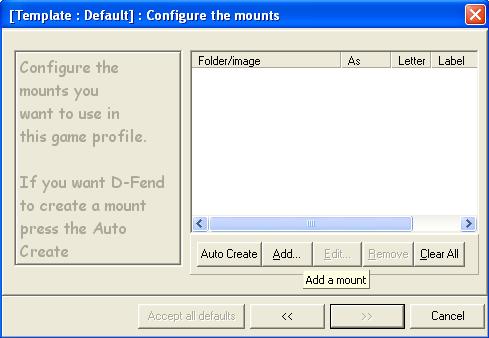
1. Under step 12, click "Add".
3. For select Drive/CDROM/Image or floppy to mount, click on Browse and choose the folder of
your game or choose the drive your game is on. In this example, the game happens to be on the
harddisk drive C:
4. For Mount drive letter, select the drive your game is on. In this example, it is c drive.
5. Click "OK" and the mount will be created.