Be sure that you are connected to internet.
Start Amibroker
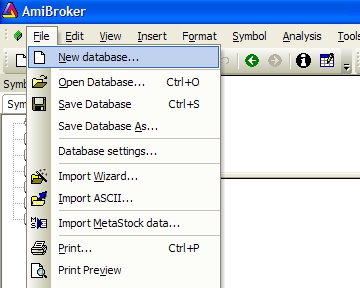
Go To File - New Database
Click On 'New Database...'
You will get following window -
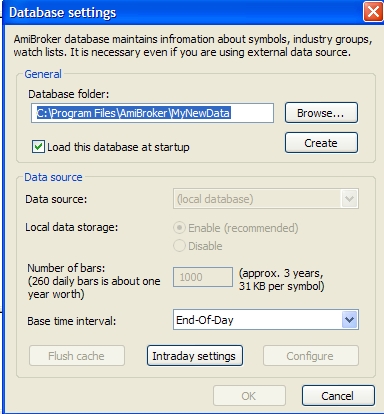
Click on 'Browse...' Button.
Select Any Blank Folder & click 'Create' Button.
Change the other settings as following Image -
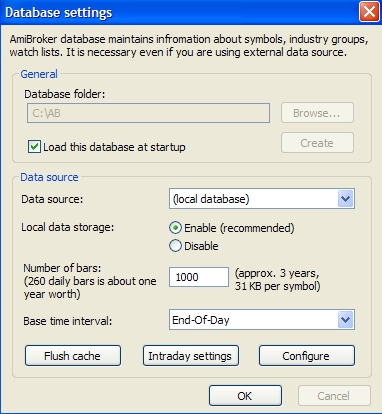
Click 'OK' Button.
Now New Database has been created.
Do not Close Amibroker.
Now Start our software - BSEIntra.exe
Right click any script in left side list & select 'Add to Watch' as shown below -
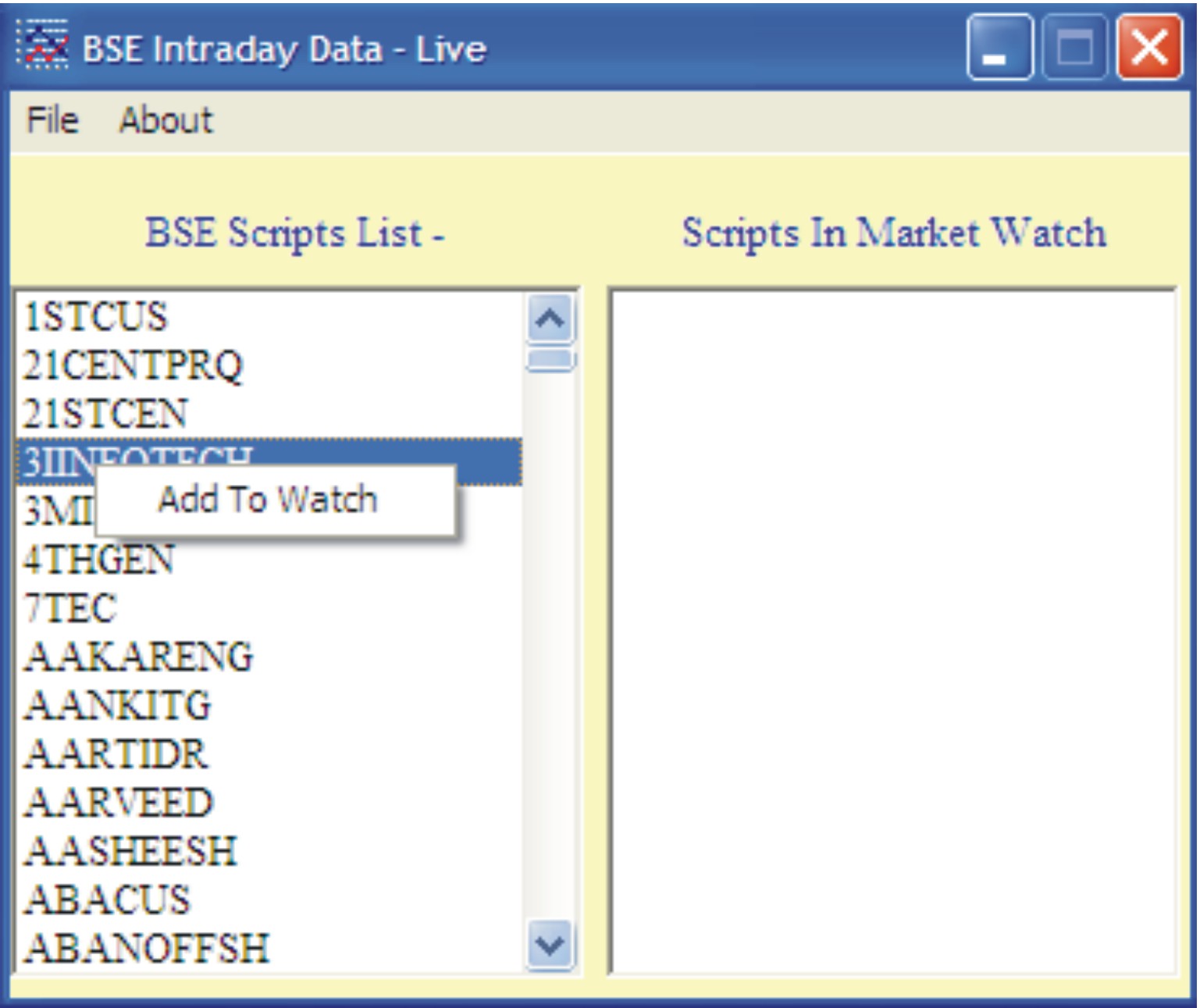
Script will be added in right side list as well as to Amibroker. Chart in amibroker will update continuously if you are working during market hours.
Using above steps, add more scripts to your watch list.
Now you can save your watch list from Menu File - Save List
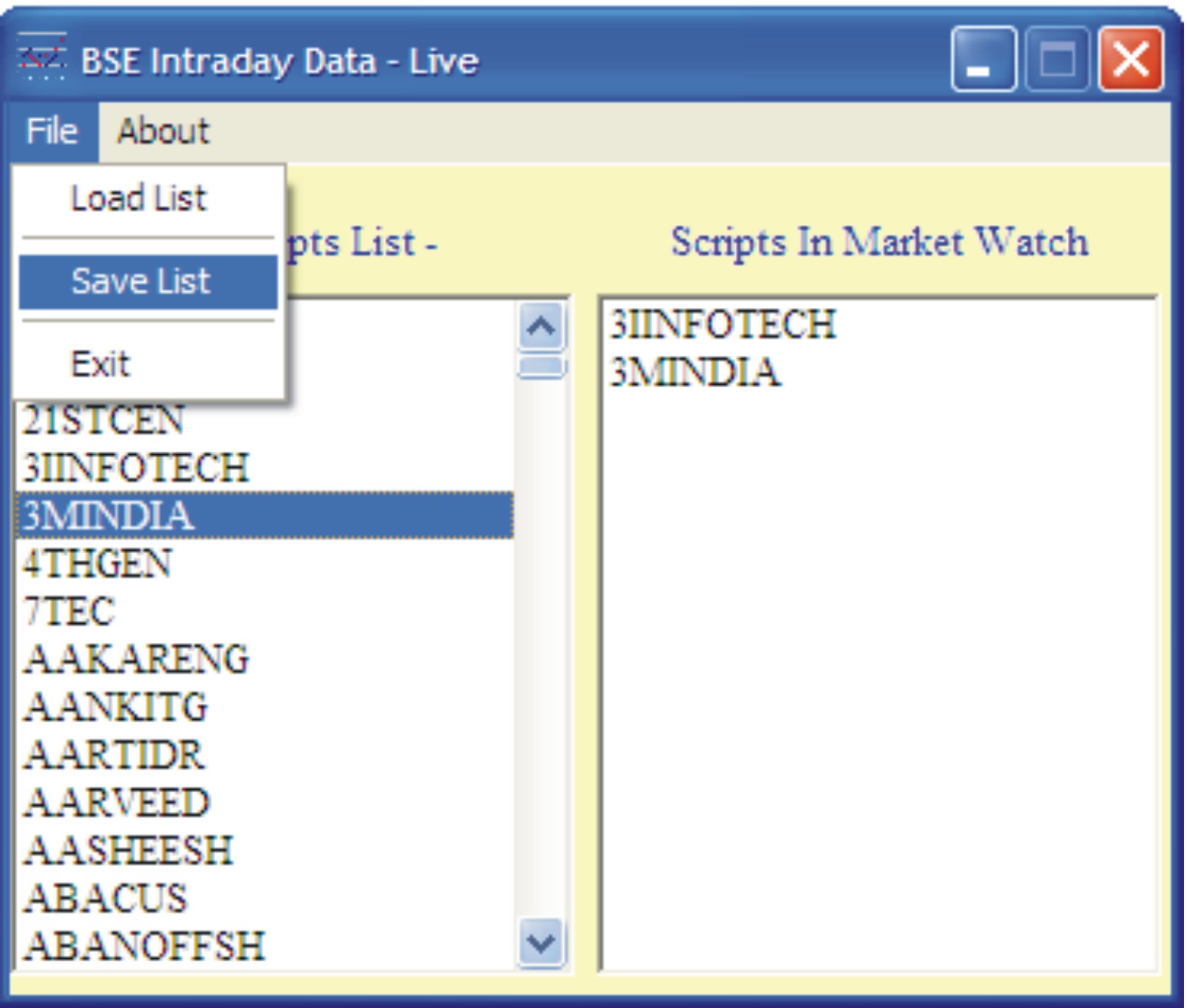
You can create various watch lists as per your requirement
To load a list - select 'Load List' from file Menu. You will get following window -
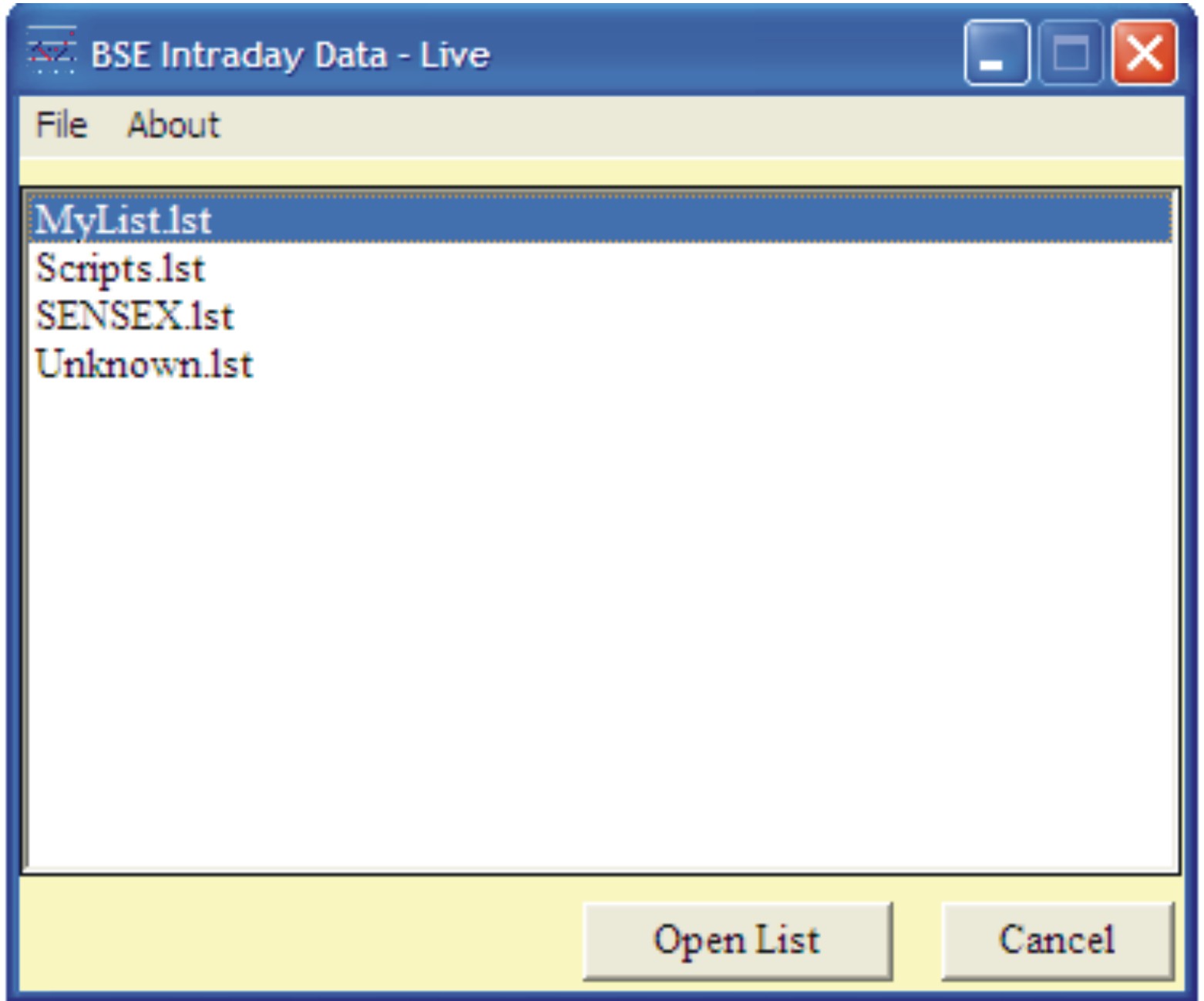
Select any list & click button 'Open List' as shown above.
Total Visitors of this page since 25.05.2007 - |