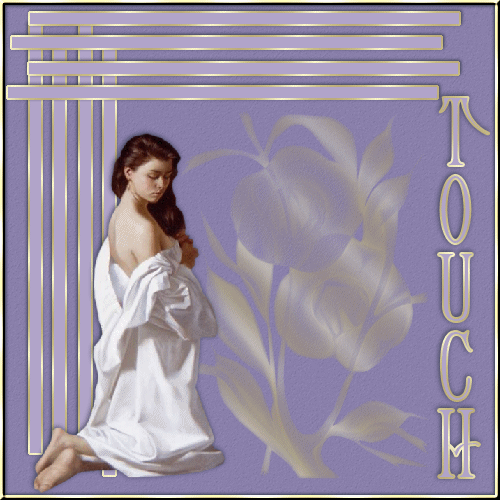
17) With your mover tool move the duplicate image to the top of your graphic and place as shown above.
18) Add new layer and choose your Cjewelzz-jcc paint brush. Stroke and foreground set to cmv_gold pattern. Position paint brush approx in the center of your canvass and left click your mouse button once.
19) Add Drop shadow with these settings � V & H 0 � opacity 30 � blur 1 � color #000000.
20) Open your girl1 psp image and copy � and on your working image � paste as new layer.
21) Image � Mirror and place to the bottom left of your image as shown above.
22) Add drop shadow using these settings � V & H (-1) � opacity 70 � blur 8 � color #000000.
23) Select your text tool with these setting � Create as vector � Helena-Wide font included in the zip files or a font of your choice � size 60 � stroke 2 - anti alias checked , Foreground and stroke set to cmv_gold pattern � background and fill set to #b2a4ca. Using psp9 set your direction so that the black arrow is pointing to the right and the red arrow points down.
24) Type your text and move into place. Convert to raster layer.
25) Add drop shadow using the same settings as in step 22.
26) Layers � Merge � merge visible.
27) Give your image a name and save as a gif file to a folder of your choice
YOU ARE DONE!!!
I hope you had fun with this tutorial. There will be more tutorials in which you will make and save your own selections rather than load from an alpha.
PAGE 1
HOME