

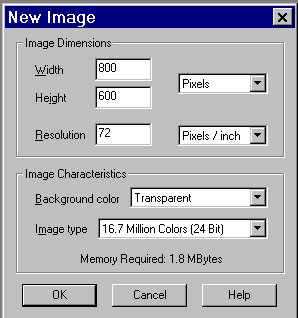
This tutorial was done in Paintshop Pro 6, and is using the demensions for a 15 inch moniter. To change the demensions to fit your screen size go to my computer, click on control panal, click on wallpaper, then look down at the bottom of the popup screen and see what your demensions are for screen resolutions. Use those numbers, to create a desktop wallpaper that will fit your screen. First off open a new image with these settings below. You will need FM Tile Tools, Eyecandy, Texturizer to do this tutorial.
 |
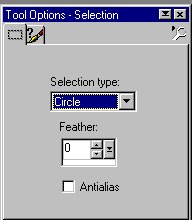
Click on tool options and select circle, like below.
 |
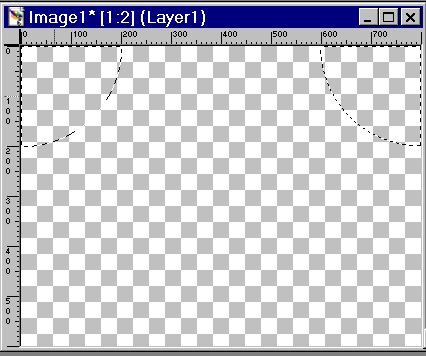
Now go to your new image and in the corners place your mouse. While hold down the mouse make your circle shape using 200, 600 as a guide like below. Do this for all four corners. Be sure that when you have moved onto the next selection you hold down the shift key This will keep the roaming ants around what you have just done, connect everything together.
 |
Now go back and switch your selection tool to rectangle, as seen below.
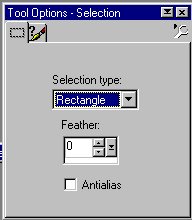 |
Stat at the corner as you did with the circle and this time go in a straight line to the bottom using 100 pixils as a guide. Do this for all four corners again.
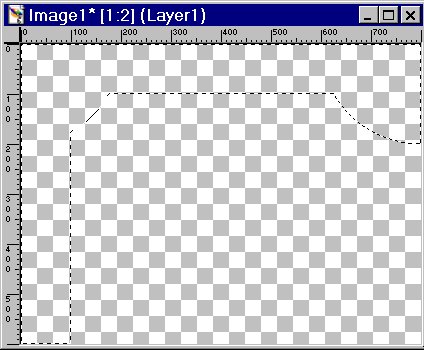 |
 |
You should now have roming ants all the way around like shown below.
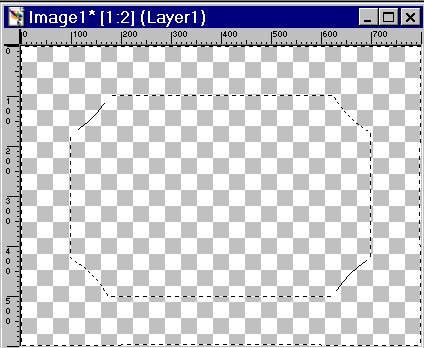 |
Now your ready to flood fill with a seamless pattern. You may use the one below or chose one of your own. You will need FM Tile tools for this.
 |
Go to FM Tile tools and click on seamless tile. Click the apply button as seen below.
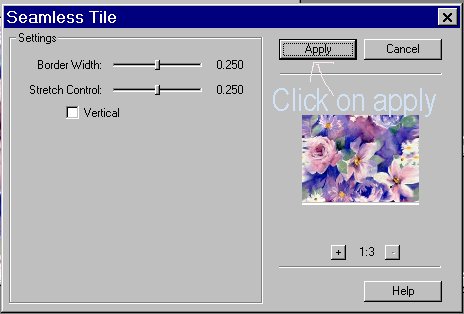 |
Now, repeat as above but this time click on vertical, then apply
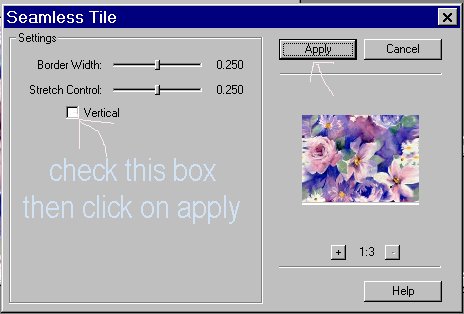 |