Editors.htm
Julian Ortiz
Editors.htm
CISB11
Kompozer
 Kompozer is the alternative to the two programs mentioned later. This is
a free program created and distributed through the Linux distributions. This
program was very easy to use and had a very simple layout. It is safe to say it
is very similar to the Front Page layout. It was very easy to use (as we used
and installed it in class) and is most likely compatible with the PC you are
using today.
Kompozer is the alternative to the two programs mentioned later. This is
a free program created and distributed through the Linux distributions. This
program was very easy to use and had a very simple layout. It is safe to say it
is very similar to the Front Page layout. It was very easy to use (as we used
and installed it in class) and is most likely compatible with the PC you are
using today.
You would choose this program if you are a
beginning web designer who is just starting to create pages. It saves you the
investment of purchasing the software, yet giving you the tools to create very
basic and creative websites. I highly recommend this program to students such as
myself who could possible be interested in web design, but really do not want to
commit 400$ to a program that you know little about. KompoZer is the program to
meet all your needs at no cost.
Dreamweaver
 Dreamweaver
is an advanced web page design program offered my Macromedia (now Adobe). When I
was in High-School, this is the program we used the most. This program is
somewhat expensive. Offered at about 399$ for a retail version. As with many
other adobe products this one is no different when it comes to options and
depth. You can create templates, or navigation bars and as with many of these
programs, you have the tablets to switch from Web Page View, HTML view, and
normal view.
Dreamweaver
is an advanced web page design program offered my Macromedia (now Adobe). When I
was in High-School, this is the program we used the most. This program is
somewhat expensive. Offered at about 399$ for a retail version. As with many
other adobe products this one is no different when it comes to options and
depth. You can create templates, or navigation bars and as with many of these
programs, you have the tablets to switch from Web Page View, HTML view, and
normal view.
The downside of this program is its very
difficult to use for beginners. You will be overwhelmed by terms you don't know.
You move on from basic HTML to CSS and other difficult styles. I believe this
program is a strong backbone of any "Great" website. The tools and option you
are provided are almost endless. You will not regret purchasing this if you are
a web designer.
MS FrontPage
 Microsoft
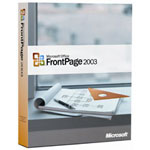
Front Page is a easy to use GUI program that lets you create web pages. Many of
these web page editors/creators are very similar when it comes to options. The
one thing I look for when choosing my editor is the ease of use. Microsoft
programs are very easy to use and are user friendly. For first time users there
are many self explained tools included in the toolbars. You can change your
background color, add a picture, create links all with the simple push of a
button.
Microsoft
Front Page is a easy to use GUI program that lets you create web pages. Many of
these web page editors/creators are very similar when it comes to options. The
one thing I look for when choosing my editor is the ease of use. Microsoft
programs are very easy to use and are user friendly. For first time users there
are many self explained tools included in the toolbars. You can change your
background color, add a picture, create links all with the simple push of a
button.
The downside to this program is that you
have to purchase the Microsoft Suite or purchase it by itself. Unless it is
included with your computer package. Purchasing this will be well over 100$ and
that is what drives many web page designers away. Front Page is also lacking in
the expert friendly and is geared more towards beginners. Programs like
Dreamweaver have more intricate options and give you more variety in creating
your web page. If I were designing a complex web page I would most likely choose
Dreamweaver rather than Front Page