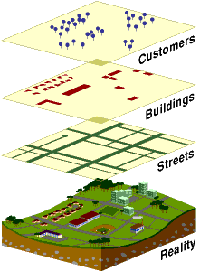
Simply put, a GIS combines layers of information about a place to give you a better understanding of that place. What layers of information you combine depends on your purpose�finding the best location for a new store, analyzing environmental damage, viewing similar crimes in a city to detect a pattern, and so on.
A GIS is mapping software that links information about where things are with information about what things are like. Unlike with a paper map, where "what you see is what you get," a GIS map can combine many layers of information.
To use a paper map, all you do is unfold it. Spread out before you is a representation of cities and roads, mountains and rivers, railroads and political boundaries. The cities are represented by little dots or circles, the roads by black lines, the mountain peaks by tiny triangles, and the lakes by small blue areas.
As on the paper map, a digital map created by GIS will have dots, or points, that represent features on the map such as cities; lines that represent features such as roads; and small areas that represent features such as lakes.
The difference is that this information comes from a database and is shown only if the user chooses to show it. The database stores where the point is located, how long the road is, and even how many square miles a lake occupies.
Each piece of information in the map sits on a layer, and the users turn on or off the layers according to their needs. One layer could be made up of all the roads in an area. Another could represent all the lakes in the same area. Yet another could represent all the cities.
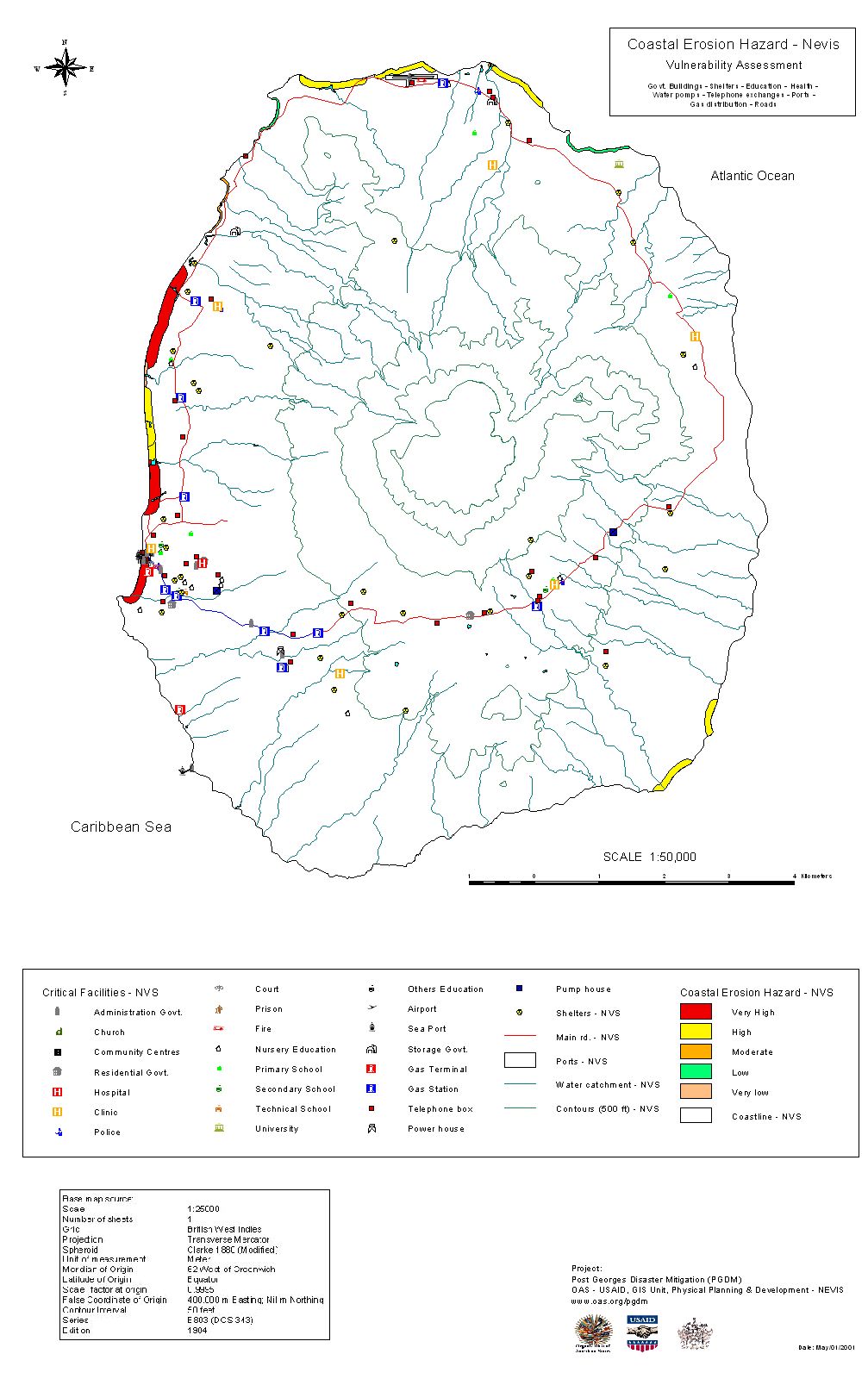
The creation of a map, depending on what information is needed. Different data layers (for example, water features, flood risk zones, earthquake risk zones, coastal erosion areas, housing distribution can be combined).
This layering is important as the power of a GIS over paper maps is the ability to select the information you need to see according to what goal you are trying to achieve.
A business person trying to map customers in a particular city will want to see very different information than a water engineer who wants to see the water pipelines for the same city. Both may start with a common map�a street and neighborhood map of the city�but the information they add to that map will differ.