

Current version is 3.0.
Note: This version is significantly different than version 1.0. This 3.0 version is only different from 2.0 in the timing of the creation of the picture album directory which now occurs on start-up of the application if the directory is missing. This change fixes a save error when the directory was missing.
Remember JazzyDraw requires the Plua2.0 software (plua2rt.prc) which is contained in the download on the right, to be installed on your Palm device before JazzyDraw will function correctly. See the Readme.txt file within the download ZIP file for details.
Operational Requirements:
* SD Card (any size)
* Any 320x320 or T|X hardware
* Not Palm Z22 (nor earlier)
* Palm OS v3.5
* plua2rt.prc (in ZIP)
* JazzyDraw_v3.prc (in ZIP)
* MathLib.prc (maybe)
Contact [email protected] if you have additional questions. Review of email is likely to occur, but very rarely.
Thank you for visiting.
There is no additional information available at this time.
P.S. If for some odd reason you are still interested in the OLD 1.0 JazzyDraw, you can find it here.
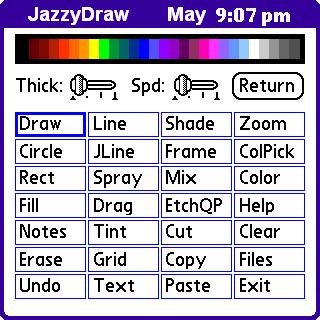

1.) Incompatible with the third-party tool called: SkinUI (TM). ZzHatD has no affiliation with SkinUI. The effect on JazzyDraw with this tool installed is that it tends to "grey" the screen with each call to the menu.
2.) Some users have reported the "text" option not functioning as expected... at best they can only get a "box" to appear. In most cases this is simply because the foreground color and background color are set to the same color. Or, if that is not the problem, then because the tools menu/"Help"/"Paste Mode" is set opposite to what the user expects. However, in at least one case (on a 700p device) the user had all normal functionality outside of JazzyDraw, but in order to fix JazzyDraw appeared to need to do a HARD-RESET of their device. ZzHatD does NOT recommend this action for most users as it is easy to lose data doing a HARD-RESET. However, if you are willing to take the risk, then see the documentation that came with your device or the Palm website for proper instructions on how to do a HARD-RESET.