 download
the current version of IrfanView English (Version 3.36, Self extracting
EXE file, 630 kB).
download
the current version of IrfanView English (Version 3.36, Self extracting
EXE file, 630 kB).HOW TO MAKE PERFECT PICS
First go to http://www.irfanview.com/english.htm and click on downloads.
then click on download
the current version of IrfanView English (Version 3.36, Self extracting
EXE file, 630 kB).
when ur done installing this is what u do
1.. in the click on the print screen on ur key bored the click on paste in the irfanview program.
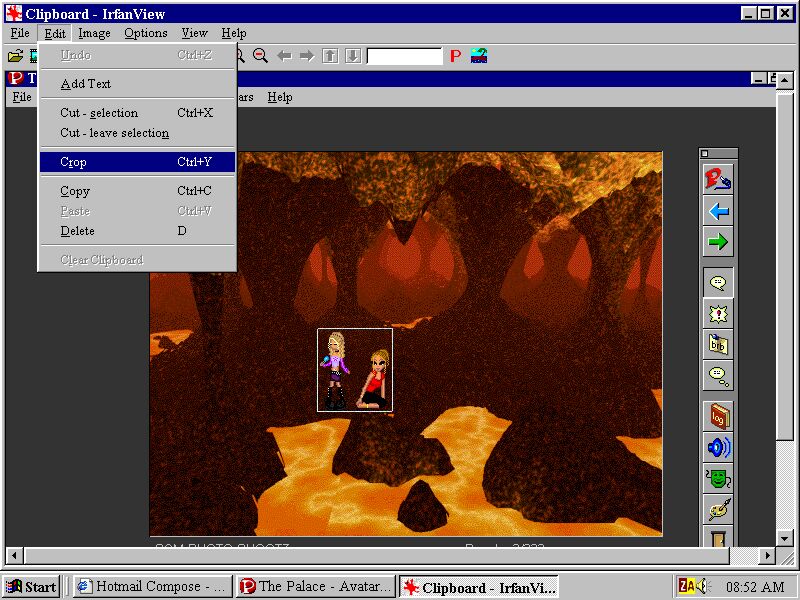
2.. do a square around it like the pic. below and then goto edit, crop like so
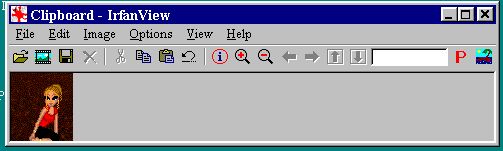
now it will look like this
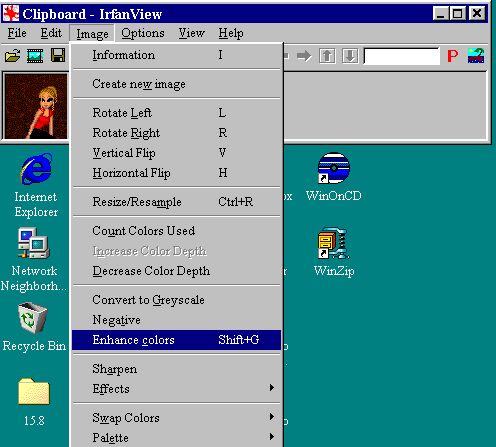
then click on image enhance colors like so
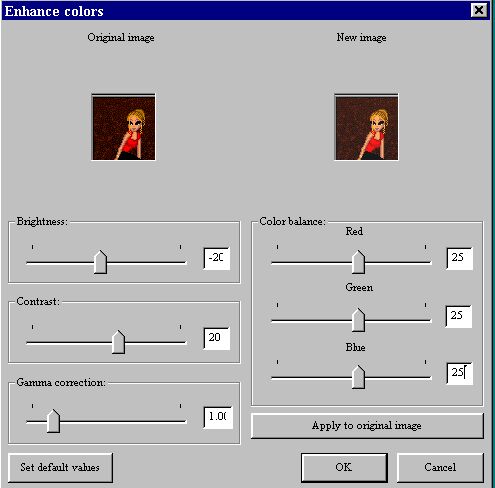
a dialog box will appear and this must be the settings
After that click on ok
now what u do is click on edit, then click on copy like so
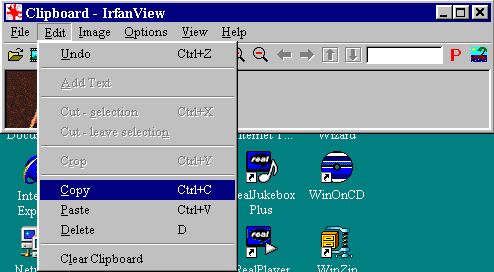
the goto the palace program and click on paste multiple props like in here
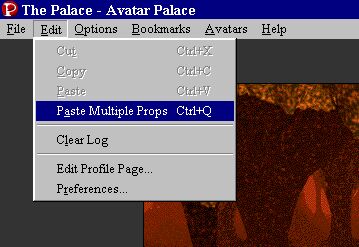
Finally Click on ur prop bag and u will see the image u took
hope u enjoy!! for more info. email me at [email protected]