GUI DESIGN REPORT
Pişti - A Card Game
GROUP 13
Ulaş BAĞCI
M. Güney ÇALIŞKAN
Güray GÜREL
Ali HAZNEDAROĞLU
E. Fatih SAZ
Uygar SÜMBÜL
Instructor: David DAVENPORT
April 10th, 2000
The User Interface Design of the Project
When you visit our future web site, you will come up with a window consisting of table figures and a dialog box. You will firstly fill in the dialog box asking for your nickname. If your nickname has already been chosen, simply you will be asked again. This name will be used throughout the game. All the current nicknames will be seen on the right of the window. The numbers on top of the tables indicate the table numbers.
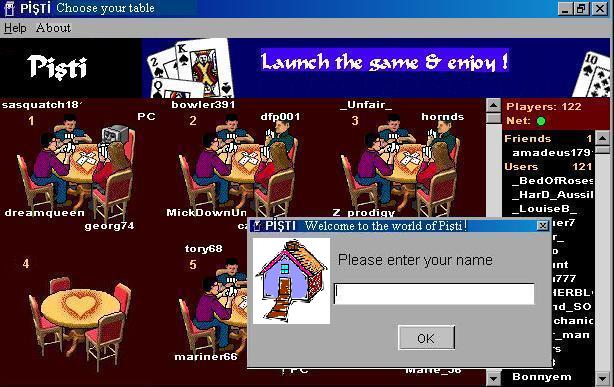
Figure 1
After clicking the OK button, the dialog box will disappear. From now
on, you can choose a table. If your table is completely empty, you will
become the host of that table. This means you can decide the number of
the human players and the intelligence level of the computers.
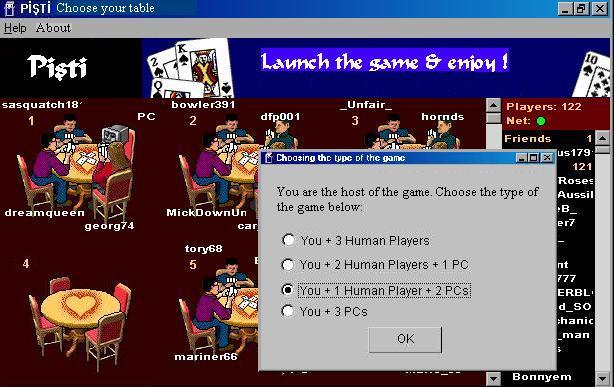
Figure 2
This process occurs in two dependent, different dialog boxes. If your
choice in the first dialog box is three human players, the second one will
not appear. If you choose the game including virtual players, then you
will be asked to decide the strength of them.
There are Help and About buttons in the first main window. If you press
on the Help button a window containing a detailed help file will be seen.
If you press on the About button, information about the programmers will
be seen in another window. All these subwindows will be closed simply by
clicking on the OK buttons on them. The contents of the subwindows are
explained later in the text.
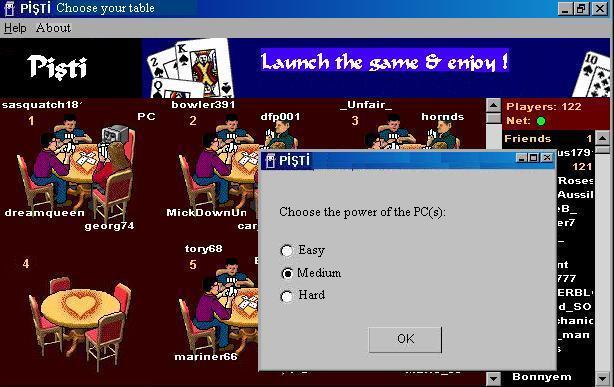
Figure 3
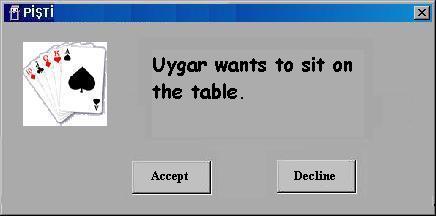
Figure 4
Having decided the type of the game, you will wait for the human players if your choice includes any, until all the chairs of the table are filled. The host has the power of accepting or declining the other players to the table. When a player attempts to sit on the table, a dialog box appears to the host as in Figure 4. The ones who are not the host will choose a table that has empty chairs. After all the chairs are filled, the game will automatically start and you will see another window which is where you play.
After sitting on a table
As you can see from Figure 5, initially there are four cards on the table three of which are closed (their values are not seen). These cards are on the centre of the table and the cards are played to this central pile. The one who is pointed by the arrow has the turn. When you win the first pile of cards, the program will display the first four cards dialog box which is explained in detail in the following sections.
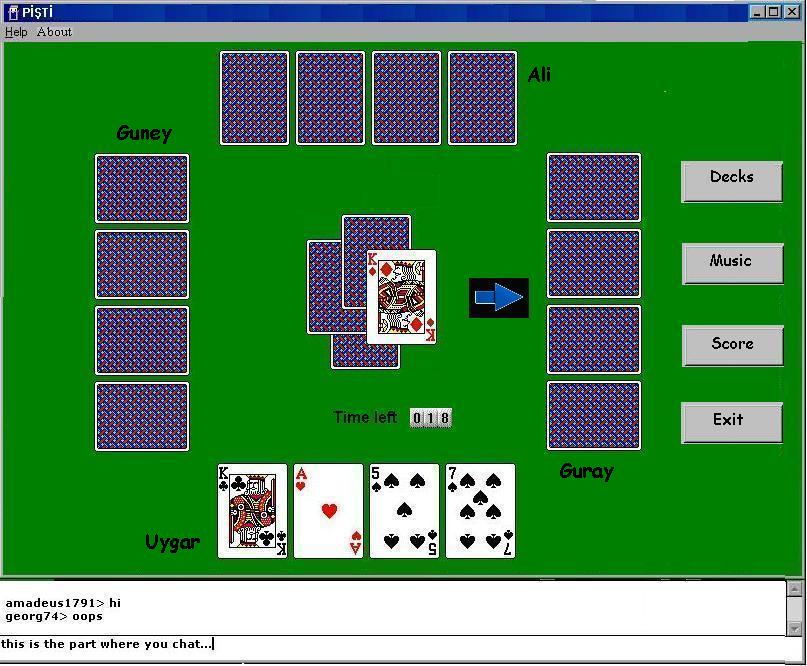
Figure 5
You will be able to indicate your choice of card by simply clicking on one of the cards in your hand. The card will then go to the central pile and after playing all the four cards, you will be given new four cards until the deck runs out of cards. Then the scores will be displayed in a dialog box. This box will also be available at the right of the page as a button. The details of this dialog is explained in further detail in the following sections. Players can not see their winning pile because of the rules.
The first four cards dialog box
In Pişti, when the cards are first dealt, the first for cards are put onto the table in a way that the three of them lie closed and one card lies open. The cards are played to this central pile and according to the rules, the one who wins these first cards can look at them while his/her opponents cannot. This provides an advantage for the winner of these cards because he/she will always know an extra three cards more than the opponents. As the game is played according to the played cards. As we are trying to visualise the popular Pişti game in a very close way to the real life, we should be able to show the first four cards and this dialog box is a simple way of showing these cards to the one who captured them.
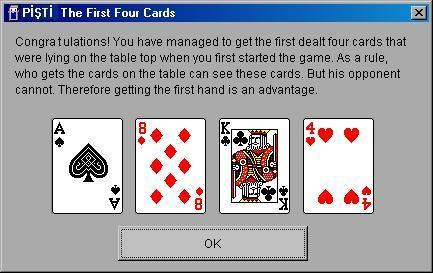
Figure 6
Figure 6 appears only once throughout the game after the player who plays a card and wins the first central pile. It shows you the cards and waits for you to press the OK button. After pressing this button the dialog box disappears and the game continues from where it was interrupted.
Change Deck pack dialog box
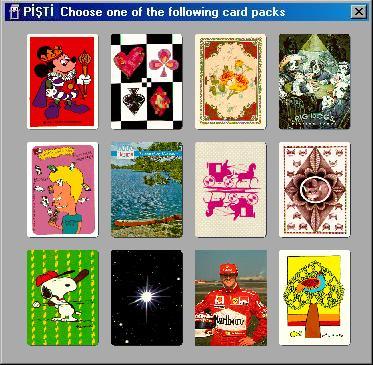
Figure 7
When playing Pişti in real life, we are bored of seeing the same card backs with the same silly figures. Like most of the other card games, this game provides a set of deck packs with different figures on their backs which we think will satisfy you. You can play with different cards whenever you want just by clicking the Decks button which is at hte right of the window. After clicking this button, the program will display a dialog box as in Figure 7. This dialog box will wait for a selection from you. You can choose a card pack by simply clicking on one of the cards. After the click, the dialog box will disappear and the game will continue from where it was interrupted, of course with the new card pack. However, a new card pack does not mean a new game. When you change the card pack, this does not affect the order of the cards or any other thing in the structure of the game. Hence changing the deck pack does only affect the display on your computer, but does not provide an opportunity or superiority to any of the players.
Music Option
Depending on your multimedia features, you can listen to MIDI music while playing. By clicking Music button at the right side of the window, you will be served some well-known music pieces as in Figure 8. Before clicking on this button, the default will be no music. There will also be standard sound effects like the sound of the shuffling deck.
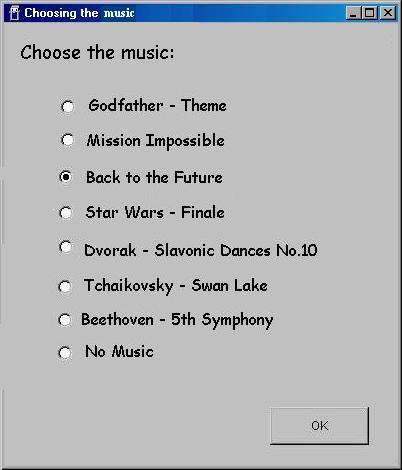
Figure 8
Score Table
If you want to see the current score table at any time while you are playing Pişti you can see it by clicking the score button from the right side of the window. After shuffling cards or when a game is finished score table appears automatically.
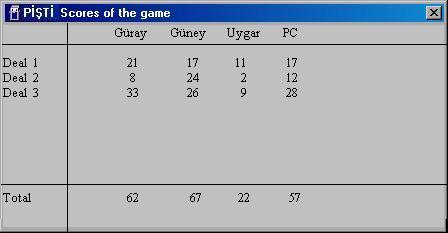
Figure 9
The score table shows the results for each deal and the total score you have like in Figure 9.
Pişti Signal
When any of the players makes a Pişti, a dialog box indicating this event as in Figure 10 will be seen.
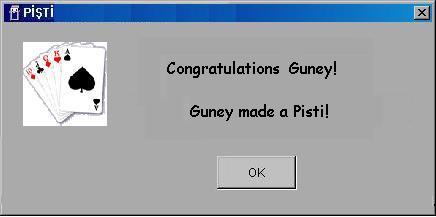
Figure 10
About
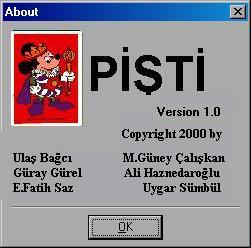
Figure 11
If you want to learn about the programmers and the version of the game, you can select the about button from the menu of Figure 2 and 5. If you want to exit from About you must select the OK button below.
Help File
You can open the Help file by selecting the Help button from the menu
in Figure 2 and 5.
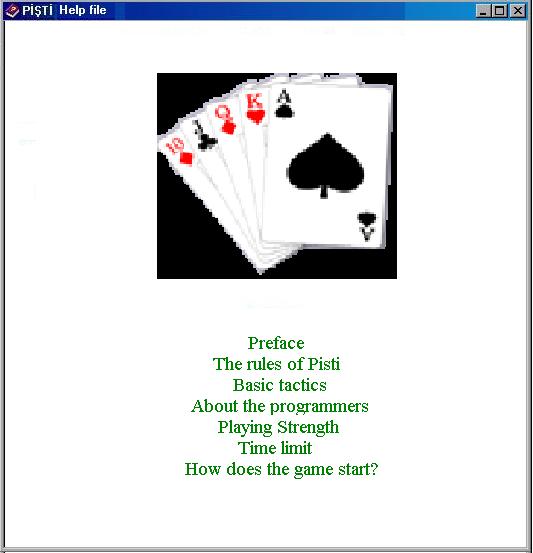
Figure 12
In order to play Pişti properly players can find information from the
Help file. In Help file there are many options which are Preface, The Rules
of Pişti, Basic Tactics, About the Programmers, Playing Strength, Time
Limit and How does the Game Start.
Preface includes the historical development of the Pişti game and some
other general information about Pişti.
The Rules of Pişti and Basic Tactics teach new players how to play
it and its basic tactics to win the game readily.
About the programmers includes the information about programmers of
the game and their project working in CS 102.
Playing Strength clarifies how this option affects the game.
Time Limit explains how the program prevents the crash possibility
of the game if a player fails to play in one minute or more, and then the
computer takes his/her place. If a player is kicked from the game, a dialog
box as in Figure 13 will be seen to every player.
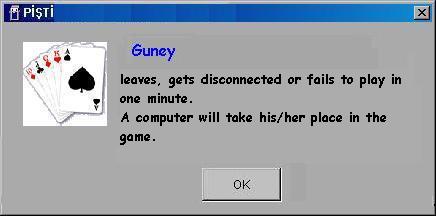
Figure 13
How does the Game Start explains the procedure in the starting process of the game and the one who starts first.
Winner
After the game is finished, every player sees the winner of the game on the winner table. There appears a cup and the winner's name on the screen like below.
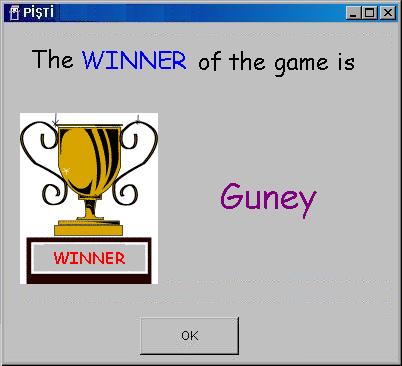
Figure 14
About the Future
Hopefully when this project comes to end, we will be waiting for you with these stunning graphics!