
This tutorial is for PSP7 and is my first tutorial. So if
something doesn't seem right
email and I'll see what I can do to correct the
problem that you're having.
All graphics are done with:

This tutorial is also available in Adobe Acrobat Reader format
Ok, here goes nothing........
Open a new image....
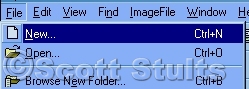
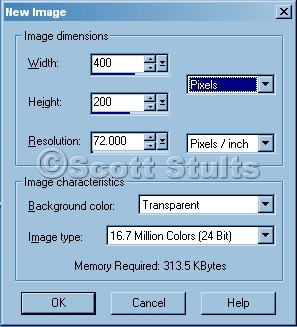
and use these settings.........
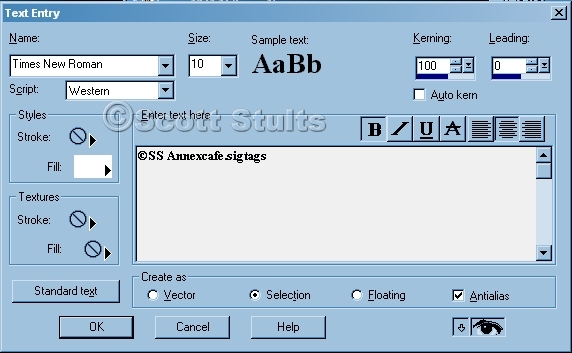
Select your text tool

and these settings. (put what ever text you want) when you are
satisfied with the text click OK
NOTE: for the Kerning
setting, put that at 0 not 100 I forgot to set that to 0.
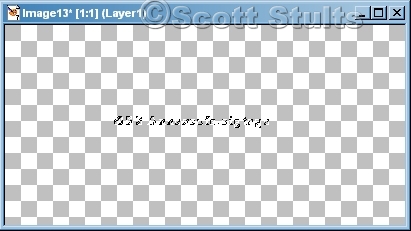
Now you will see a blank selection with the marching ants.
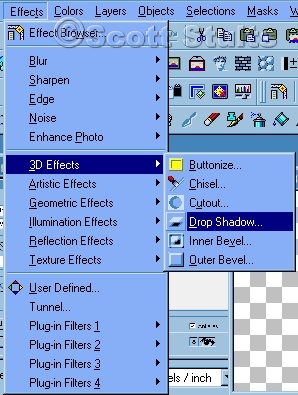
Now go to your effects menu and go to 3D Effects then Drop Shadow.
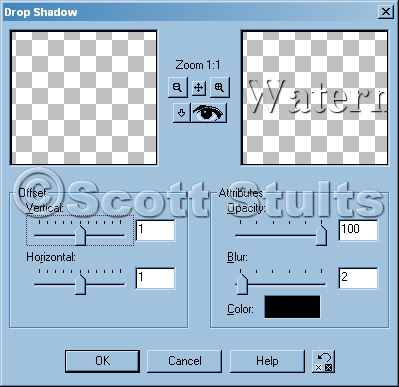
Use the setting below and click OK
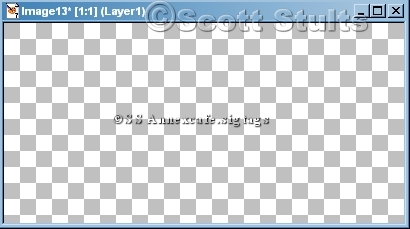
And theirs your small watermarc for you sigtags.
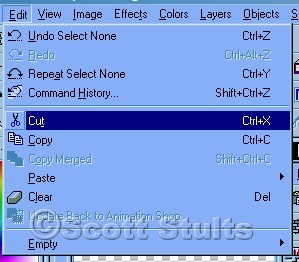
Now got to your Edit menu and select Cut
Go back to you Edit menu and then select your Paste the select As New Image.
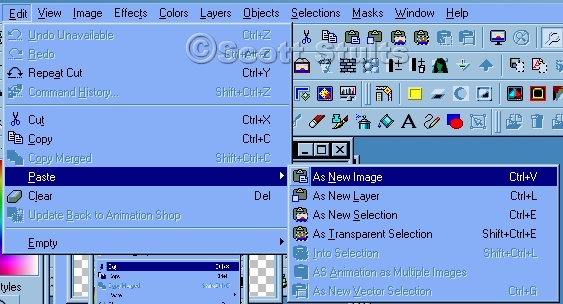
Now it's all done.....
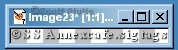
Save it as
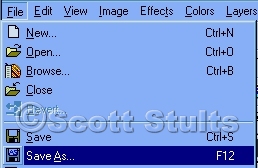
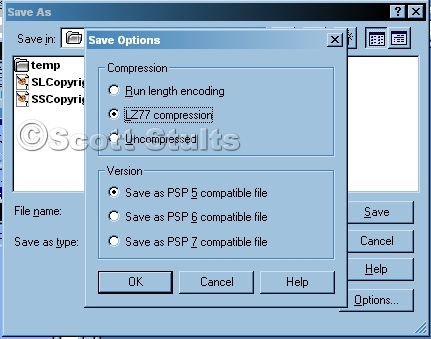
PSP format and use the setting below.
Now you are DONE! See how easy that was? If you have a question don't hesitate to email me...
Copyright © 2003 Scott A. Stults (aka Pinball)