
This tutorial is for PSP7 and is my first tutorial. So if
something doesn't seem right
email and I'll see what I can do to correct the
problem that you're having.
All graphics are done with:

This tutorial is also available in Adobe Acrobat Reader format
Ok, here goes nothing........
1st. you will need this image HERE
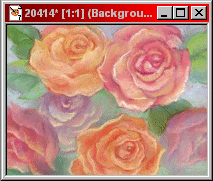
Open the Finished_Image.jpg in PSP.
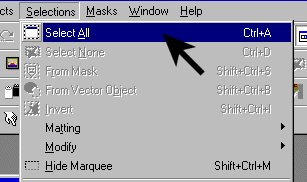
Select the whole image...
Selections / Select All
or Ctrl+A
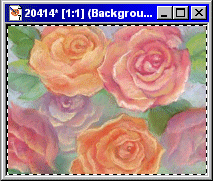
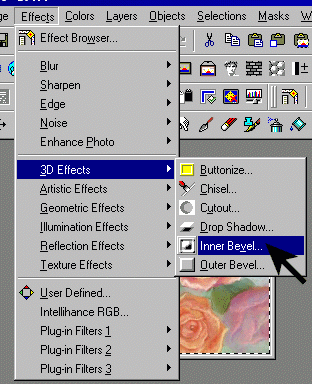
After you've done that, now go to the Inner Bevel effect.
( Effects / 3D Effects / Inner Bevel )
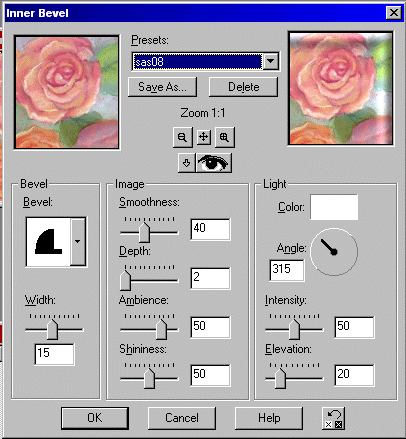
And use these settings as you see in the above image then click ok
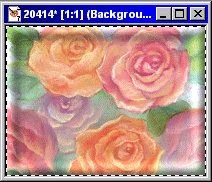
what it looks like so far...
(keep the whole image selected)
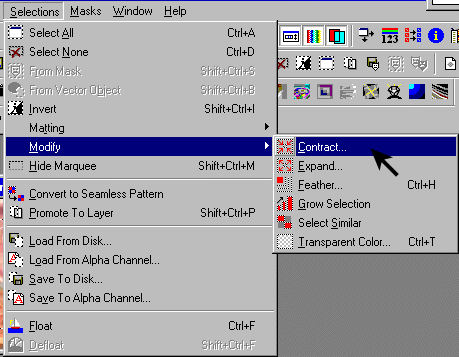
Now got to
Selection / Modify / Contract
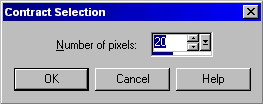
and use this setting
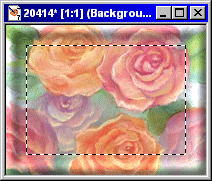
what it looks like so far
( keep it selected )
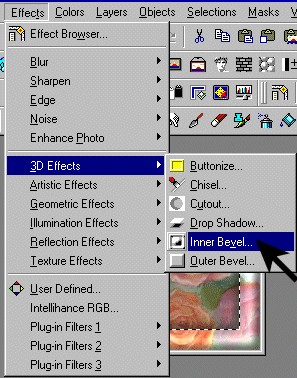
Now go to the Inner Bevel again.......
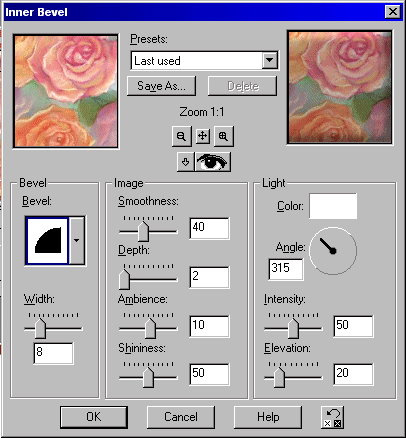
and use the settings from the above image.
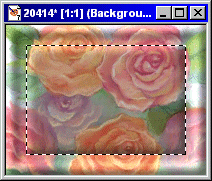
What it should look like so far.
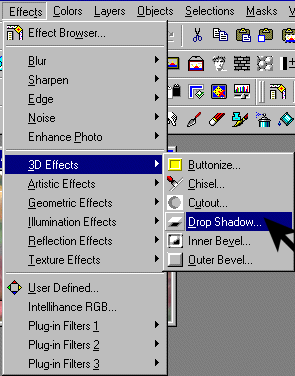
Now go to
( Effects / 3D Effects / Drop Shadow )
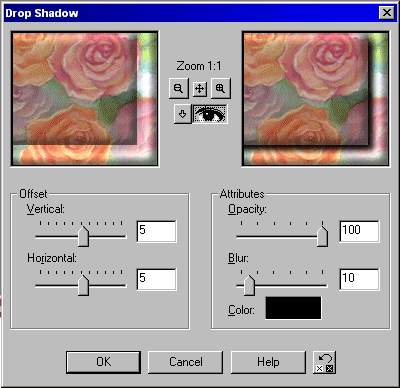
Use the setting in the above image.
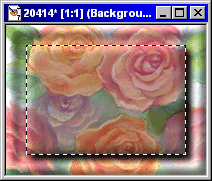
Now unselect it all and you're done.
If you want to see my finished Sigtag click here.
Copyright © 2002 Scott A. Stults (aka Pinball)