Adding More Words
You can add more words to VocabLearner by following these simple steps.
Open a new *.txt file in notepad.
Then Save it as anything you want to call it.
Before you Exit, select the whole document and copy the text.
Go to the folder where the files from the zip are extracted, and find the file called "master.txt".
Open this file.
Select all of the text, and paste the text from the document you just created over it.
Save, and open the EXE.
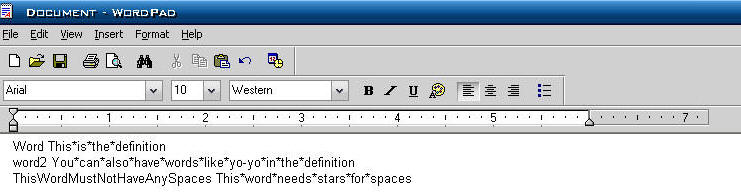
Make sure that the word is only 1 word long, and the definition has spaces in between the words.
If you would like to submit a file for posting
(i.e. words for history, science etc) talk to me online. My SN is
piguy31415926
UPDATED 5-23-03
Here are all of the words and roots/prefixes from the Riggins Vocabulary book. To use them copy the words out of the txt file and paste them in the "master.txt" file.