|
|
                      
|
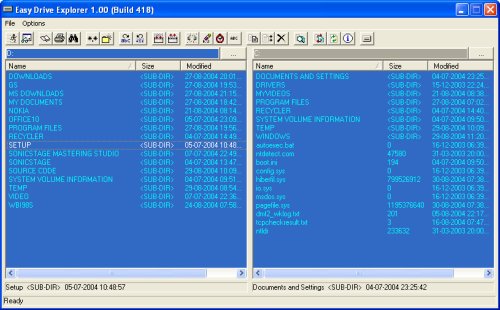
Easy Drive Explorer for Windows 9X/ME/XP is a powerful
and yet easy-to-use file utility program. It can do practically
everything Windows Explorer does - and more!
With Easy Drive Explorer you can:
- Easily and quickly navigate about, from one folder/drive to another
- Copy, move or delete files and folders in an intuitive manner -
simply by pointing and clicking!
- Zip a file or the contents of a folder (including its nested
folders) and unzip them just as effortlessly
- Split a large file into smaller parts or merge these
segmented files to restore the original file
- Encrypt/decrypt confidential documents
- Change date/time of a single or group of files
- Compare files in different folders/drives to determine which files
are latest
And the list goes on...
To install Easy Drive Explorer, please:
- Download ede.zip (400KB)
- Unzip it into a folder to extract setup.exe
- Run setup.exe
- Follow on-screen instructions
Disclaimer:
Easy Drive Explorer is provided on an "AS IS" basis, without
warranty of any kind. The risk as to the quality and
performance of the software is borne entirely by you.
|
|
|
|
|