

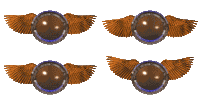

If you have the green and yellow automatic rolling ball out and toss it into the air, it will stick to the ceiling for a few seconds! It comes down on its own, so there isn't a worry about it getting stuck up there. Please note that we have not tested this in all play areas nor has it been tested with the Update Patch for Catz 4.
In the Adoption Center there is a monarch butterfly that come out frequently. 1/2 times that it does, of you leave the hand cursor completely still and near the insect, it will land on your hand. Also, once shaken off the hand, if the hand stays close to the butterfly then the butterfly will follow the hand in an attempt to regain its perch. This has not been tested in other areas.
This has happened to one of my two catz in Catz 5, and only in the living room as of now. She will be standing still and then all of sudden just start moving across the screen. Now, that isn't really weird at all but she does it without moving her legs. Sometimes she slides slow and sometimes its very fast, but it doesn't seem to faze her one bit. Maybe I have a psychic Egyptian Mau!
My Egyptian Mau, the same one that has CSD, has yet another problem. It usually happens in the Salon, but I've seen it happen in other places as well. She will be standing up and slowly close her eyes as if she is tired and then she will just fall over! The bad thing is that this startles her greatly.
*As a note, this seems to have changed since I reloaded the game, or perhaps she just grew out of it.*
A main problem that appears in both Catz 4 and Catz 5 is graphic distortion. This happens a lot when Catz pick up items. Either the items overlap or it looks like the items have merged with the Cat. Below is an example.
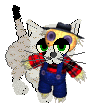
If you take out the paint can and remove the brush from it, you can put the paint can back and the paint brush will stay. The problem is is that you cannot put the paint brush back into a different bucket or back into the toy closet/carry case. That means you're stuck with paint brushes out all the time!
Paint Can Dilemna part 2
This is a major problem for me and can only be fixed by restarting the problem and crossing your fingers. If you use the paint brush/paint can to paint a pet and there is more than one color on the pet (IE you paint red over a spot that was painted green) then sometimes really bad things happen. I let my Egyptian Mau Silver and my Maine Coon Lotto play with the paint brushes for a while before taking them to the salon to wash it off. I ran the water, used the sponge, and then dried them off. The paint came off, but they were not the right colors! My Egyptian Mau was grey with four white socks and a snip like a grey B+W Shorthair and my Maine Coon looked like normal, but was a light orange instead of a dark orange. I restarted the program and they were still those colors. I bathed them again and still nothing. I even used the restore original colors button and they kept those colors. I put them away and brought them back out and it finally put them back to their original colors. Please please be careful with the paint cans people. From both of these glitches, it is obvious to see that the paint can is better left in the toy closet in my opinion.