I am a student enrolled in CIS 1013-HTML at Tulsa Community College. In this course I am learning to create web pages by using Hypertext Markup Language.
I know about HTML and its history, HTML standars and the W3C, the three versions of HTML 4.0 (strict, loose, and frameset), HTML variable conditions (platforms, browsers, and hardware), the four options for coding HTML text-based, HTML editors, HTML conversion programs, and WYSIWYG applications), and file management.
| Lesson 1 | Lesson 2 | Lesson 3 |
| Lesson 4 | Lesson 5 | Lesson 6 |
| Lesson 7 | Lesson 8 | Lesson 9 |
Lesson 1
I learned about tags, attributes, and values; special characters; well-formed code; and basic tags. This is a list of the tags I can now use: html, head, title meta, body, and comment. I have used all of these in creating this exercise.
Lesson 2
I learned about formatting text and adding color. This includes
breaksparagraphs
*** *** preformatted text *** ***
Text that appears indented as a blockquote. Text that appears indented as a blockquote. Text that appears indented as a blockquote.
headers
bold, underline, and italicemphasis and strong
teletype and
superscript and subscript
small, normal, and big
fonts (face, color, and size)
background color, background images, fixed backgrounds, and hexidecimal code
horizontal rules and the division tag.
Lesson 3
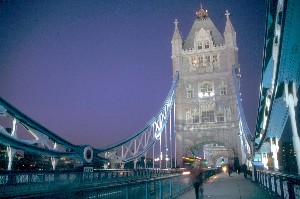 I learned how to use images on my web page! I learned the img tag and all
of its attributes: src, widht, height, borer, align, alt, vspace, and
hspace. I also learned how to use Microsoft Photo Editor to determine the
size of an image, to resize an image, and to make the background transparent
on a GIF. This image came from http://www.freefoto.om, United Kingdom,
Lond, Bridges, 1st photo. I right-clicked the image and saved it to my
lesson3 folder as assign3.jpg. I resized it to 300x199 in Microsoft Photo
Editor and resaved it. It has a border of 2, is right-aligned, hasan alt
attribute, and vspace/hspace of 5
I learned how to use images on my web page! I learned the img tag and all
of its attributes: src, widht, height, borer, align, alt, vspace, and
hspace. I also learned how to use Microsoft Photo Editor to determine the
size of an image, to resize an image, and to make the background transparent
on a GIF. This image came from http://www.freefoto.om, United Kingdom,
Lond, Bridges, 1st photo. I right-clicked the image and saved it to my
lesson3 folder as assign3.jpg. I resized it to 300x199 in Microsoft Photo
Editor and resaved it. It has a border of 2, is right-aligned, hasan alt
attribute, and vspace/hspace of 5