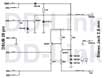
The Main Cable Features:
-
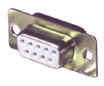
Connectible to PC COM port of 25 pins DSUB connector:
- This connector include the electronics,, which stand the spark arise from
electrostatic charge (e.g. You work in synthetic fibre sweater or pullover),
because not include IC (Integraded Circuit), than cable of other manufacturer.
This electronic circuit convert the level of signal from one unit to another.
- The supply voltage get in PC, battery nnot necessary to electronics,
and spare the unit battery.
- Optional the 25/9 pins converter if onlly 9 pins connector exists on PC.
-
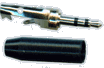
The cable connect to Casio® QV cameras with special 2.5mm Jack plug:
The shell of special 2.5mm Jack plug thin, 7 mm diameter, that can be connected the
camera. The connecting part of plug special form, correspond with original
Casio® connector, that can be connect to digital cameras.
-
This cable can be used by any CASIO® QV digital camera link software.
-
This cable can be used by any QV digital camera, which include the 2.5 Jack stocket.
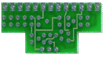
How can you make a link cable between PC and CASIO for $4 USD:
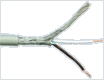
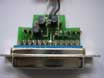
Link cable construction page...
<= Click to here and build your cable
(with 2.5mm Jack)
The sofwares for this QV cable:
QV-Link original CASIO® software: (packed with camera)
Supported camera types:
QV-10, QV-10A, QV-11, QV-100, QV-120, QV-200, QV-300, QV-5000SX, QV-5500SX,
QV-70, QV-700, QV-7000SX, QV-770, QV-780, QV7000ADPEDU, QV7000EDU
Download:
qvlink.zip <= Click to filename for download!
(This version supports the XP too!)
This software may be supports other unit types, try the communication be needed.
QV-AutoCam software from Beau Software:
QV compatible cable prices: (With 12 months full warranty)
| QV compatible cable
| 20 EUR or 26 USD with postage
| 
|
| QV compatible cable with 25/9 converter
| 25 EUR or 33 USD with postage
|
|
QV compatible cable purchasing:
You can purchase cable,
if trust in me and post or transfer the
price of QV cable by post or by local bank transfer.
When the money arrives, I send the postal parcel you a prompt reply.
Click to
here
for order by E-Mail ([email protected])!
Payment types:
There's three ways to pay:
- sending money hidden in envelope as registered letter
- postal remittance, that is transfering the money from post office to my postal address.
- On line paying by local bank transfer that is send the money by moneybookers:

1. Sending hidden money is pretty good way of paying.
No money has been stolen up to this point in time. Please hide money
well in envelope. Put some postcard inside to make letter looking
real and make impossible to see money just looking through envelope.
Stick envelope with Scotch tape (don't exagerate).
And please send this letter as registered letter,
and please keep the certificate of posting.
2. Postal remittance is also good solution for paying, but the money cannot be transfered by post to Hungary in all country.
my address:
| Company: | BABOS SOFTWARE |
| Name: | Babos, Zoltán |
| Street: | Szikes utca 2. |
| ZIP code, City: | H-1239 Budapest |
| Country: | Hungary |
3. On line paying by moneybookers:
You can pay by simple local bank transfer from your country to me in your local currency.
- The fee of transfer from your local bank to another (or same) local bank in your country is very low or free of charge.
(E.g. If you transfer the 25 EUR then you pay for transfer max 0.25 EUR to your bank)
- You can use any account (local or foreign currency account) for transfer.
- You can transfer the money in internet or manually in your bank.
- You can transfer the money in your local currency.
Please click to "Pay!" button at selected product for paying in your local currency!
The price in your local currency is equivalent to following EUR amounts:
|
|
QV compatible cable for
QV with postage:
| 20 EUR
|
|
|
|
QV compatible cable for
QV with 25/9 converter and postage:
| 25 EUR
|
|
|
If you have any question, you can send E-Mail message in English to the
[email protected]
address.