The Main Software Features:
- Runs under Win® 98, 2000, MN, XP (if you install by SetupXP program kit).
- Data communication on USB port by special cradle.
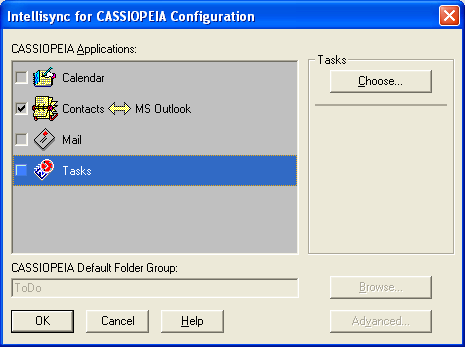
- Synchronize the Casio Cassiopeia BE-300 data with MS Outlook or other organizer software.
Cassiopeia applications for sync: Calendar, Contacts, Mail, Tasks
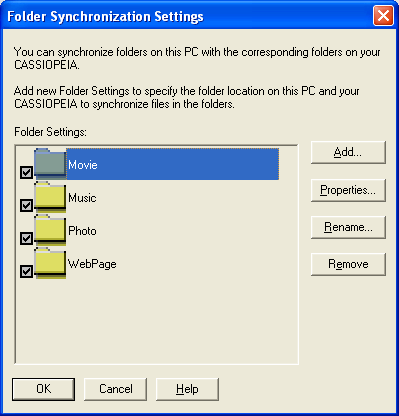
- Synchronize the Casio BE-300 folders with the PC folders
E.g.: Movie, Music, Photo, WebPage ...etc.
- Backup save and restore
- Time Synchronization
- Automatic synchronization start when connection established
- Auto detection of communication port.
- Can communicate on serial com port too by special serial cable.
- The PC Connect is packed with BE-300, but this version don't supports the Windows XP.
- But the XP version of PC Connect is available and can be download from this page.
Download:
|
PC Connect for XP to BE-300:
|
PCConnectXP.zip
| <= Click to filename for download!
|
|
|
VERY IMPORTANT!!!
PLEASE READ THIS INSTRUCTION BEFORE DOWNLOAD AND INSTALLATION:
PC Connect installation under Windows XP:
1. step: Quit all applications currently running on your PC.
2. step: Disconnect your PC and CASSIOPEIA.
3. step: Uninstall the old version of PC Connect from your computer.
5. step: Unzip the downloaded PCConnectXP.zip file to a new empty folder.
6. step: Run the unzipped Setup.exe for installation of PC Connect.
7. step: Restart the Windows
8. step: Connect the cable of cradle to the USB port of the PC.
9. step: Put the Casio BE-300 to cradle and turn on it
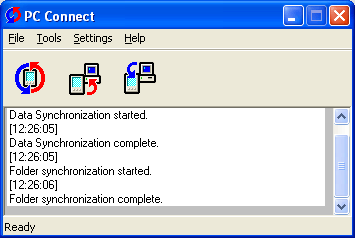
From this time on the communication start automatically, that is the PC Connect window will pop up.
- But if the communication don't start or you get an error message please restart the PC again and again.
In this case not need remove the Casio BE-300 from cradle, but if the Casio BE-300 turn off automatically, please turn on it again.
In normal case the PC Connect will work without error message only after 3rd restart of PC.
- If the communication don't start after 5th restart of PC, please download the
Microsoft ActiveSync.
Click to filename for download:
msasync.exe
After you have downloaded it, please install and run it. Before you run the MS ActiveSync please connect and turn on the Casio BE-300.
Then select the File => Get Connected menuitem in the MS ActiveSync and click to Next button on the Connection wizard and please wait for connection.
If the connection is established the PC Connect window will pop up.
- Attention, the MS ActiveSync will not found the Casio BE-300 never, but this is normal, because the MS ActiveSync don't supports the BE-300,
but it can start the communication between PC Connect and Casio BE-300.
- If the PC Connect window don't pop up still, please click again to Get Connected menuitem in MS ActiveSync
or restart the PC and run again the MS ActiveSync Get connected wizard.
- If the PC Connect pop up and it communicates with BE-300, please close the MS ActiveSync,
because the PC Connect cannot communicate correctly if the MS ActiveSync run.
If you have any question, you can send E-Mail message in English to the
[email protected]
address.
PC Connect screenshots under Windows XP:
Synchonization configuration:
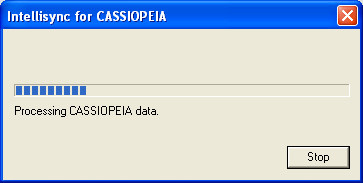
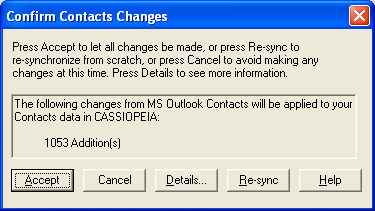
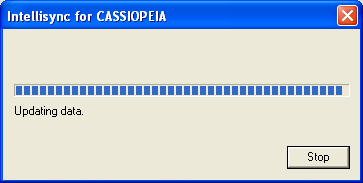
Synchonization under XP: