
|
Marshall's Review |
The YO-520P has two bad points: the tiny screen,
and the inability to sync with Outlook.
Sharp screens are often clear and easy to read.
However, once you get away from the venerable OZ-700
series, the screens are simply too small to be of much
use (the YO-520P screen has five lines, 20 characters per line maximum).
Here is a photo of the YO-520P screen:
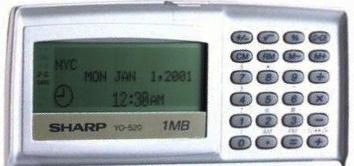
The text on the screen is dark blue, and clear, with good contrast.
The text is large enough to be read with ease. However, the screen is just too small.
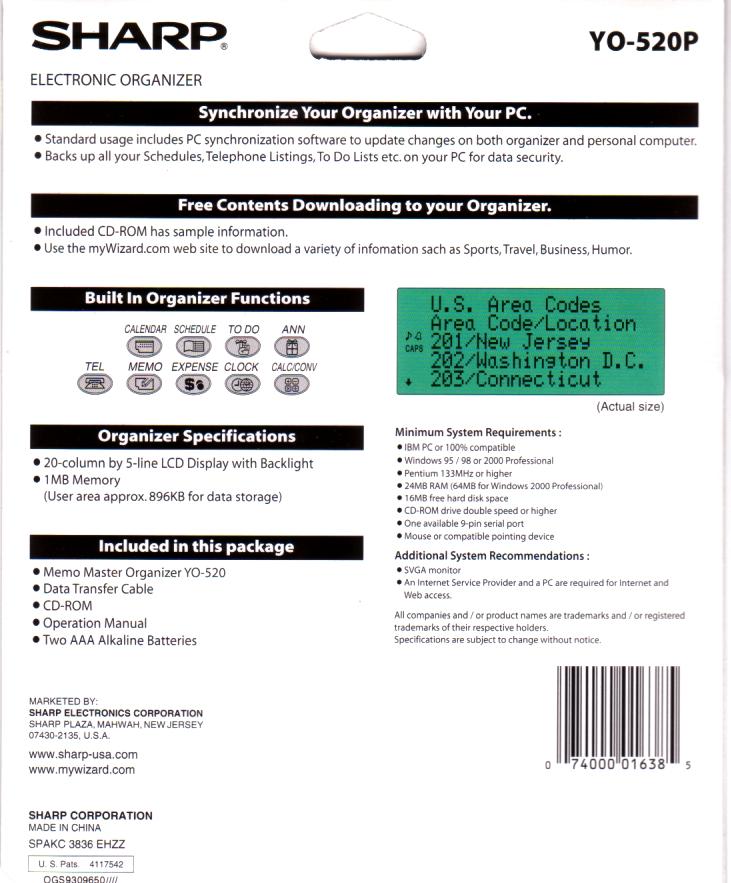
There is confusion about the YO-520P with regard to synching with MS Outlook. I have seen it advertised with this capability on EBay and Amazon. However, this is a misconception. The YO-520 does NOT synch with Outlook, unless you purchase and use a third party application such as Rupplynx 6.1, XLink or Intellisync. There is nothing in the manual or on the packaging about synching with Outlook:
However, one strong point of the YO-520P is that it comes with its own PIM (Personal Information Manager), and it can synch well with THAT. (Go to the next page for more info about the PIM.)