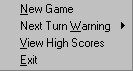
When you run the program, the only thing available is the Options menu. The options are:
- New Game: Starts a new game, one to eight players
- Next Turn Warning: Turns on/off a window warning whose turn it is
- View High Scores: Opens a window to see the top ten highest scores
- Exit Program: Quit Yahtfree
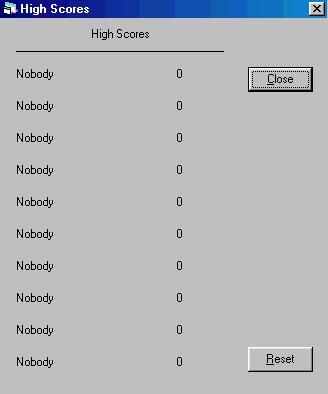
For now, click View High Scores. If you are reading this before you played the game, it should read "Nobody 0" for all ten scores. Notice the reset button? This will change all the names and scores to "Nobody 0", which is useful if the file somehow got corrupted (hacked?!). Close it and click New Game from the File menu.
You will first be prompted for the number of players. If you input a number less than 1 or higher that 8 or input a letter, nothing will happen. For now, input a 1 for a solitaire game and hit Enter or click OK. You will know see your "Score card". If this was a multiple person game, you may see a number of these flash up on the screen and then disappear. This is just the program preparing each score card and hiding all but the current player.
There are several areas that make up this score card. To the right is a button that rolls the dice. Below it is where game information like the turn number, roll number, and points scored is mentioned. Click Roll 1 to roll the dice.
On the top of the score card are the dice rolled. If you want to hold a die for the next roll, click on the die. A red border will appear telling you this die will not be rolled when you roll the dice the next time. Click the die again to remove the red border. Below the dice are the possible scoring combinations. The red numbers shows what can be scored with the dice as they are now. Keep rolling untill you get a result you would like to score or when you have rolled three times.


When you are ready to score your dice, click on the appropriate box. The number turns black and all red numbers disappear. Note that if you score a combination not showing a red number, the score is zero. The scoring is as follows:
- Ones, Twos, etc.: the left column adds all ones, twos, threes, fours, fives, or sixes only. At the end of the game, it totals them up. If the subtotal is greater that 62, you get a 35 point bonus. Example: 4 5 4 6 4 will give you 12 points
- 3 of a Kind, 4 of a Kind: If you get 3 or 4 dice that are alike, you get the total value of all dice. Example: 5 5 1 6 5 will give you 22 points
- Full House: If you get one pair and one 3 of a kind, you score 25 points. Example: 1 2 2 1 1
- Small/Large Strait: If you get 4 dice in sequence (Small Strait) or 5 dice in sequence (Large Strait), you get 30 or 40 points respectably. For example: 3 1 5 2 4 is a Large Strait.
- Yahtzee: If you get a 5 of a kind, you score 50 points. Example: 1 1 1 1 1
- Chance: Click here to get the total value of all dice. Example: 6 5 3 3 4 will give you 21 points.
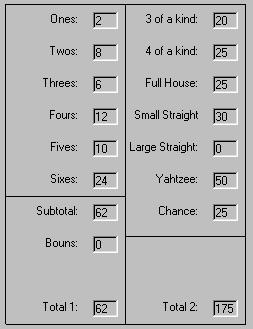
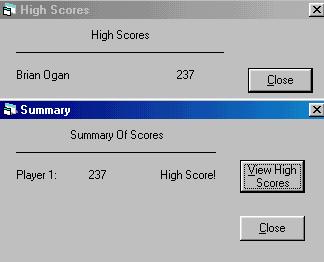
Click Next Turn. If this were a multiplayer game, your score card will disappear and a message saying whose turn is next will appear. Clicking OK will continue the game. Keep playing untill all 13 turns are done. If you have a high score, input your name and hit Enter or click OK. You will now see the summary and a button to take you to the high scores if you want.