| PageBuilder (PB) Basics |
| TEXT, PASTE NEW |
| 1- OPEN A TEXT BOX FOR YOUR TEXT: Just hit the "T" button as shown, below: |
| 2- CLICK THE CLIPBOARD BUTTON: It's near center page, at top: |
| IN 4 QUICK STEPS |
| 1- OPEN A TEXT BOX 2- CLICK CLIPBOARD BUTTON 3- PASTE INTO CLIPBOARD 4- PASTE THAT INTO TEXT BOX |
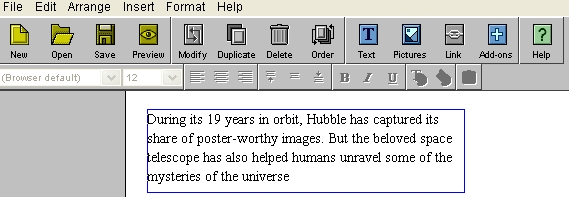
| 4- NOW HIT "Paste" AND YOUR TEXT ENTERS THE BOX WITH YOUR CURSOR WAITING: |
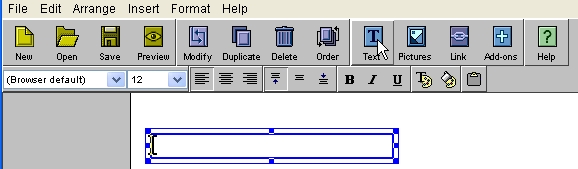 |
| <- A text box like this will appear. |
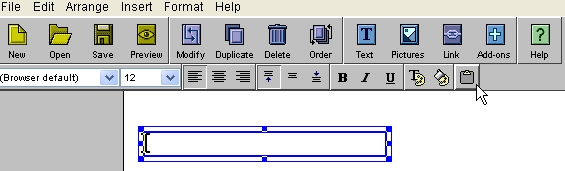 |
| <- Be sure to place a cursor in here! |
 |
 |
| >>=> |
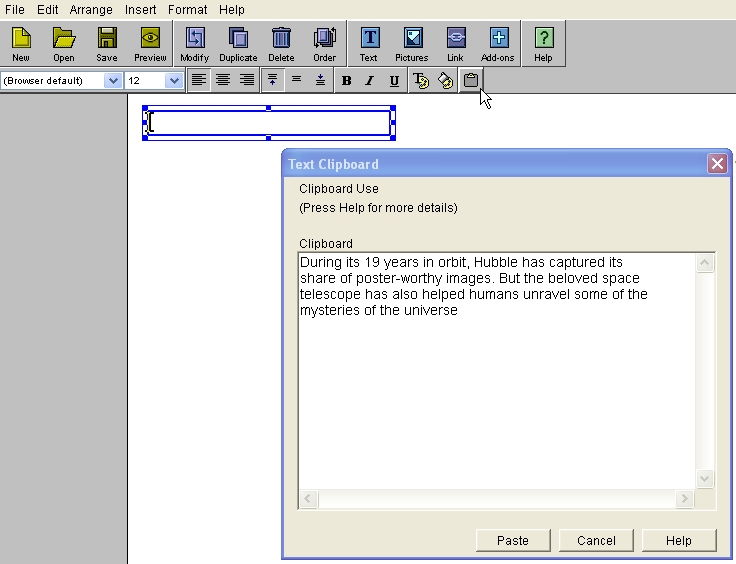
| 3- PASTE TEXT INTO "Text Clipboard" : (There is no wraparound, there, yet.) |
| I copy/pasted some news just for demo, here=> |