 |
 |
 |
| Saving automatically publishes the page, so it's the same thing! |
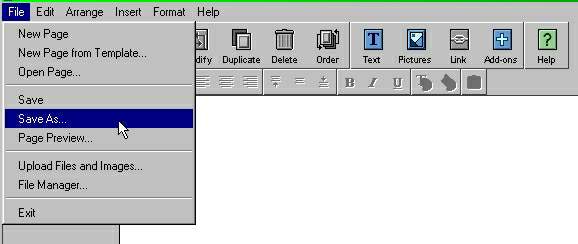
| Choose "Save As" because your first page doesn't already have a name. For already named pages "Save" will do fine, unless you're changing the name of the page to clone it off, a useful way for making uniform pages for the rest of your website. |
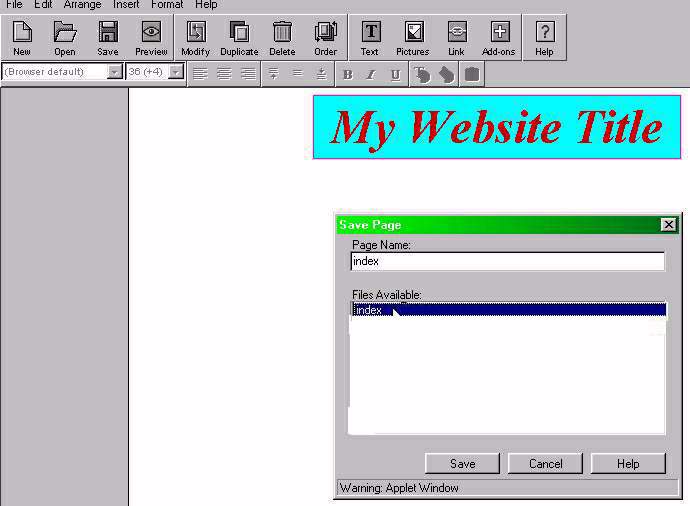
| Your new page should look someting like this: |
| Congratulations! You are now a "Webmaster," of sorts. |
| PageBuilder (PB) Basics |
| SAVE AND PUBLISH |
| 1- SAVE YOUR PAGE: Go File>Save As...>, like this: |
| 2- NAME YOUR FIRST PAGE index.html (Just index -lower case, only, will do- the .html adds automatically in PB.) |
| IN 2 STEPS |
| 1- SAVE YOUR PAGE 2- NAME THE FIRST PAGE "index" |