 |
 |
| Upload a file (a picture,) like this so you can put it on the page. |
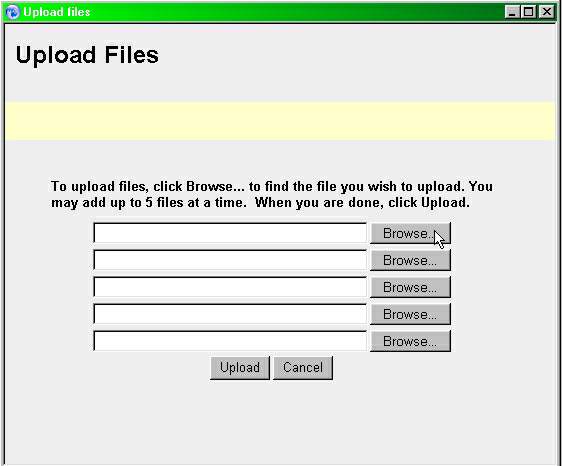
| This applet will appear for you: |
| Simply browse your computer's folders for the file (picture) you want, and press "Upload" (Okay, technically this is 3 steps, but you get the idea!) |
| PageBuilder (PB) Basics |
| UPLOAD A FILE (PICTURE) |
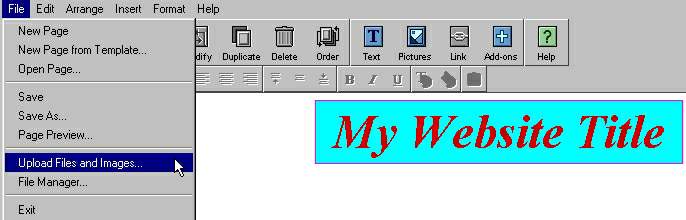
| 1- START UPLOAD FILES in your new website iin PageBuilder by going File>Upload Files and Images: |
| 2- BROWSE YOUR COMPUTER; for the files you want upload, and hit "Upload" at bottom of the box. |
| IN 2 STEPS |
| 1- START 'UPLOAD FILES' 2- BROWSE YOURCOMPUTER |