-
<img src="img1.jpg" align=LEFT>
<img src="img2.jpg" align=RIGHT>
-
<table border=3>
-
<tr>
-
<th rowspan=3>Manufacturer</th>
<th rowspan=3>Model</th>
<th colspan=6># Produced</th>
<tr>
-
<th colspan=2>1965</th>
<th colspan=2>1966</th>
<th colspan=2>1967</th>
<tr>
-
<th>1st 1/2</th>
<th>2nd 1/2</th>
<th>1st 1/2*lt;/th>
<th>2nd 1/2</th>
<th>1st 1/2</th>
<th>2nd 1/2</th>
<tr>
-
<td>Gibson</td>
<td>GA20RVT</td>
<td>12</td>
<td>15</td>
<td>10</td>
<td>08</td>
<td>06</td>
<td>10</td>
blah-blah-blah...
-
<frameset cols="33%,33%,*">
-
<frameset rows="100%,*">
-
<frame src="framex.htm">
<!-- leftmost frame -->
<frameset rows="50%,*">
-
<!-- middle 2 frames -->
<frame src="framex.htm">
<frame src="framex.htm">
<frameset rows="100%,*">
-
<frame src="framex.htm">
<!-- rightmost frame -->
-
<style>
-
<!--
P {color:BLUE; font-weight:BOLD; text-align:CENTER}
-->
-
In the STYLE tag, code:
-
P.RED {color:RED; text-align:RIGHT; font-weight:NORMAL}
-
<p class="RED">
Here is a sample paragraph that contains no
attributes in the <P> tag. Notice that
this paragraph is RED, NORMAL, and RIGHT-ALIGNED.
</p>
Hint: think cascading=inheritance.
-
If you had defined the <P> tag ahead
of the P.RED class to have bolded text.
-
If you had defined the <P> tag within
the STYLE tag to do special formatting
and you did not want that formatting to apply
to all text that followed your use of <P>.
- Outer list
- Inner ordered list
- Inner list cont'd
-
In the STYLE tag, code:
-
UL OL {color:RED}
- Topics to cover:
- Bandana waving
- Hold the bandana
- Wave the bandana
- Stomping of feet
- Lift right foot
- Force foot to ground quickly
- Do same for left foot
-
Check source code!

|
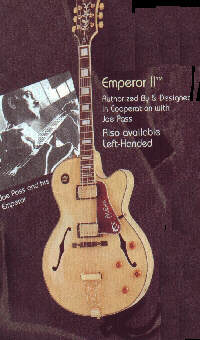
|
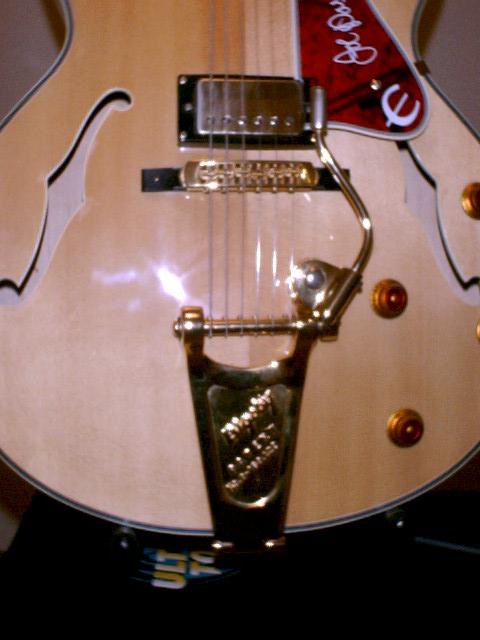
|
-
<center>
<table border=3>
-
<caption style="color:GREEN"
>Thumbnails</caption>
<tr>
-
<td>
-
<a href="../pix/joepass.gif">
<img src="../pix/joepass.gif";
width=40 height=40 border=3>
</a>
<td>
-
<a href="../pix/joepass.jpg">
<img src="../pix/joepass.jpg";
width=40 height=40 border=3>
</a>
<td>
-
<a href="../pix/joepass1.jpg">
<img src="../pix/joepass1.jpg";
width=40 height=40 border=3>
</a>
</center>
-
Because I coded relative references to my pictures.
That is, I did not tell my HTML code that the pictures
reside in
http://guitarzan.homepage.com/pix/.
I simply used ../pix in the IMG tag.
- Number one
- Number two
- Number three
-
Subpoints.....
-
Subpoints.....
-
Subpoints.....
-
Subpoints.....