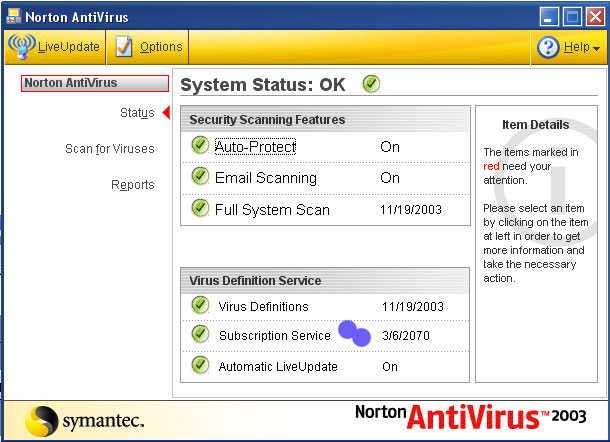


If you enjoy using Norton please buy farther software and suscribe if you would like, as they deserve it - they are a great virus protection company! The LiveUpdate though - I feel, should be included in the purchase. But you may need to charge to make ends meet. Thank you.

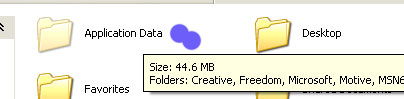
Below are some pictures to help. Here is the text information. Find My Computer, open it, then go to Tools, then Folder Options, when that screen comes up, go to the View tab, and select the Show Hidden Folders and Files.
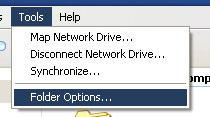
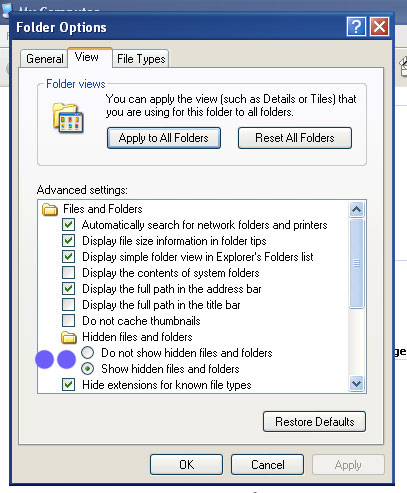
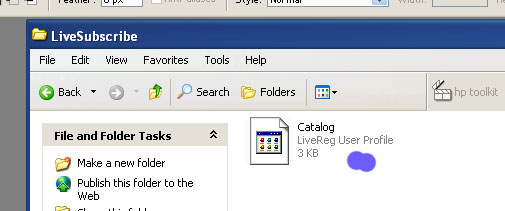
So, now we have to locate the Catalog file. I will show you where it is on XP, and sometimes ME, but 98 will vary, you may have to serach around on your drive in Symanec folders, etc.
On Windows XP/ME:
1. Open my Computer...
2. C:/
3. Document and Settings
4. All Users
5. Apllication Data(Hidden)
6. Symantec
7. LiveSuscribe
Copy the Catalog file you found into that folder, it will over copy the old one, if you want to can keep the old one, just place it somewhere else.