If
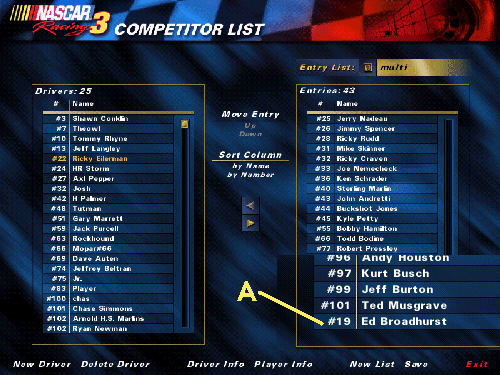
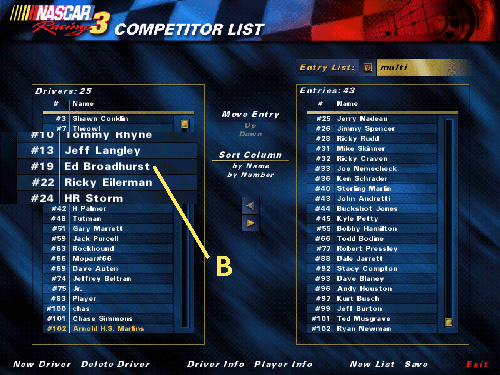
your car is listed in the left column in the driver info screen
skip to step 2. If it is on the right start with step 1.
1.
Highlight your car (A) and click "delete driver" (don't worry
this will not delete your car).
2. Your car
should now be listed in the column to the left. Click
"delete driver".
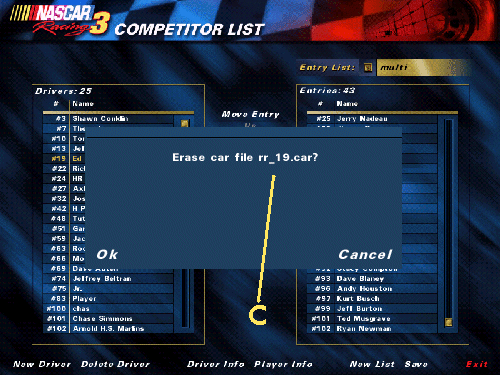
3. A
window will pop up. It will say "would you like to
erase car file <your car file name>" (C). You now know
the name of your car file.
4.
Click cancel to ensure you do not delete your car file.
5.
When you are ready to email your car to a friend or league you can
open your email and click attach. Then browse to the c:\papyrus\nascar3\cars
folder to find your car and attach it to the email.