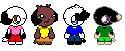
1. first go to sailorenergy.net and locate the GIF tutorial, it will have the models there
If you don't want to use my tips, use sailorenergy.net's tips
2. Now my tips begin... First use the magnifying glass to get a better close up, and site to work on. To begin, figure out the hair color, (Im telling you this only if you use the program paintbrush in your accesories in your programs of your computer) use that hair color and make a outline of the hair with the color you chose. Then you can fill in a color similar to the color you had chose, or you can use the color you chose, and put a darker color s the outline (if you find my tips difficult, then... STOP READING THEM!)
3. Next, you will need to choose a dark color of outline for the clothing. Depending on what clothing your making, its your choice so have fun! ^_^
Now use a lighter color to fill in the clothing color. If you want a shine to your clothing, put a color lighter than your fill in, and make a simple line of some sort (should look like a shine)
4. Add the finishing touches and... TA DAH! you made a simple GIF well, I know it was a short explaination, but I can't fit it all on the page ^_^ so if this was too brief, go to sailorenergy.net
|