
1. create a new image 1200x1200 on "blue" background. OR any color you can
see everything in.
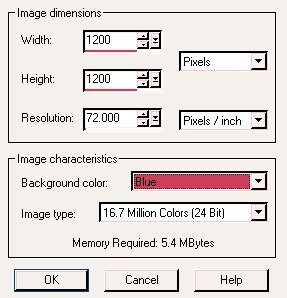
2. copy the image you would like to tube & paste as a new layer to the blue
image.
3. select the lasso tool & begin cutting pieces off the graphic. As you
circle small pieces, hit the delete key on your keyboard, once you get the
hang of it, it will go pretty fast. 1 hand on the mouse 1 hand on the delete
key =)

4. Zoom in when you need to get into those "hard to reach places. You can
zoom 2 ways:
a. through the View option on your PSP Taskbar
b. If you have a roller ball on your mouse, roll it up...or down to zoom in
& out.
Although the graphics is hard to see, it's much easier to see each pixel.
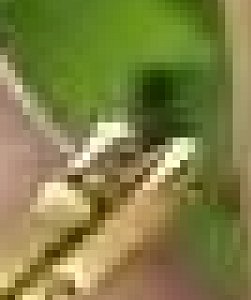
5. make sure you are cutting as close as possible to the image without
taking chunks off.
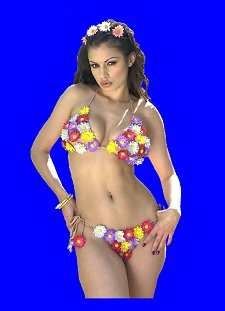
6. Once all of the background has been removed, select the magic wand, with
the following settings:
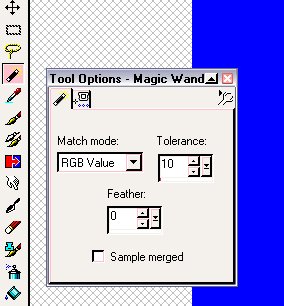
7. Tap on the blue area, the marching ants will appear around the edge of
the blue box & around your newly tubed image. go to:
Selections>Modify>Feather
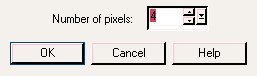
8. Hit "Delete" on your keyboard 2 times. Doing this will soften the choppy
edges on your tube. Don't forget to do this in all the gaps & spaces too.

9. Use the  tool, to click on your new image.
10. CTRL+C (copy) & CTRL+V (paste to a new image)
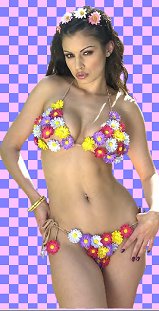
11. Name your tube =)
For hair: you may choose to try a couple things....
1...give them a hair cut *w*, OR
2...try using the clone tool: 
3... some people also use the Retouch  tool
to soften the edges.
tool
to soften the edges.
Hope this helps!
Any questions? Email me =)
XxNekkeyOnexX
Copyright© 03-2003 by [email protected] & [email protected] all rights reserved.