
1. Start with a 400x400 new image.
2. Select the font you would like to use...make sure that the
font is proportionate in size to the graphic you are using.
check
FLOATING & ANTIALAS
(Antialas keeps solid lines, not shaky looking)
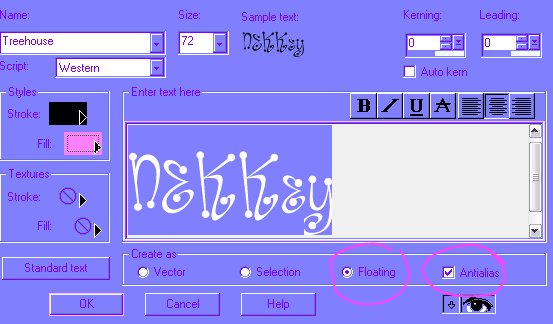
Once you hit "OK" it will look like the image below
KEEP THE ANTS
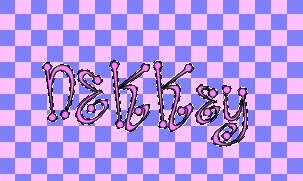
3. Selection>Save to Alpha Channel, press"OK".
A new box will appear "You can name ithe image. & press "OK"
4.Delete the marching ants.
5. Selections>Load From Alpha Channel, "OK"
The marching ant will reappear...
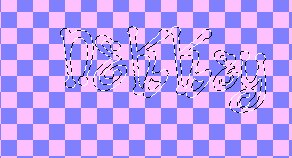
6. Selections>Modify>Expand
(this will creat the thick line around your lettering)
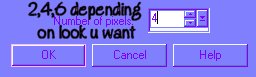
Once you expand, the image will look like below:
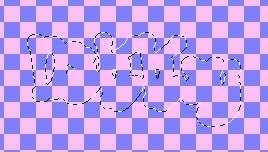
7. Choose you background color, and floodfil
the expanded marching ants.
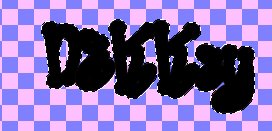
8. Selections>Load from Alpha Channel press "OK",
the marching ants appear back inside the lettering
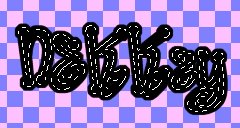
9. Choose your "pretty" color...floodfill inside the
marching ants.

10. While the ants are still marching, you can use plug-ins to make you
lettering pretty.
Below, I used "EyeCandy 3 "Glass".

11. Now you are ready to add all you tubes & shadowing.
IMPORTANT NOTE:
IF you choose to resize your tag after you have made it,
AOL will allow an image 311x311 to be sent in mail without resizing...
PLEASE, use the "Sharpen" tool.
Effect>Sharpen>Sharpen, hit 1 or 2 times, depending on clarity.

Have fun!!!!
Copyright? 03-2003 by [email protected] & [email protected] all rights reserved.