Using Dings for Frames & Accents
By: XxNekkeyOnexX
for PSP 7
1. open a 400x400 new New Image
(to give yourself lets of room)
2. Select whatever Dizzinz Shape
you want
(just like you would for usual fonts)
Note: make sure you size it to match the
tag you a making & remember, someone is going to put a name in it :)
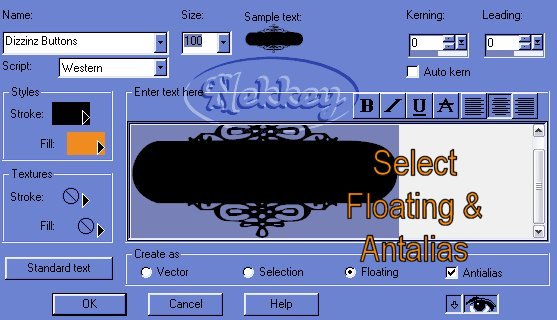
3. Your image will come up with the marching ants on it :)
(move it to where you need it now)
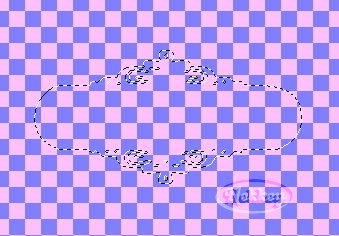
4. SELECTION>SAVE TO ALPHA CHANNEL>SAVE
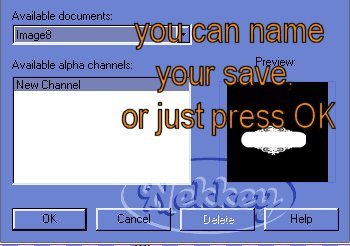
5. DELETE IMAGE
6. SELECTIONS>LOAD FROM ALPHA CHANNEL>SELECT your image>OK
all you will see are the marching ants in the outline of your shape.
7. SELECTIONS>MODIFY>EXPAND
here is where you decide how thick the outer border will be
I use 2 or 4...(4 when I have the bottom of a tube I wanna cover).
then OK
the outline just expanded 2 or 4 times the size of the original.
8. Select your floodfill for the border. I am going to use BLACK for this
tut,
makes it easier to see. *w*
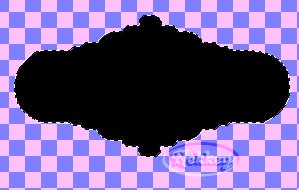
9. SELECTION>LOAD FROM ALPHA CHANNEL>SELECT your image>OK
Now you brought back the original outline.
10. Flood fill your inner color

11. Now you can use your plug-in's to make it purdy!!!
inner/outer bevels/lacquer/
In mind I used: EYE CANDY 4000~HSB Noise
12. Now you can add your tubes!!!!
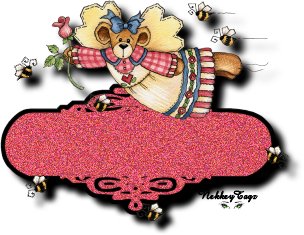
GOOD LUCK!!!!
REMEMBER: you are always working in layers....so...
do your drops & glows at the right time, or you'll be screamin later ;)
and...play with it!!! you can't break it!!!
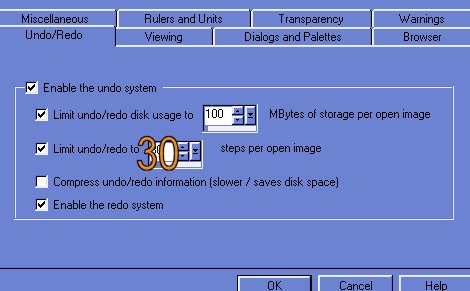
Just make sure you set:
FILE>PREFERENCES>GENERAL PROGRAM PREFERENCES>
UNDO/REDO to about 30...:)
Any questions...just E-mail me!!!
Nekkey...HELP!!!!
Copyright© 03-2003 by [email protected] & [email protected] all rights reserved.