 |
|
|
|
|
|
|
|
|
|
|
|
|
|
|
|
|
|
|
|
|
|
|
|
|
|
|
|
|
|
|
|
|
|
Plane Frame Analysis - Example |
|
|
|
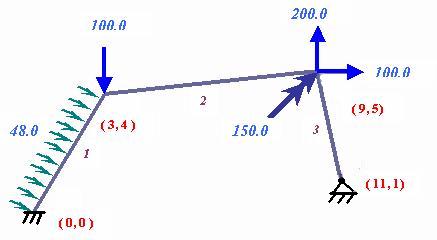
Example shows a plane frame consisting of prismatic members that all have same cross-sectional properties.�� E=70x1E6 kN/m2, �Ax=0.02m2, Iz=3x1E-3 m4. |
|
|
|
 |
|
|
|
Following are the step-by-step procedure: |
|
|
|
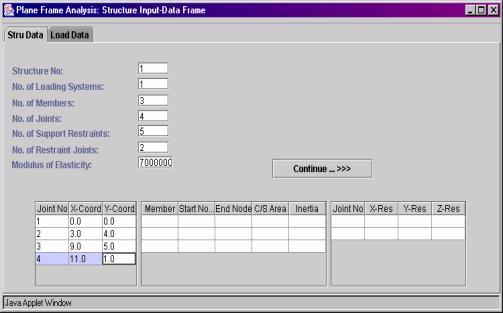
Step 1:� Pprovide input data to the respective fields. Existing values which are example related can be replaced.� Use "Tab Key", to advanced input field.� Joint coordinate data entry table will be available, only when you provide value to the number of joints field followed by Enter key.�� |
|
|
|
 |
|
|
|
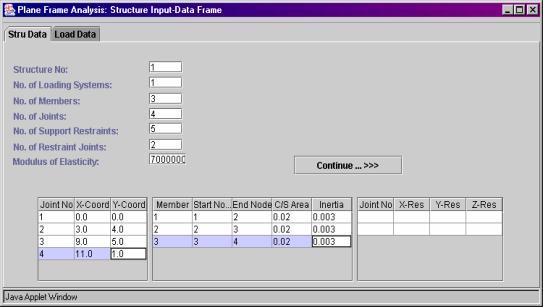
Step 2: Provide values to the member data input table. |
|
|
|
 |
|
|
|
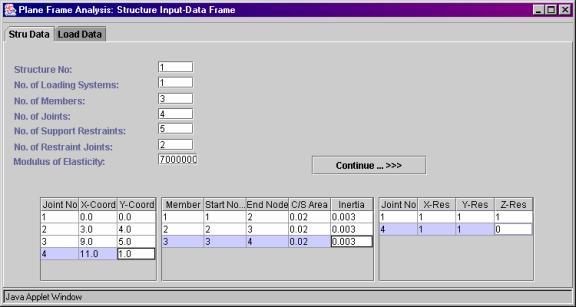
Step 3:� For support joints, provide restrained conditions ( 1-Restraint exist, 0-Free ) |
|
|
|
 |
|
|
|
Step 4: Before going to the next tabbed frame "Load Data" press button "Continue->>>". . This button is provided to accept the input data. |
|
|
|
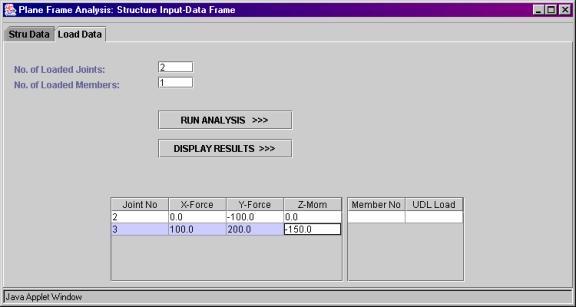
Step 5:� Click on the tabbed frame "Load Data". This frame is designed to accept information about the joint and the member loading conditions. Input tables for joint loading and �member loading will be available by providing value to the file "No. of the loaded� members" followed by "Enter Key" . |
|
|
|
 |
|
|
|
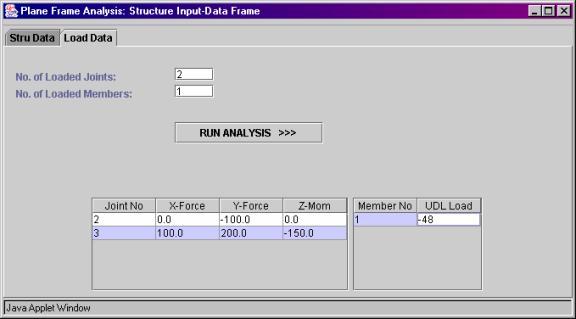
Step 6: Member uniform load shall be provided as follows. |
|
|
|
 |
|
|
|
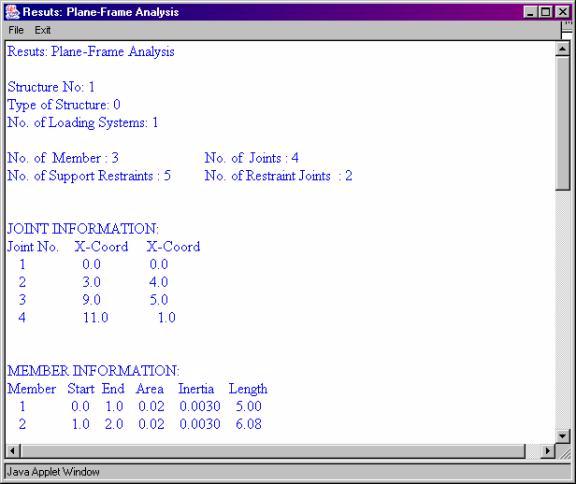
Step 7:� To view analysis results, press button "Run Analysis >>>>". Plane frame analysis results will be displaced as follows. |
|
|
|
 |
|
|
|
Step 8:� To exit the program, close the web page. |
|