

Photoshop Retouching - "Whitening
Teeth"
This tutorial needs little bit of care and patients. Photoshop have several
tools that gives realistic effects to an image(s). Here is one of them.
So many people asked me, how to retouch a photo or an image with simple
tools that PHOTOSHOP provides. This is one of them.
1. Open an image. I opened below image.
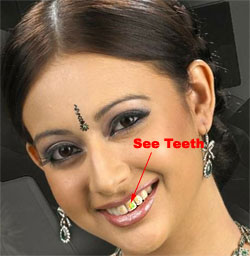
fig-1
2. Press Ctrl + J ( or Press Ctrl+A to Select All. Press Ctrl+C to copy
an image and Ctrl+V to paste an image).
3. Make it ZOOM to get closer look, so that we can see each pixel very
closely.
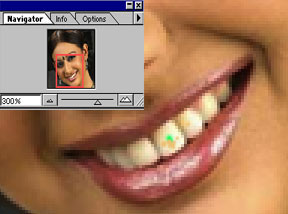
fig-2
4. Select Dodge Tool from the Tools Pallette. Select Midtones and Exposure=40 (it may varies and depends on your experiment).
5. Proceed the work as shown below (you may also use different brush
sizes).
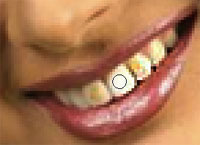
fig-3
6. Complete it as shown below as per your experiment. To this example,
it's over.
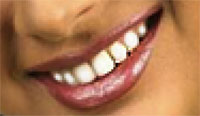
fig-4
7. Now, ZOOM to 100%. You have desired output in-front of you.
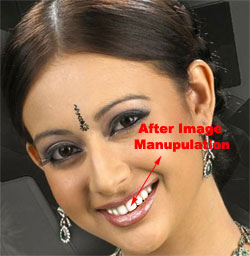
fig-5
That's all my dear friends. Hope You Enjoyed It!!!
Send mail to me (from your mail-id, in the Compose, write "About
Tutorial" in the "Subject" Column).
------------------------ Forum - Visitor's
Reply about this Tutorial ---------------------------
a) Ahmed,
chennai - It is a
nice tutorial
b) Steven Eric - I am a beginner
to photoshop. But, i felt that, it is a good
tutorial for the beginners.
-------------- End of Visitor's Reply. I hope other visitors also send
mail to me --------------
"Fundamentals are the Route
to the Destination" - BHMK
Go Home