

:: Converting an Image into Drawing/Art
::
Any artist likes this tutorial. An artist usually begins to draw like
this and then finishes with
decoration. So, let's begin this tutorial.
1. Open an image. I opened below image (fig-1).
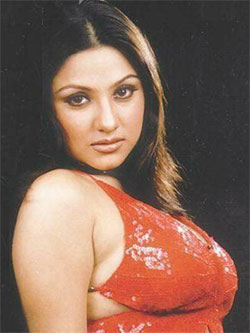
fig-1
2. Goto Filter >> Blur >> Smart Blur
Change these settings:
Radius=11.1
Threshold=50
Quality=High and
Mode= Edge Only
and Click Ok. See figure (fig-2).
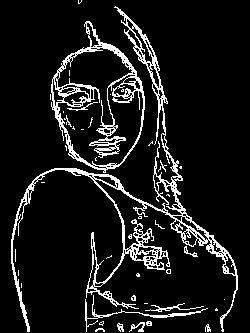
fig-2
3. Goto Image >> Adjust >> Invert.
4.Goto Filter >> Blur >> Guassian Blur.
Change these settings:
Radius=0.3 pixels
and click Ok. See final result (fig-3).
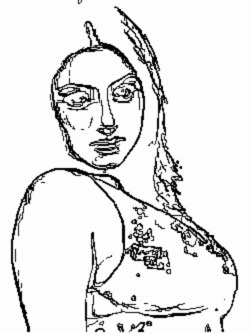
fig-3
That's all my dear friends. Hope You Enjoyed It!!!
Send mail to me (from your mail-id, in the Compose, write "About
Tutorial" in the "Subject" Column).
"Fundamentals are the Route
to the Destination" - BHMK
Go Home