Curriculum Unit : Simple Machines
Final Project: Lesson Plan and Assessment

Simple Machines: They Work Hard So
You Don't Have To!
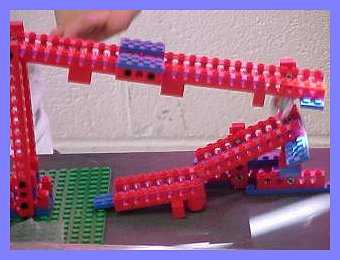
Culminating Lesson: Building Lego Machines
Author: Christy Boggs
Grade Level: 3rd
Explanation: Students will explain how they constructed their Lego machines to the class. They will do so by creating a set of assembly instructions that can be used to create this machine. They will also explain what it is that their machine actually does( or they hope that it will do).
Application: Students will apply what they have learned about simple machines in order to help them create a new machine. Students will explain how the machine that they have created will be a great help to others.
Commercial
Each pair of students will construct a machine that they feel will solve a specific problem . They will also write the assembly instructions for their machine. The students will write and perform a commercial for the class.
To the Students:
Throughout the last three weeks we have learned about 5 different simple machines. We have discovered what each machine does and how each machine helps us. During our study we found that machines are all around us. However, we now have the opportunity to make a new discovery. Today, we will construct a machine of our own. But before we can do so, you need to visit the sites listed below to get some great ideas for your own invention. This will be great fun and it may even make you rich some day!
So... What are you waiting for... start clicking!
Sites to Explore:
The Simple Machine Construction Site
Outstanding List of Simple Machine Activities
Family Fun with Simple Machines
Your team will be using the Design Challenge Cards which have been assigned to help guide your work. Together, you and your partner will work together to create a very useful, brand new machine. Remember, your machine can only be constructed from the Lego's provided at you work station. The machine should effectively solve the problem that you have been given.
After constructing your machine be sure to test it several time to make sure that it does in fact solve your specific problem. The machine should also do some sort of work. Once you have created a machine that will solve your problem you should then write step by step instructions for building this machine( be sure you try your instructions to make sure the results are accurate).
Then, you should give your machine a name. Be sure the name indicates to consumers exactly what the machine does and just how valuable this machine would be in their lives.
Finally, you and your partner will write and perform a commercial promoting your incredible machine!
I can't wait to see what you come up with!
Good luck, there is always room for the New and Improved machines!
Goals/Outcomes/Standards
Goal: Students will be able to identify and describe simple machines and apply what they have learned to real life situations.
South Carolina Standard: II.A.2 Identify and describe simple machines such as lever, pulley, wheel and axle, and inclined plane and apply their uses to real world situations.
Goal: Students will be able to identify examples of simple machines in their school and home.
South Carolina Standard: II.A.4Observe and identify examples of simple machines found in the school, playground, home, and work environment.
Goal: Students will be able to explain why machines were needed and therefore invented.
South Carolina Standard: II.A.6-Infer how simple machines developed as a result of human needs and exploration
Materials:
Predetermined list of Partner Assignments
8 Lego Dacta Primary Simple Machines Building Sets with activity cards (green and blue)( use the hyperlink to see a close up picture of the set that is best for this activity)Lego Dacta Teacher's Guide- here are some great additional plans for the teacher
Design Challenge Cards- these are the set of problems that the students will be given
Word Processing Program( we will be using Word to compose our set of directions and to script our commercial)
Printer
(Optional) a camcorder to record student commercials
Procedures:
1. Take a look at the Partner Assignments List - Make sure you know how you will be working with.
2. Please go and sit with your partner at the seat you have been assigned.
3. The two of you should then take a look at the Design Challenge card which has been placed at your work area.
4. Next your team should read the Design Card and discuss the problem that is described. You should decide which of you is to be the recorder for this project. The recorder should then write down a few notes that describe the problem you have been given. Afterwards, you should both begin to brainstorm about a machine that may offer a solution. The recorder should jot several notes from this discussion as well.
5. Now you should both look at the Lego's provided for you at your workstation. Your workstation will remain the same during this project. The Lego's will also remain the same. So, what you see is what you get. You may not add or borrow from anyone at any of the other stations. Keep in mind there is no "right" answer. I am not looking for you to build a certain machine, other that one that solves the problem on your card. As with most things in life, there will be more than one correct answer. You will know you have a good solution if your machine solves the problem you have been given. So, relax! Just figure out a way to use your Lego's to solve your problem. At this point I would suggest drawing a sketch of a machine that you feel may solve your problem. Sketch several so that you may pick the very best.
6. Once you have a couple of machine sketches, you should try to build them using only the Lego's you have been provided. At this point you may want to try and combine some of your machines based on the materials you have. Be sure and do several tests to make sure your machine works.
7. Once you have created a machine that works try to create a duplicate. DO NOT take your original machine apart. You will be sorry if you do!!!! If you need extra Lego's, I can give some extras at this time. After you have made the copy machine, take the copy apart and try to put it back together. The recorder should write down each step very carefully. After reconstructing your machine, make sure it works. If not take it apart and try again. Remember to write down each step. Once you have recreated your machine and it works, then you should proof read your set of instructions. Make any corrections to the directions. Be sure and keep the directions brief and to the point.
8. Give your recorder a break. The 2nd team member should take over for awhile. You should open Word and create your list of instructions. Be careful to make sure you do not leave out any steps. At this point you may add graphics and even a name for your machine. Be sure and print four copies of the finished set of directions. One for each team member, one for your teacher and one for display in the library.
9. Finally, the two of you need to put your heads together to create a commercial promoting your new machine. Be sure and tell consumers the cost, the effectiveness, and the convenience the machine offers. Also, include the name of this great machine and tell the audience where they get their very own machine!
10. Practice your commercial. The commercial will be recorded. Be sure and capture our attention!
11. Relax and be proud of your great accomplishments. And who knows, just maybe this machine will make you a million! If you are interested in patenting your machine here's just the place to do so... Kids Patent Cafe
You have done a tremendous job! I knew you would!
Unit Goals/Assessment Plan
|
|
Unit Goal Identify
and describe simple machines in our everyday lives. |
Unit
Goal Students
will be able to identify simple machines in their schools and homes. |
Unit
Goal Students
will be able to explain why simple machines are needed and are therefore
invented. |
|
Area
1 Defining
“Good” |
|
|
|
|
Area
2 Making
Projects “Good” |
|
|
|
|
Area
3 Describing
How Well the Project is Completed |
|
|
|
Narrative Descriptions:
Defining What is "Good" Work:
After discussing the 5 main types of simple machine in class. Student will take a small simple machines matching quiz ( on the computer). I will place students with their partner for the machine project. After we are all situated in our work stations, I will allow the new "teams" to work on a hidden machine activity where they have to find as many simple machines as they can in a picture that I put on the overhead. They should write their machines lists down on the paper provided at their workstations. We will then begin our Machine March ( print a copy for each student) around the school. Students will walk/work with their teammate to find as many hidden Simple Machines as they can around our school. Students should try to find at least one each of the 5 main machines that we have studied. After finishing these activities, I will inform students of upcoming activities. I will tell them that they will be working with their teammate for several days. They will be working together to invent a great new machine. We will be solving real life problems and situations. They will also be working together to script and perform a commercial for their new inventions.
Making Our Projects "Good" (top)
After we have discussed the project as a class, I will handout the Design Challenge Cards. I will allow teams to read and briefly discuss the problem they have to solve. I will then allow teams to take a look at the Lego's that they have been given to work with during this project. Teams will then place these items in the plastic container at their stations. Now, I will handout the Collaborative Work Rubric. We will discuss this rubric in great length so that students will know exactly what they are expected to do and how they are expected to act during our project. I will also explain briefly the notes that they should take when they begin their projects. I will show them( on the overhead )the note taking rubric that will be used to grade their ability to take good notes. Both teammates will receive the same grade for the set of notes that they turn in together.
Describing How Well the Project is Completed:
I will use the following rubrics and formal assessments to determine the success of each team and assign their grades accordingly. Each student will receive an individual grade.
The assessments/rubrics are: Instructions Assessment (students will help devise this rubric as a class), Invention Rubric, Commercial Rubric, Collaborative Work Rubric, Simple Machines, Final Assessment ( on line test)
With your teammate, look at the picture on the overhead to find as many hidden simple machines as you can in 3 minutes. Be sure and write them on the lines provided.
|
|
|
|
|
|
|
|
|
|
|
|
|
|
|
|
|
|
|
|
|
|
|
|
|
|
|
|
|
|
|
|
|
|
|
|
|
|
|
|
Return to Making Our Projects "Good"
1 |
2 |
3 |
4 |
|||
Return to Making Our Projects "Good"
Relevance |
|
Expert
|
The
information in my notes relates directly to my research question(s).
|
Proficient
|
My notes have
some information related to my topic but not to my research question(s).
|
Novice
|
The
information in my notes does not answer my research question and
doesn’t quite fit my topic.
|
Comprehension |
|
|
Expert |
I understand
everything I have written in my notes: there are no words that I cannot
define. |
|
Proficient |
There are words or
ideas in my notes that I cannot explain myself, but I can get more
information so that they make sense to me. |
|
Novice |
My notes are
copied from my sources and I don’t really understand them. |
Organization |
|
Expert
|
My notes are
grouped according to each research question or subtopic.
|
Proficient
|
My notes are
grouped according to the sources where I found the information.
|
Apprentice
|
My notes are
organized according to when I took them.
|
Novice
|
My notes are
written as one list of information.
|
I found this great
rubric at AHHS
Library site (on the Media Specialist's page). The page has lots of great
links- you do have to scroll way down to find the good stuff!
|
Group Work |
Student refused to work with team |
Student worked with team in few circumstances. |
Student worked with team in most circumstances. |
Student cooperated and gave 100% to team work |
|
Creativity/ Accuracy |
Information was not accurate. Commercial did not use props, art, costumes, or backgrounds. |
Information was somewhat accurate. Little use of props, art, costumes, or backgrounds. |
Information was accurate. Some use of props, art, costumes, or backgrounds. |
Information was completely accurate. Commercial used props, art, humor, costumes, or backgrounds. |
|
Comprehension |
Rarely understandable |
Sometimes Understandable |
Often Understandable |
Always Understandable |
|
Fluency |
Uses phrases and "chunks" |
Uses simple sentences. Speech is connected but frequently disrupted by search for correct expression |
Uses fluent connected speech, occasionally disrupted by search for correct form of expression. |
Uses fluent connected speech |
|
Vocabulary/Grammar |
Grammar is unclear and obscures meaning and vocabulary includes words mostly from the native language |
Grammar is somewhat clear and obscures meaning. Native language is used. |
Grammar has few errors. Meaning is obscured very little. Native language is not used. |
Grammar is clear. Gestures and expressions from target languages are utilized. |
I found this rubric on the Rubrics Page of a Webquest
Return to Making Our Projects "Good"
| Invention Rubric | ||||||||||||||||||||||||||||||||||||||||||||||||||||||||||||||||||||||||||||||||||||||||||||||||||||||||||||||||||||||||||||||
|
||||||||||||||||||||||||||||||||||||||||||||||||||||||||||||||||||||||||||||||||||||||||||||||||||||||||||||||||||||||||||||||
Rubric created by Patricia Ware at Gate
Return to Making Our Projects "Good"
Walk
around your school or home and write down the examples of simple machines
you see. I have given you two examples.
Return to Making Our Projects "Good"