Updating Free Space
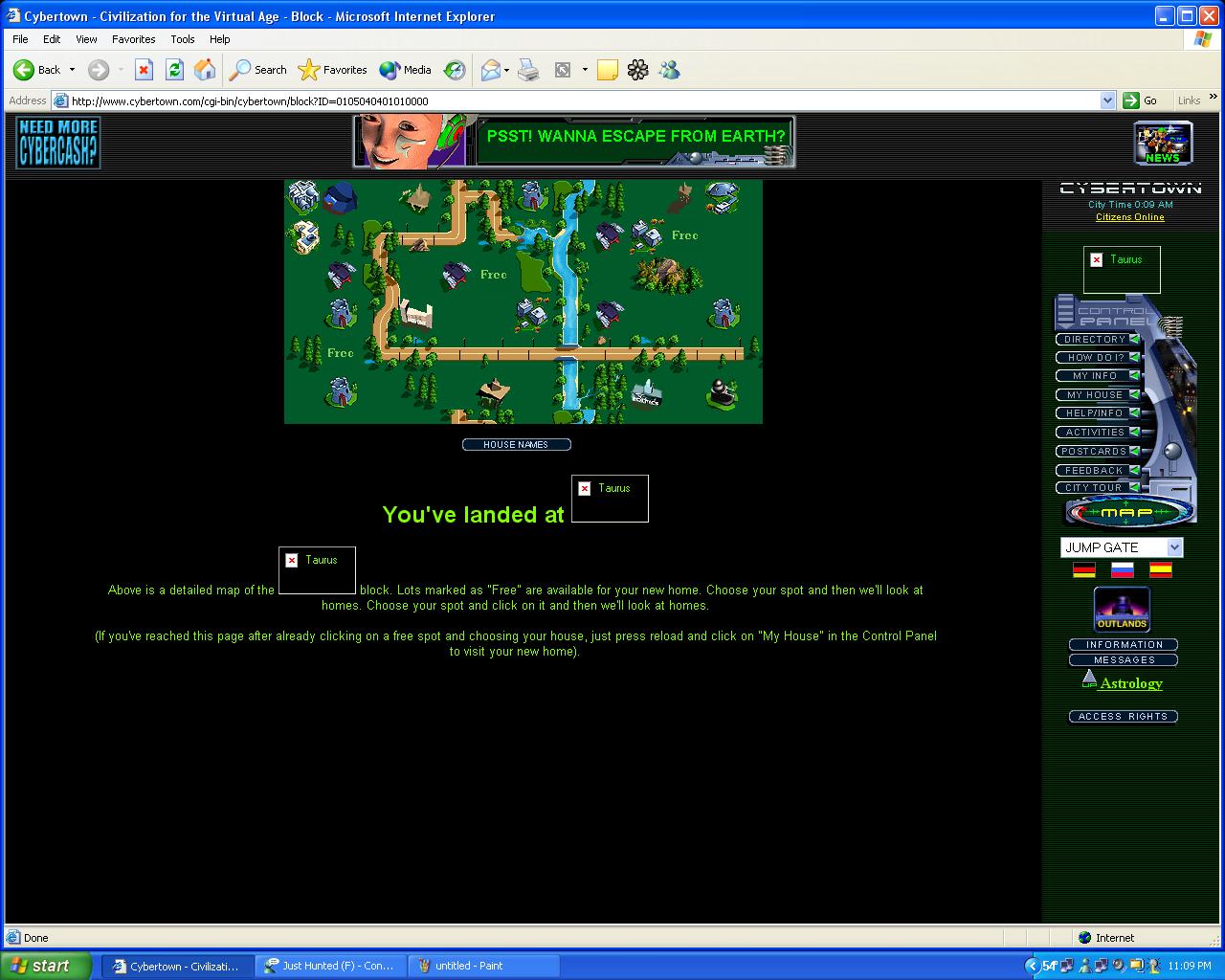
Open spaces on your block should be limited to no more than 3 free spaces. When a new resident moves into your block you will be required to open a new space. Or in the event where you delete a resident home or one of your residents move then you may be required to close a free space. To keep your block tidy you must be careful not to open any spaces on landscaping (Rocks, Trees, rivers and roads).
|
Opening a free space From the block overhead map shown below
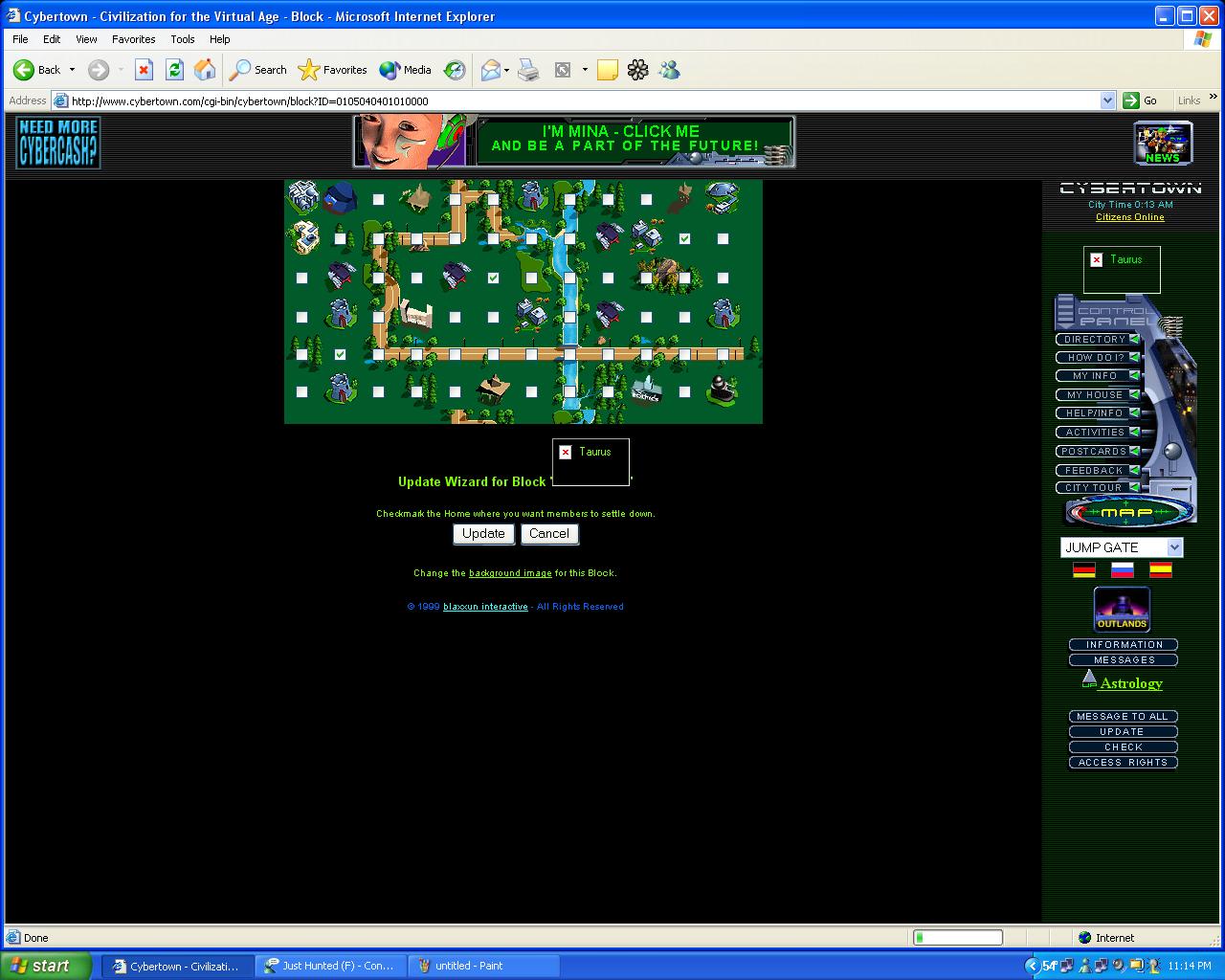
1) Press the UPDATE button on the right hand navigator. The map will change to the one shown below. This will allow you to put a check mark that will open a space
2) Once the check mark placed in the space of your liking press the UPDATE button under the map to confirm the change. 3) To close a open space simply remove the check and click update. |
|