Home Deletions
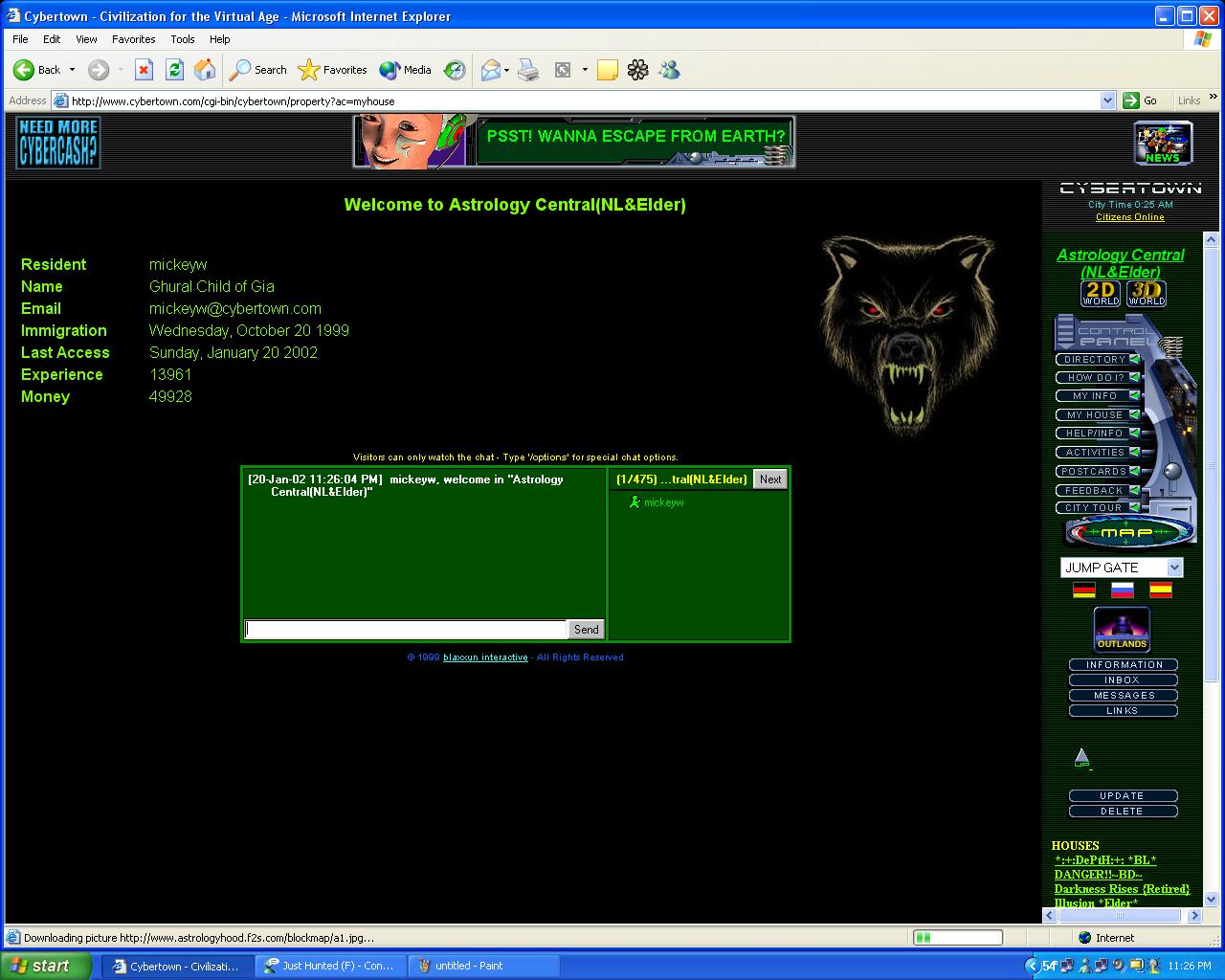
When doing your weekly rounds you will come to homes that have exceeded the 30 days of grace allowed without login into CT. When visiting home in 2D take note of the Last Access Date and if the resident has been absent for more then 30 days proceed with deleting the house. As per the Guidelines mentioned earlier in the training, certain exceptions may apply. If the resident has clearly indicated VAC=vacation on their home name.
|
Time to Delete 1) Press the DELETE button in the home that needs to be deleted
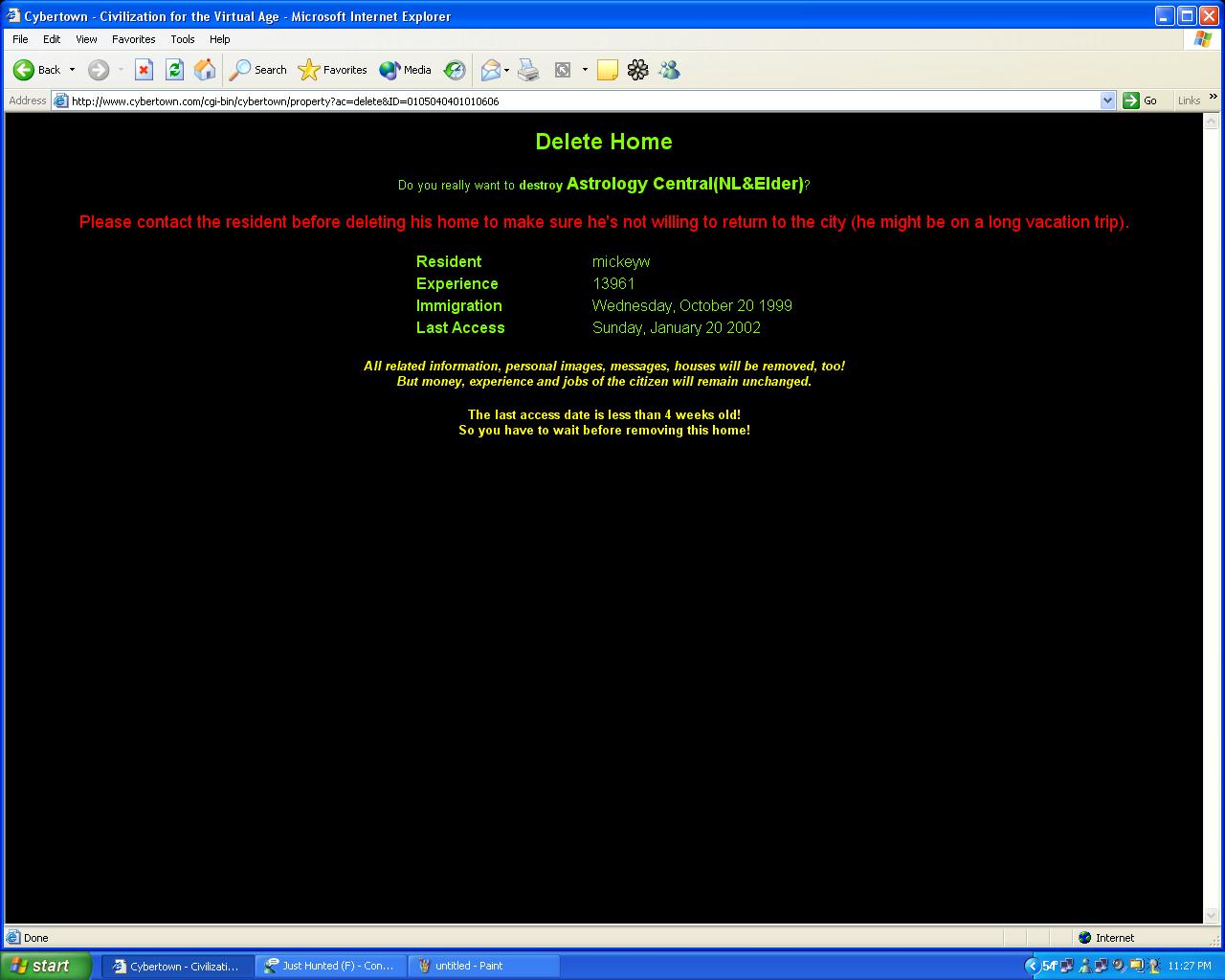
2) If the home is not due for deletion you will not be able to delete. Once the delete button pressed a window will open asking you to confirm the deletion. Press YES to confirm. Remember though, once a house is deleted it CAN NOT be undeleted so if in doubt don't delete, ask your boss.
|
|