Access Rights
This section is reserved for BL's and ND's only. When employing a new BD or a new BL you will need to grant them Access to the Block tools. Adding the new employees’ nick into access rights does this. Remember that all new employees in our hood must have passed the security clearance before being granted access. You can contact your ND, NL or assigned CD to get the authorization. Also you are required to notify your ND or NL of any new hiring’s.
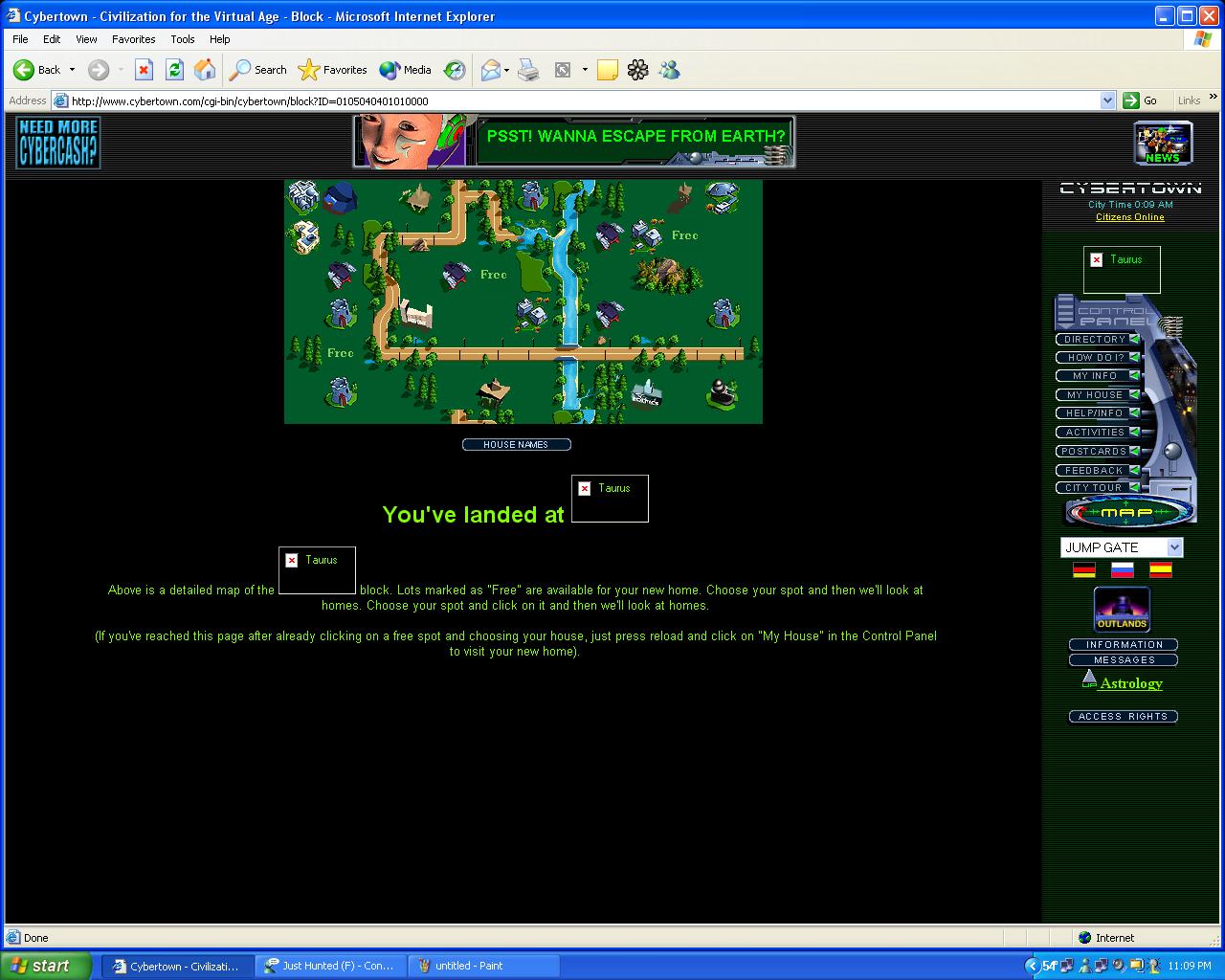
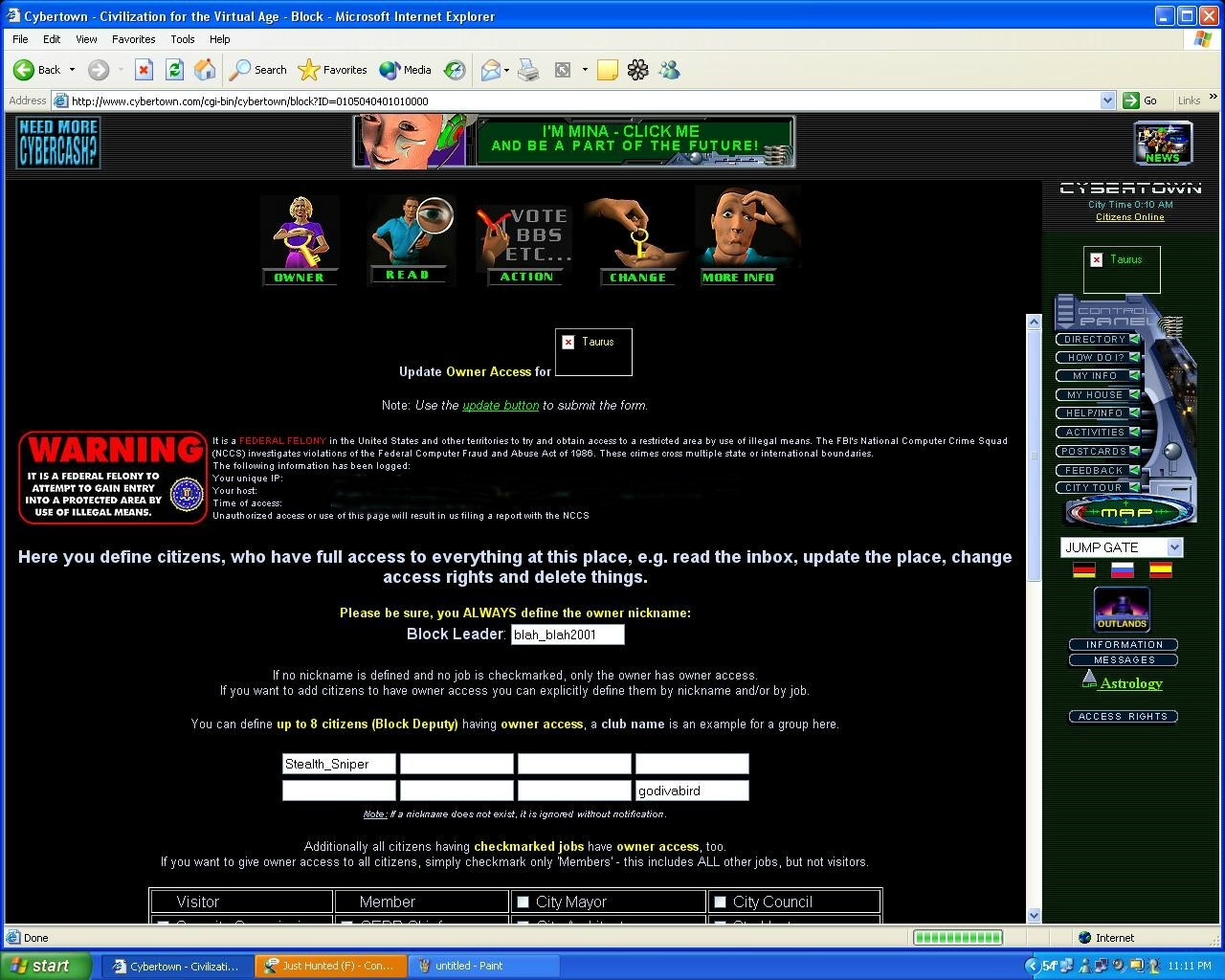
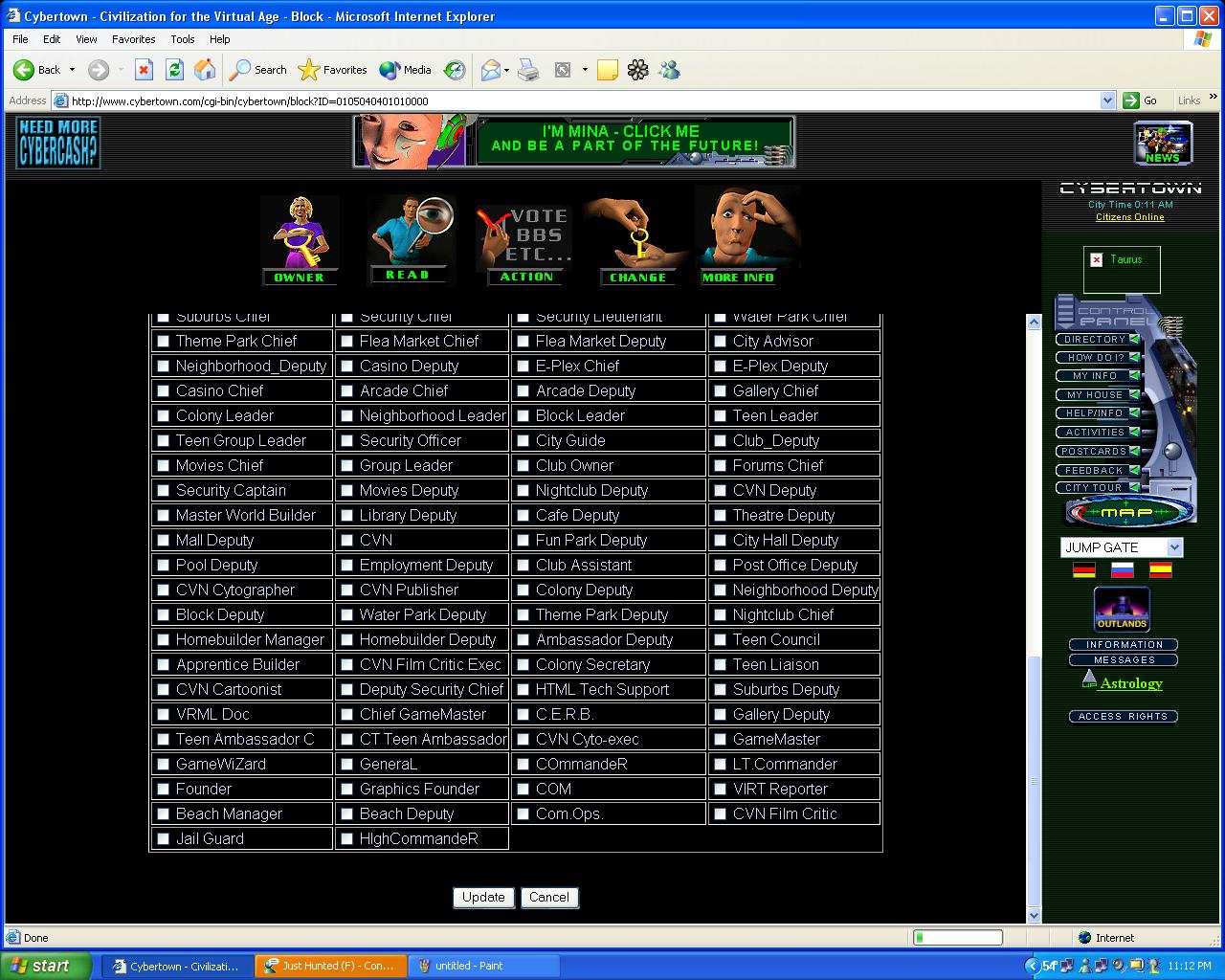
From the block overhead map as shown below. 1) Press the ACCESS RIGHTS button on the right hand navigator. The map will change to the access rights map as shown below. As you can see a space is reserved for the BL and 8 BD's . 2) Enter the Nick in the BL space if you are assigning access to a new BL or enter the nick of the BD in the BD space. DO NOT make any check marks in the Check marked Job Locations at all. This will be done by the NL or above. 3) Once the nick of your new employee is put in, press UPDATE at the bottom of Access Right screen. This will send the data to the master CT server for loading. when its accepted it will bring up a page that looks the same except it says update successful at the top in red letters. When you see that your done.
|
|