cdromlib icon           CD-ROM Librarian

The problem: you know that one of your many CD-ROMs as often enclosed with magazines contains a certain program, but how to find it? Many CD-ROMs don’t have one single file with the contents, but many smaller files such as FILE_ID.DIZ or FILES.BBS with program details.
CDROMLIB searches for such files on a CD-ROM and for each CD-ROM it makes one library file which is stored on your hard disk. You can examine each of these files at any time using a file manager, a text search program or simply Windows Find function, specifying the text you search.

Starting the program will produce a library file that contains the contents of a number of files of a CD-ROM, preceded with the directory name.
The files that are copied to the library file and other settings are specified in a file called CDROMLIB.INI that you may change to suit your own needs.

If you have any comments please mail Tinus.

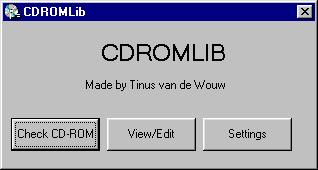
cdromlib screenshot

Screenshot of the interface
("Not very sexy" someone said!")


Birthplace of plaympcd and cdromlib
Hosted by www.Geocities.ws

1