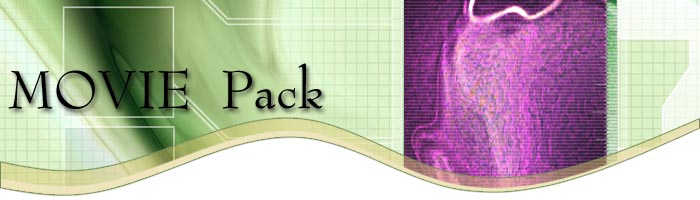
I adopt a long time taking and complicated procedure to create these effects. Well in some cases I still do that but while writing the tutorial �Road way effect� I think to employee �Shear� for creating �em. Let see how�
Purpose
In our example I am creating an image for a web site. I create a new document with exact size of my image 700 x 200 pixels rgb.
Step 1
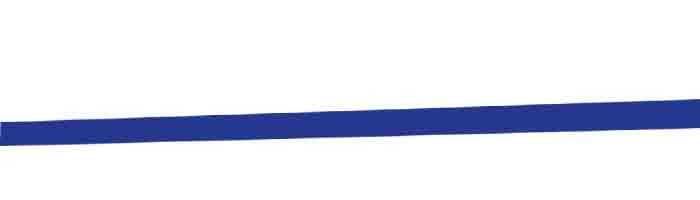
After creating a new layer draw a rectangle of same width of document (700px) where width is about 20 to 30 pixels.
Step 2
Use Distort or Skew from Free Transform to reshape the rectangle like I done here. As you can see there is no specific rule I follow to reshape this rectangle.
Step 3
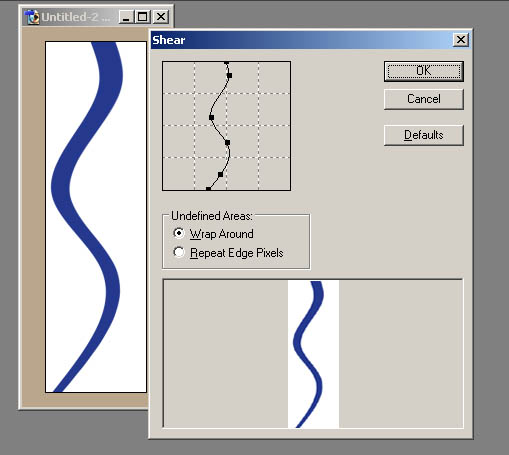
Before applying �Shear� we need to rotate our canvas 90oCW ( Image � Rotate Canvas � 90oCW ). Now from Filter � Distort � Shear reshape the bar again till you satisfy. Again there is no specific rule to follow. Just do not make it very ugly. Rotate your Canvas 90oCCW to back in normal form.
Step 4
It�s all done. Place an image bellow the curves (I don�t know what else exactly I should call it). You have number of choices here. Fill some area with solid color or gradient. I use �Stroke� to outline my curves with some Transparent Fill.
|
