Ever wonders how some designers made the road disappearing into clouds or into a big city? Here is a little trick to start doing same magic.
Step 1
Create a new file 600 x 400 pixels.
Step 2
Pick a color to draw our road with. To draw our road we need a triangle. It is simple to draw the triangles with shapes. But if you like to keep things in better control you can read step 3, else you may skip step 3.
Step 3
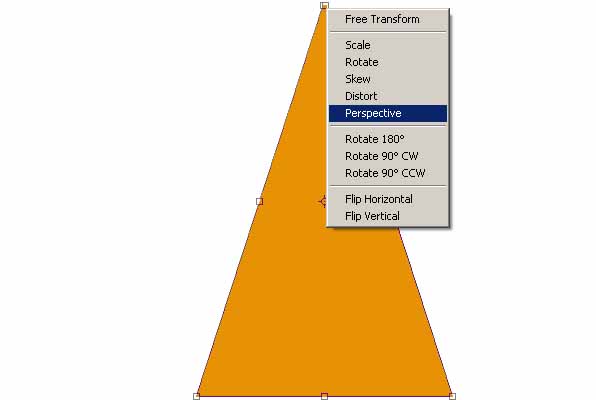
Draw a box, use Free Transform (Ctrl + T) and right click to pick the Perspective mood to transform our box. Pick one of the upper two points and close them to shape our box as smooth triangle.
Step 4
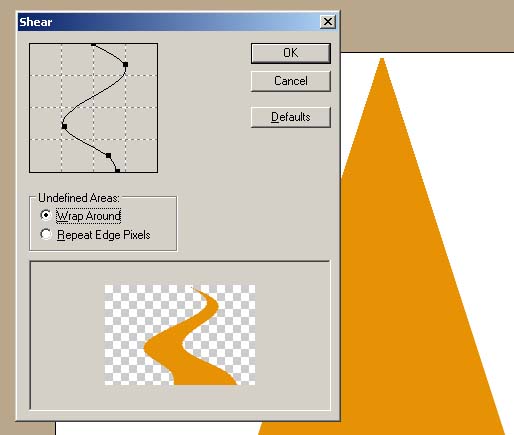
The fun part is hiding under Filter � Distort � Shear. Shape it as I made in our example and if it is really making a sense of road that going into somewhere?

Important
I believe I missed one very important step between 2 and 3. Before shaping your box triangle do not forgot to add some long rectangles in middle of first box.
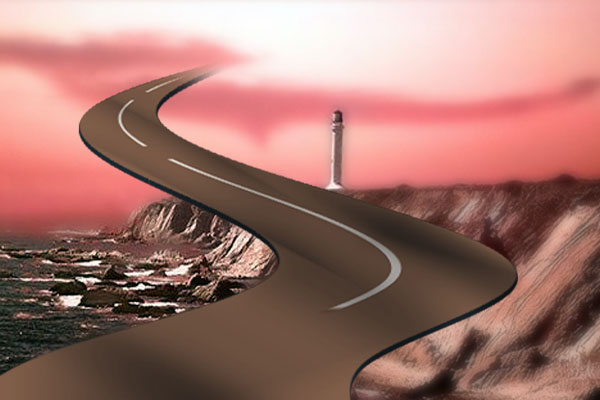
You may try using Shear in other ways too. Make triangle upside down and see how many new effects you can come up with.
|
