

HOW DO I REMOVE THE NAMES OF THE WEBSITE I VISITED FROM THE ADDRESS BAR?
Ahh, so you don't want anyone finding out where you've been surfing, eh? To remove the website's URL from the address bar you will have the clear your browser's History List, by following this procedure:
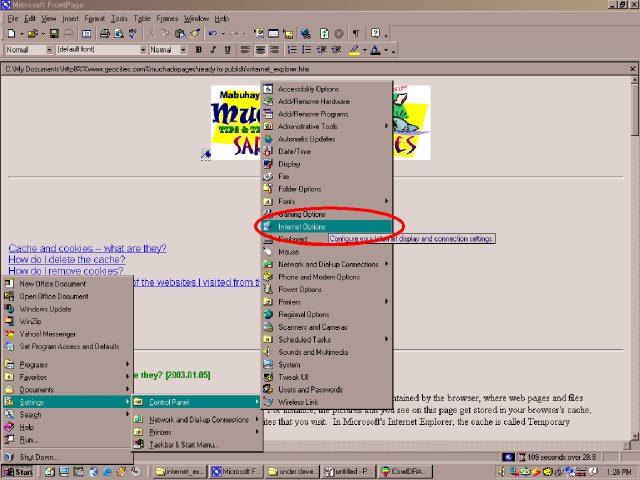
Click Start > Settings > Control Panel > Internet Options.
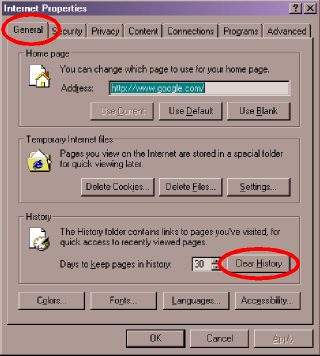
The Internet Properties dialog box will appear. In the [GENERAL] tab, click the [CLEAR HISTORY] button.
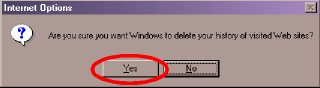
A confirmation box will appear next. Click the [YES] button.
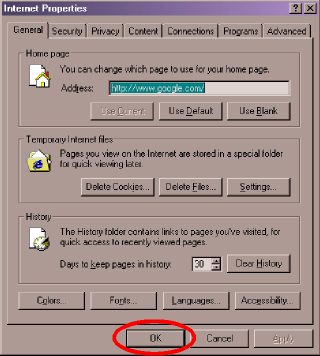
Click the next [OK] button to close the Internet Properties dialog box.
Of course, doing the above steps DOES NOT PREVENT anyone from looking the contents of the cache to find out where you have been surfing.
| Previous Page | Main Page |