

HOW DO I REMOVE COOKIES?
There are two ways of removing cookies in the cache: manual or automatic. If you have Internet Explorer 5.x, you have no choice but to do it manually. If you have Internet Explorer 6.x, it's easier.
Internet Explorer 6.x
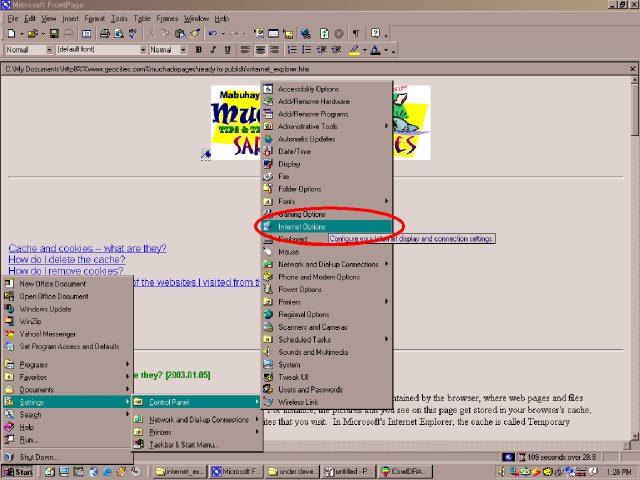
Click Start > Settings > Control Panel > Internet Options.
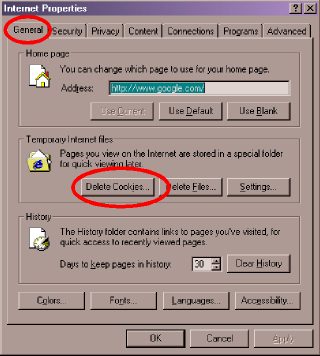
The Internet Properties dialog box will appear. In the [GENERAL] tab, click the [DELETE COOKIES...] button.
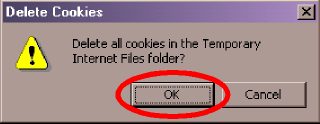
A confirmation box will appear next. Click the [OK] button.
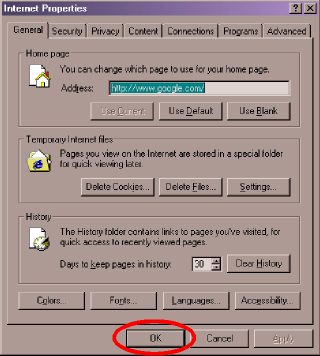
Click the next [OK] button to close the Internet Properties dialog box.
For those of you who still use Internet Explorer 5.x, you have to do some more work:
Click Start > Settings > Control Panel > Internet Options.
The Internet Properties dialog box will appear. In the [GENERAL] tab, click the [SETTINGS] button.
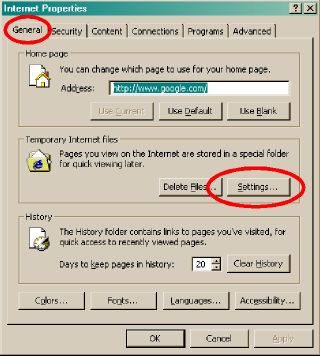
Notice the missing [PRIVACY]
tab and [DELETE
COOKIES...]
button on Internet Explorer 5.x.
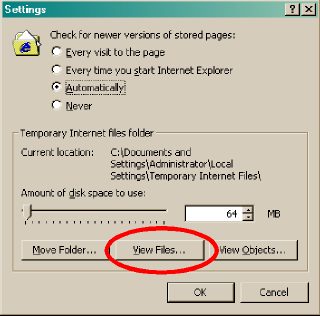
In the Settings dialog box, click the [VIEW FILES...] button.
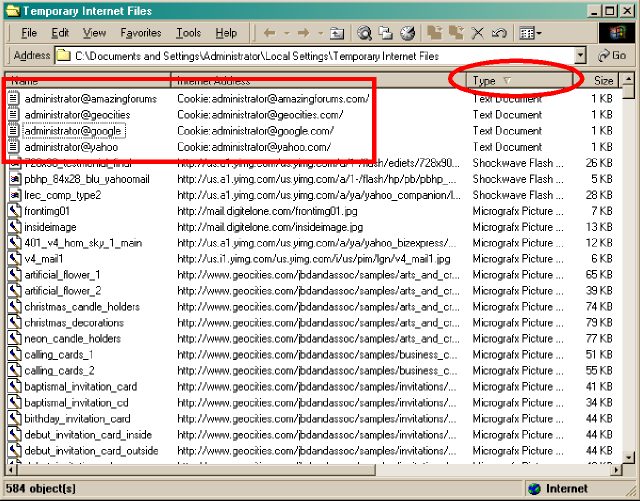
Internet Explorer's Temporary Internet Files folder will appear next. Change the view setting to show details (click View > Details) and change the sort order to show all files by Type in descending order (View > Arrange Icons > by Type or just click the Type column once or twice, until you see an inverted triangle). Cookies are identified by the file type "Text Document" and the Internet Address starts with "Cookie:..." Select the cookies you want to remove and press the [DELETE] key. After you're done, close the folder by clicking the [X] button.
Click the [OK] button to close each of the cascaded dialog boxes that you opened previously.
| Previous Page | Main Page |