

THE ROOM LIST IS NOT SHOWING IN YAHOO! MESSENGER WHEN I CLICK THE CHANGE ROOM BUTTON
Here's another problem that you might encounter...
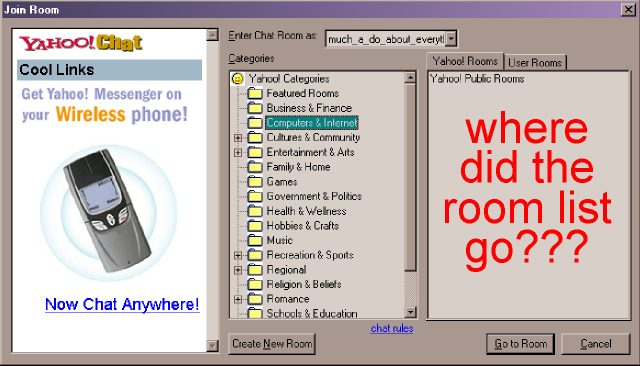
I found out that it has something to do with Internet Explorer. Click the [CANCEL] button to close the dialog box and open up IE.
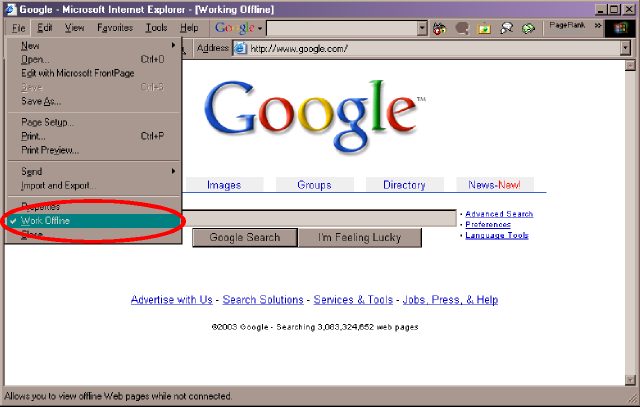
Select the File menu and check if the Work Offline item has a check mark beside it. A check mark should NOT be there. If there is, click on it to remove the check mark. Close the browser, then go back to Yahoo! Messenger and click the [JOIN ROOM] icon.
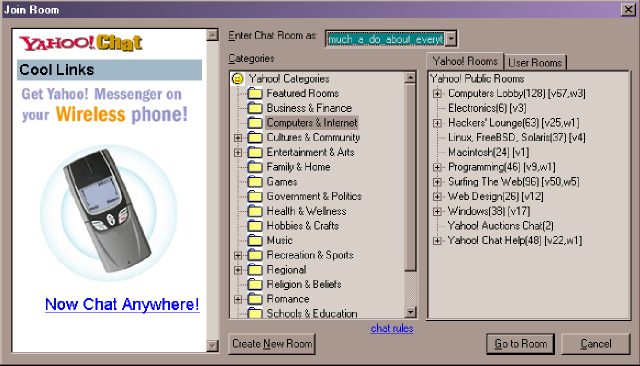
You should be able to join rooms again.
| Previous Page | Main Page |