Bobby

Skip to report

URL tested: http://www.geocities.com/mtunderw/index.html, November 7, 2003 5:04:37 PM EST
Watchfire Bobby Core v4.0.1, WAI Content Accessibility Guidelines 1999/05/05, Support Level: AAA

Note: To ensure that the marked up report is readable, all stylesheets and scripts are removed. The page may not appear as expected.

Priority Accessibility Error - Manual Check NeededPriority Accessibility Error - Manual Check Needed
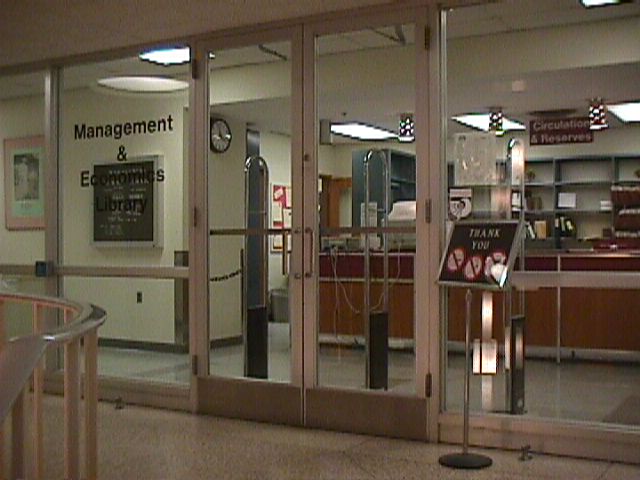
Priority Accessibility Error - Manual Check NeededManagement & Economics Library Entrance  


M & E Library Intranet


Home

Support Staff

Librarians

Reference

Circulation

Dining

Campus Links

Project Plan


This site is designed for the staff members of the Management & Economics Library at Purdue University.

It features links to work-related and campus information from a central site to readily and easily accommodate staff information needs.


M & E Library…we mean business!


Created by Monica Turner for L571, Fall 2003, Dr. Annette Lamb, IUPUI
Contact Monica with any questions or concerns.
Last updated Monday, November 3, 2003

Priority Accessibility Error - Manual Check Needed1Priority Accessibility Error - Manual Check Needed


About this report

Not Bobby AAA ApprovedThis page does not yet meet the requirements for Bobby AAA Approved status. To be Bobby AAA Approved, a page must pass all of the Priority 1,2 and 3 accessibility checkpoints established in W3C Web Content Accessibility Guidelines 1.0. For more information on the report, please read "How to Read the Bobby Report".

Priority 2 Accessibility | Priority 3 Accessibility

Follow the links in guideline titles for detailed information about the error.

Priority 1 Accessibility

Priority 1 User Checks

User checks are triggered by something specific on the page; however, you need to determine manually whether they apply and, if applicable, whether your page meets the requirements. Bobby A Approval requires that all user checks pass. Even if your page does conform to these guidelines they appear in the report. Please review these 7 item(s):

  1. If you can't make a page accessible, construct an alternate accessible version.
  2. If style sheets are ignored or unsupported, are pages still readable and usable?
  3. If you use color to convey information, make sure the information is also represented another way. (4 instances)
    Lines 17, 32-33, 61, 62
  4. If this is a data table (not used for layout only), identify headers for the table rows and columns. (1 instance)
    Line 14
  5. Do you have a descriptive (D) link in addition to LONGDESC? (1 instance)
    Line 17
  6. If an image conveys important information beyond what is in its alternative text, provide an extended description. (1 instance)
    Line 32-33
  7. If a table has two or more rows or columns that serve as headers, use structural markup to identify their hierarchy and relationship. (1 instance)
    Line 14

The following 2 item(s) are not triggered by any specific feature on your page, but are still important for accessibility and are required for Bobby A Approved status.

  1. Identify any changes in the document's language.
  2. Use the simplest and most straightforward language that is possible.

Priority 2 Accessibility

This page does not meet the requirements for Bobby AA Approved status. Below is a list of 1 Priority 2 accessibility error(s) found:

  1. Use relative sizing and positioning (% values) rather than absolute (pixels). (9 instances)
    Lines 14, 17, 18, 19, 25, 37, 52, 54

Priority 2 User Checks

User checks are triggered by something specific on the page; however, you need to determine manually whether they apply and, if applicable, whether your page meets the requirements. Bobby AA Approval requires that all user checks pass. Even if your page does conform to these guidelines they appear in the report. Please review these 6 item(s):

  1. Avoid use of obsolete language features if possible. (4 instances)
    Lines 26, 38, 40, 43
  2. If scripts create pop-up windows or change the active window, make sure that the user is aware this is happening. (3 instances)
    Line 61
  3. Make sure header elements are not used only for bold text.
  4. Add a descriptive title to links when needed.
  5. Check that the foreground and background colors contrast sufficiently with each other. (5 instances)
    Lines 12, 17, 32-33, 61, 62
  6. If this gif image is animated, make sure it does not contain fast or distracting motion. (2 instances)
    Lines 32-33, 61

The following 7 item(s) are not triggered by any specific feature on your page, but are still important for accessibility and are required for Bobby AA Approved status.

  1. Make sure that all link phrases make sense when read out of context.
  2. Is there a site map or table of contents, a description of the general layout of the site, the access features used, and how to use them?
  3. Make sure your document validates to formal published grammars.
  4. Group related elements when possible.
  5. Is there a clear, consistent navigation structure?
  6. Use the latest technology specification available whenever possible.
  7. Where it's possible to mark up content (for example mathematical equations) instead of using images, use a markup language (such as MathML).

Priority 3 Accessibility

This page does not meet the requirements for Bobby AAA Approved status. Below is a list of 3 Priority 3 accessibility error(s) found:

  1. Provide a summary for tables. (1 instance)
    Line 14
  2. Identify the language of the text. (1 instance)
    Line 2
  3. Separate adjacent links with more than whitespace. (7 instances)
    Lines 26, 30

Priority 3 User Checks

User checks are triggered by something specific on the page; however, you need to determine manually whether they apply and, if applicable, whether your page meets the requirements. Bobby AAA Approval requires that all user checks pass. Even if your page does conform to these guidelines they appear in the report. Please review these 5 item(s):

  1. If this document is part of a collection, provide metadata that identifies this document's location in the collection.
  2. If this is a data table (not used for layout only), provide a caption. (1 instance)
    Line 14
  3. Consider specifying a logical tab order among form controls, links and objects.
  4. Use the ABBR and ACRONYM elements to denote and expand any abbreviations and acronyms that are present.
  5. Consider adding keyboard shortcuts to frequently used links.

The following 5 item(s) are not triggered by any specific feature on your page, but are still important for accessibility and are required for Bobby AAA Approved status.

  1. Is there distinguishing information at the beginning of headings, paragraphs, lists, etc.?
  2. If there is a search feature, are there different types of searches for different skill levels and preferences?
  3. Are there navigation bars for easy access to the navigation structure?
  4. Do you allow users to customize their experience of the web page?
  5. Is there a consistent style of presentation between pages?
Copyright © 2002 Watchfire Corporation. All rights reserved. Use of this software is subject to the Bobby Software License Agreement.


Hosted by www.Geocities.ws

1