These photos were taken with 3Com's Home Connect Camera, which is a nice (captive, unfortunately) camera. Digital photography is quite advanced over what it was when I started with it. The trouble, as I see it, is that the Internet can get quite sluggish, and a 56K connection does not tolerate downloading 24 bit 640x480 pictures well. It is necessary to work with an image in order to keep the pages loading without a lot of delays. These photos all started out as 640x480x16.8 million colors, but I cropped, cut colors, etc., and then used a decent jpg/gif encoder at 65% compression. Getting them small is feasible, but you must consider the medium in which they 'live'. I try to keep each image under 16k, but I prefer images that are < 8k in size. They 'pop up' quickly, and pages with a lot of images can timeout before loading...very frustrating for everyone involved. I always start out with the very highest resolution/bits per pixel combination that the camera has, and reduce from there. A picture that starts out as 640x480/24bpp will reduce to 256 color gray scale at 160x120 with no distortion in terms of proportion. See what I mean by loading this page. As 640x480x24bpp images, it would take an enormous amount of time to load, and much scrolling to read.
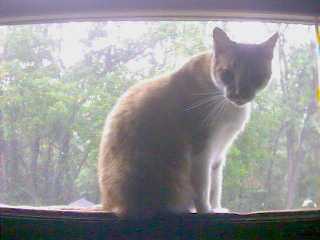
This is Pumpkin. He was a stray, and I took him in three years ago. This photo is not one of my better efforts. The lighting was from behind, and my camera software is not happy with DirectX, so I was limited to what the Twain driver offered in terms of control. There is no backlight compensation, but the contrast is high, and the highlights provide digital filters much with which to work.
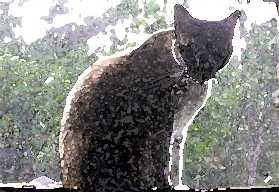
This is called a watercolor effect. I used Microsoft Picture Editor for these photos. This one reminds me of Monet, who is my favorite watercolor artist. I still think that those color blindness tests were secretly done by him!
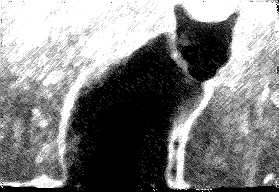
This effect is called charcoal and chalk. These types of effects make good backgrounds for text. I use them extensively for this purpose. I think it goes to show that most any digital photo can be useful for some purpose. I like this one. These two were done as a single step in both cases, it did not take much effort on my part to produce them.
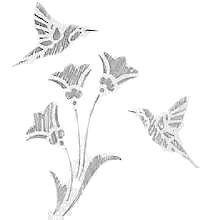
This image began as a pencil drawing using a brass stencil like the ones you'd find at craft stores for making cards, and the like. The gif format has an advantage over the jpg format in that you can set a color that is transparent. The trouble is that the background is never just one color. Extensive editing is required to make it work. I left a lot of pixels undone because I actually liked it that way. On a dark background, my choice may have been different. The stencil property would not be as apparent in that case. Most can be changed by using filled shapes of the appropriate color, then using paint tools for the irregular shapes. I have also edited the pallette to do the same thing, but that causes problems with most pictures. (You wind up with 'holes' where you don't want them.)