Review of Gentoo Linux 1.0
by Mark Riedesel - [email protected]Gentoo Linux is a fairly new Linux distro, it just recently reached version 1.0 and as of a few weeks ago it reached 1.1 status, mainly fixing a few bugs and addding a little more support to the installation system. Without any more rambling, onto the installation!
INSTALLATION
Apparently I'm writing these reviews in order of easiest to downright crazy as far as installation methods go. Redhat has a GUI, Debian has a text based GUI, and Gentoo has... Well... Standard Unix commands and a bash shell, along with a lightweight text editor called 'nano'.I started by printing out the installation instructions from Gentoo's website, I was a little freaked out by the fact it turned out to be a little over 10 pages long, but not to fear, I had to push on (this is quite sad that I get this poetic considering it's just an OS installation).
I popped the installation CD which was surprisingly small in content, around 16MB. My system began to boot, the normal messages fly by, and suddenly, it stops.. At a bash prompt. "Oh weird" I thought to myself, considering every other Linux distro I've tried actually displays some sort of menu, but not Gentoo!
So I grabbed the directions I had printed out earlier and started reading. It said I needed to insert the proper modules for my ethernet card into the running system, thankfully I'm very in tune with my system's hardware, I inserted the tulip module considering I've got a linksys network card (makes sense, right?). Then configure the card, in my case I did a little ifconfig eth0 192.168.1.2 up to bring up the interface, then added my internet gateway to the default routing table via route add default gw 192.168.1.1 (where 192.168.1.1 is the IP of my firewall/router computer). I then had internet access but DNS didn't work yet, of course, which was quickly fixed by adding the IP's of my DNS servers to the /etc/resolv.conf file, after that, I was set as far as the internet configuration.
After that I set up my partitions, which were pretty much set up already from my previous Redhat installation. I just reformatted them for the fresh installation of Gentoo. For the root partition I chose EXT3, which has been proven to be more stable than ReiserFS and is also backward compatible with EXT2, which can come in very handy if something goes wrong. I then mounted my partitions just like the instructions directed, then mounted the cdrom, no problems there. I then unpacked the stage1 install file from the CD and onto my system, then the cool part, I changed my root using the chroot command, effectively switching the system's "home" from ram, over to my freshly created root partition on my harddrive.
After that came 'emerge', which reminds me a lot of Debian's apt-get. So I ran emerge rsync and the system started downloading a huge list of available packages.
Once that had finished, I was on my way to stage 2 installation. When I saw this I was really impressed, what I was able to do is modify the /etc/make.conf file so the system knew I had i686 architecture (an AMD Athlon in my case). The advantage of this are some very nice speed optimizations which older processors don't support. Take Debian for example, when you apt-get a binary (runnable) package it was probably compiled for i386 systems, thats right, old 386 processors. although these will run just fine on new processors, the speedy extra CPU instruction sets offered in new processors aren't taken advantage of by your software, but when you 'emerge' a software package on Gentoo, the source code is downloaded to your computer, and then compiled on-the-spot, specifically for your processor, so everything has a nice little speed increase.
I then ran the bootstrap script as described in the installation instructions and the system started downloading and compiling a heap of system programs required for the system to operate. After that had finished it download the most recent stable Linux kernel and prompted me to configure it, thankfully this was not the first time I've compiled a kernel otherwise I would probably have been freaking out at this point.
After a few other packages were installed I had to create my fstab file (fstab stands for filesystem tab, not file stab, and it resides in the /etc directory).
Then came the configuration of networking and runlevel settings, this is another thing that most Linux distro's don't allow you to do during the installation.
And suddenly came the time to install a bootloader. I know in the past that I've said I preferred LILO over GRUB.. Well this time I didn't have too much of a choice. But amazingly enough the installation instructions actually explained how to install GRUB by hand, and I now finally understand GRUB, considering most other Linux installers throw GRUB onto your system and don't really tell you what's going on, I actually like GRUB now. So I installed and configured GRUB so I could dual-boot between Linux and Windows so I had the option of either OS when my system booted up.
Installation was complete! time to test it out.
FIRST IMPRESSIONS
The first thing I noticed was the speed in which the system booted up, slightly slower than my Debian setup, but fast enough to keep me quite happy. After logging in as root user I created a regular user account for myself. Then as I logged in as a regular user, I tried to 'su' myself, but I was not allowed, I thought this was slightly weird, but apparently only users that are part of the 'wheel' group are able to use 'su', from my understand, this is common on BSD style systems but not Linux. Either way, its a nice security feature. Another thing was the lack of software installed by default, pretty much regular system tools and that was about it, this of course wasn't a huge problem, I just ran 'emerge kde' and the system began downloading the most recent version XFree86 (4.2.0) and the all-new(tm) release of the K Desktop Environment (3.0).Thankfully it is possible to stop emerge and continue later where it left off, considering it took about 3 nights to download X and KDE on my pathetic 26KB/sec dialup internet connection. But finally it was done and I was up and running with my wonderful new KDE 3.0.
UNDER THE SURFACE
Gentoo is really cool, I think I like it even more than Debian, at least until Debian releases a more updated version, which I hear should be fairly soon. Until that day, I think I'll be using Gentoo. The emerge tool is very nice, and a great alternative to Debians apt-get, although you have the option of installing apt-get on a Gentoo system, for those who simply must have apt-get.NEW KERNEL? NOT A PROBLEM!
I don't really need to write this section, but since my other two linux distro reviews had it, here it goes...Theres no point for a new kernel considering it's downloaded from the internet at the time of installation, so therefor, kernel updates are very very easy.
FINAL IMPRESSIONS
Gentoo holds a nice warm little place on my list of Linux distros. Although the installation process isn't very newbie friendly, I'm quite sure someone that can follow written instructions and learn new things rather quickly should be able to install Gentoo without much pain. Not being a linux newbie myself, I had a heck of a lot of fun installing it, especially for being such a new distro, I consider it excellent. Gentoo is great and I give it 4 1/2 out of 5 small golden penguin statues, if I had some..LINKS
> www.gentoo.org - Gentoo> www.xfree86.org - XFree86
> www.kde.org - K Desktop Environment
> www.gimp.org - GNU Image Manipulation Program
this page written using Vi on Debian Linux



My Athlon system running KDE 3.0, notice the very pretty menu transparency features, as well as the nice file-manager with integrated shell.
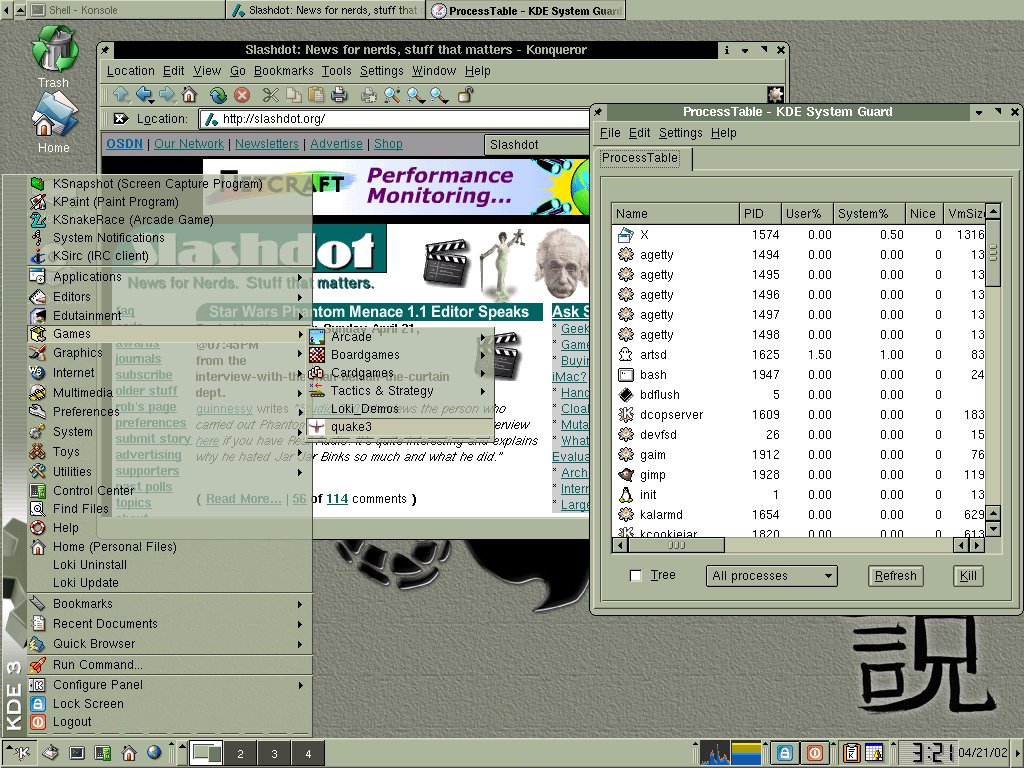
Checking out slashdot.org using Konqueror browser, the browser included with KDE. Also checking my system processes.
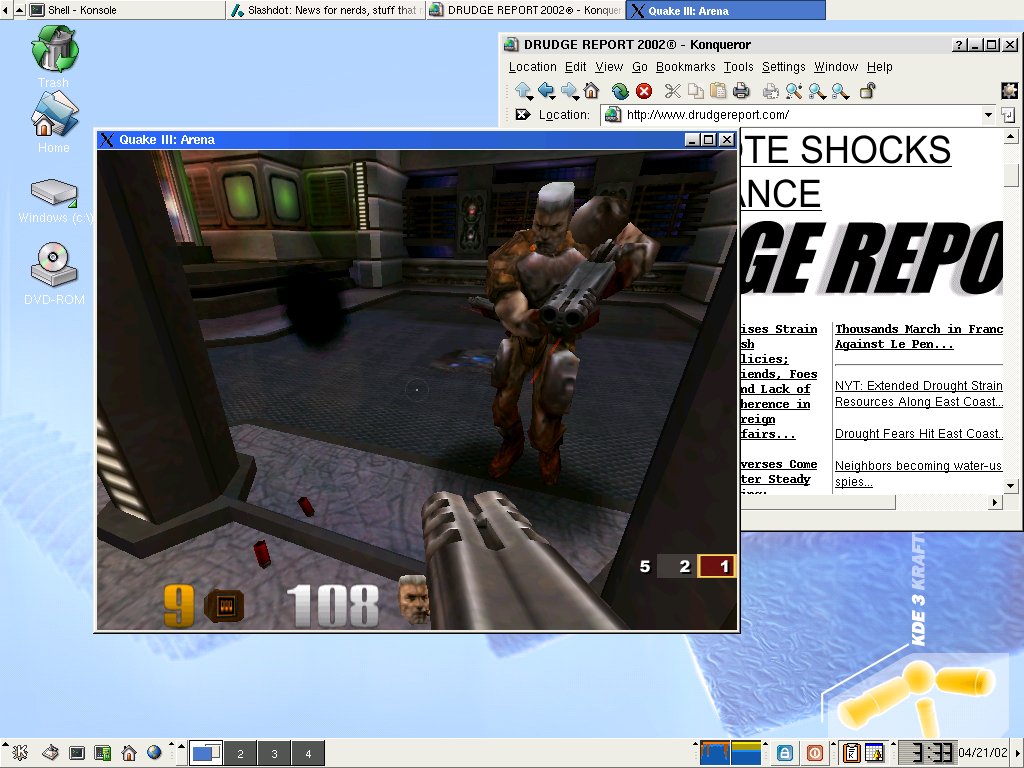
Yes, even Quake3 runs on Linux, quite well in fact. I'm also checking the news on drudgereport.com.
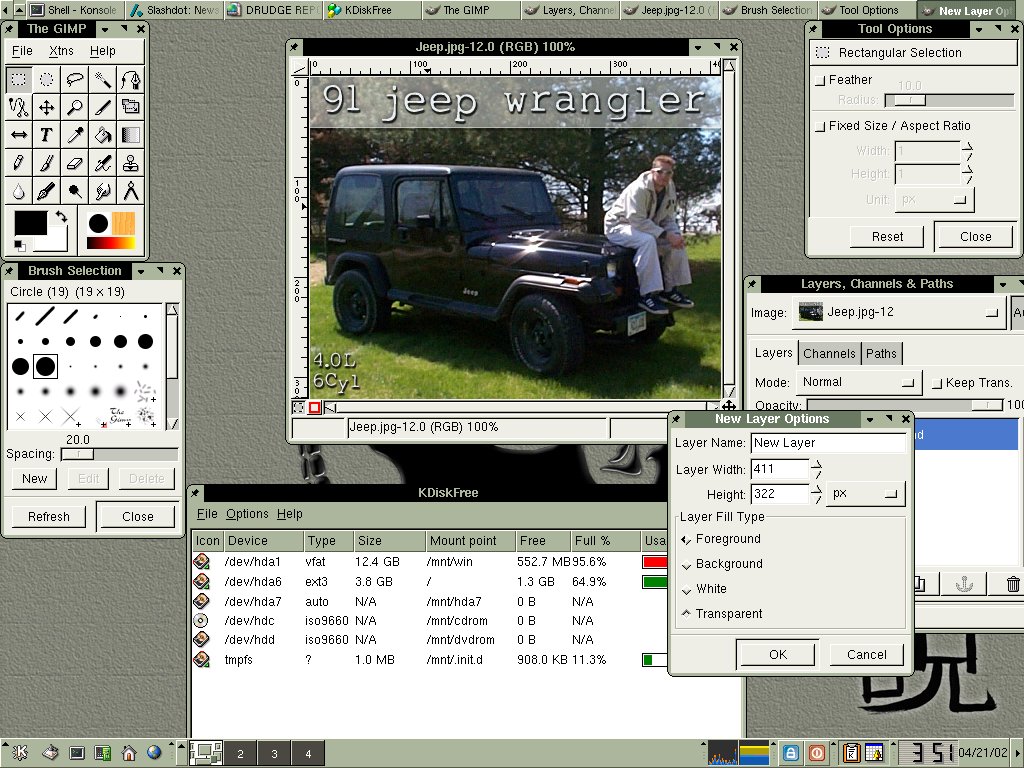
Using GIMP (GNU Image Manipulation Program) to work on a little picture of me sitting on my jeep, GIMP is similar to Photoshop, and it's free! Also viewing my drive's fullness using KDiskFree.