|
Do something useful for somebody else... |
|
aLcAsA |
|
Colombia |


|
Click image for large screenshot |
Generate HTML files for your images |
|
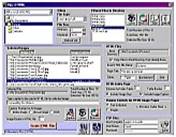
Generates HTML files for images. The files are linked together so the images can be easily seen in an organized manner. An index file is also created with links to all the images. It's very easy to use. |
Features:· Image files can be selected from different directories. · Upload files to the internet using FTP. · Descriptive text can be added to each picture. · Image preview. · Filter files by type and size. · Customizable index table. · Freeware!! |
|
E-mail: [email protected] |
|
Feedback or Comments: |
|
Pics2HTML |

Bugs:I tried to test the program as much as I could. In my opinion is very easy to use and it is bug free (is it??), but if you find a problem with the program or you have any suggestions please let me know. |
Download:· I'm trying to reduce the installation file size. The main .exe file is less than 200 Kb, but the FTP control that I'm using needs several files that your computer may not have so I included them with the installation package. · If you have Visual Basic 5 or older installed in your computer or you have installed VB programs before on your computer or if you have Windows XP you can try downloading this version of the installer: Basic Installer (223 Kb). With this basic installer you can remove the program by just deleting the folder with all the files. · If you are not sure about having the necessary files in your system, download the Full Installer (1599 Kb). With the full installer you get the option to uninstall from Control Panel. |
System Requirements:At least Windows 95 but also runs on newer versions of Windows like XP. |
History:I had a lot of cartoons and personal pictures that I wanted to display in my website. I tried Mihov Gallery Creator v. 0.8 but it did not have some features that I wanted and I did not want to bother Mihov so I decided to write my own program. First release: August 5, 1999
|