
HTML Class 2
HTML Class 2
covering: (Links and Images)
how to get a URL (URL = Uniform Resource Locator)
posting links
posting images
image formats
image aligning
resizing images
using images as links
borders around the images
aligning text with images
Providing you some helpful links
please stop this girl at any point if she moves along to fast or you have further questions

this will show you how to save one, and return
directly to it can save you lots of browsing and hoping time
when revisiting sites you like.
The URL or http address is what you use to point
to the music you've chosen to play
(the example this girl will use here is music,
also used for images or anything located on the net)
the URL for the song this one started class with is :
http://www.musicplace.5u.com/Africa.mid
obtaining the URL of a link, image, page or other object is a simple matter
Netscape Users:
right click on the object and scroll down to
copy image/link location and click
I.E. users:
right click on the object and scroll down to
copy shortcut:
then:
CnTRL V or right click where you want it and
choose the option Paste from the edit menu.
one other way to grab the http is to right click
on the object, background, music, or picture is to
right click on the object and go to properties
and click, then copy the address that is shown from
the box that comes up.
why don't you try and get the music link http for this one:
keep in mind you can get the URL for images also
the same way as links or about anything that is
posted on the web
using this URL: http://soiuser.hyperchat.com/mistie/kalicove3.jpg
it would post like this:
this is what a girl posted to do that without
the asterisks of course
<a href=http://soiuser.hyperchat.com/mistie/kalicove3.jpg>kalicove</a>
this girl added her own words after it and if you click on it you should be able to see the image
smiling
don't forget to make sure that the </A> is
at the end of the link
word or everything you posted shall be underlined,
have done this, the </a> turns the link off
a very important thing
jpg or sometimes called .jpeg =
Joint
Photographic
Equipment
Group
The format is unique in that it uses compression
after it's been created. That's fancy
computer talk that means that when the computer
is not using a .jpeg image it folds it up
and puts it away. For example, if the picture
is 10K bytes when displayed, it may be only 4K
bytes when stored.
gif = Graphics Interchange
Format
It's a series of colored picture elements, or
dots, known a pixels, that line up to make a
picture. your television's picture is created
much the same way. Browsers can handle this
format quite easily.
.bmp = This is a "bitmap."
A bitmap is an image that a computer produces
and places for you. A counter is an
example. Even though Internet Explorer will allow
you to place an image as a .bmp,
this girl wouldn't. No other browsers will be
able to display it. Going with .gif or .jpeg (.jpg) is best
so now you know what the image formats are how do you post them?
<img src="http.address.here">
IMG stands for "image." It announces to the browser that
an image will go here on the page.
SRC stands for "source." The browser need to know where
to find the image to place on the page
or the source of the image
using this http:
http://soiuser.hyperchat.com/mistie/slave.jpg
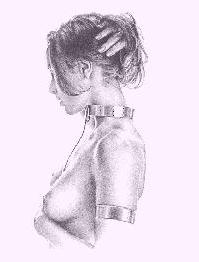
this one posted this: <img src=http://soiuser.hyperchat.com/mistie/slave.jpg>
to get that to view without the asterisks of course
align Top:
would mean to align the top of the image with the line..
align bottom:
would mean to align the bottom of the image with the line..
and align center:
would mean to have the line pass through the center of the image.
<center><img src="http://soiuser.hyperchat.com/mistie/redroses.jpg" ALIGN="center"></center>

~~~~~~~~~~~~~~~~~~~~~~~~~~~~~~~~~~~
by putting align=right in this it made the picture turn out in the right
<img src="http://soiuser.hyperchat.com/mistie/redroses.jpg" ALIGN="right">
by putting align=left in this it made the picture turn out in the left<BR>
<img src="http://soiuser.hyperchat.com/mistie/redroses.jpg " align="left">
also a hint here, to get these to post correctly in the room this girl
had to add a
bunch of <BR>’s after the image, for some reason wanted to bleed
one post into another in
the soi rooms here
<BR> without the means a new line
you will find this useful in creation of rooms also,
your text will tend to wrap at the top of the room but by using <BR>’s
you can begin each line
of text exactly where you want
Using Images as linksnow you will be combining two things you have already learned
for example:
just say this girl wants a picture of a strong Master linked to the StrongHold of Thentis pagesuse the html you learned for links and instead of the text showing the link you will place the
<img src=> in there<a href="http://www.geocities.com/thentisfamily/">
<img src=http://soiuser.hyperchat.com/mistie/Master.jpg></a>see you have you closing tag after the image file also
it would look and work like this

Resizing ImagesIf the image you desire to use is to large or small you can resize it easily
for example the last image posted lets say you want it half it's original size
the original image size is 330 high and 162 wide so<img src=http://soiuser.hyperchat.com/mistie/Master.jpg height=115 width=81>
Posting Images with borders
<img src="http.address.here" border=X>using the same image of a slave as above, lets see now how to place a border around it when posted
using this http:
http://soiuser.hyperchat.com/mistie/slave.jpg
~~~~~~~~~~~~~~~~~~~~~~~~~~~~~~~~~~~~~~~~~~~~~~~~~~~ this one posted this: <img src=http://soiuser.hyperchat.com/mistie/slave.jpg border=20>
to get that to view without the asterisks of courseyou change the number after the word border to change the size of the border
for example if you want the border to be think lets us 5 for an example:
<img src=http://soiuser.hyperchat.com/mistie/slave.jpg border=5>
Hint: sometimes on some browsers if you don't specify a border especially when making it a link, it will show up with a small border around it, to ensure against this if you don't want a border at all specify in your tag border=0
Images don't always stand alone. you will often want text alongside them. Here you
will ALIGN text along the top, the middle, or the bottom. Again, you'll use the ALIGN="--"
attribute with one of these three: "top", "middle", or "bottom".Here are the formats:
<IMG ALIGN="top" SRC="http://soiuser.hyperchat.com/mistie/slave.jpg"> text text text
<IMG ALIGN="middle" SRC="http://soiuser.hyperchat.com/mistie/slave.jpg"> text text text
<IMG ALIGN="bottom" SRC="http://soiuser.hyperchat.com/mistie/slave.jpg"> text text text
and they would look like this:
you may notice that using the top, middle, and bottom attributes only allows for one line of text and then the rest jumps down below the image.
Here's the trick to solving that. Don't use the top, middle, or bottom attribute unless you only want one line of text. If you want text to wrap around the image, use ALIGN="left" and ALIGN="right".
Even if the image is already to the left, use the ALIGN="left" attribute anyway. It allows the text to wrap around the image fully.
Next class will cover forms, lists tables etcso any questions left?
Providing you some helpful linksHTML class #3
covering:
lists
forms
tables
Html Guides
Html BasicsStone Throw's qwic and easy html course
Colors
Lick Me's Color Specifier for Netscape 3.0Music
Master AShton's Music PageFantasty Artwork
ImageNETionGraphics
Doctor Draac's animated gif's
